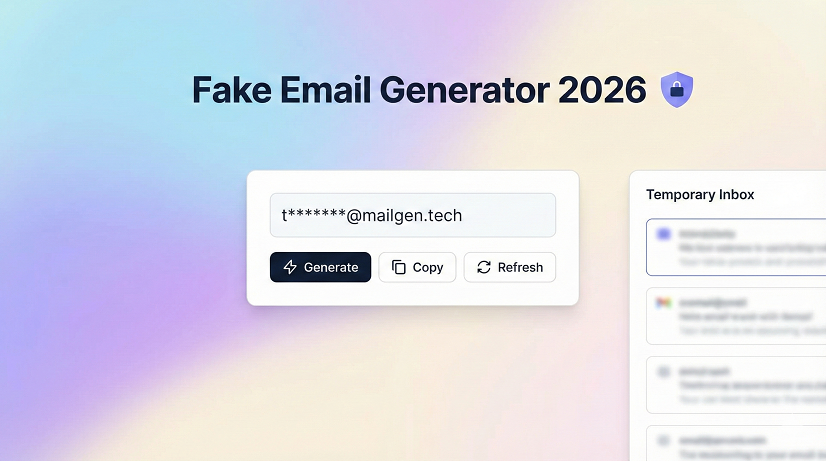
Stop giving your real email address to every “free trial” pop-up: the 2026 beginner’s guide to fake email generators, temp mail, and the inbox that self-destructs in 10 minutes
Introduction – the day my primary inbox drowned
Last spring I signed up for a $5 grocery coupon. Harmless, right?
Within 48 hours my phone buzzed every three minutes—crypto newsletters, three vitamin brands, two political surveys, and a guy named “Kris” who promised 10 000 Instagram followers.
I counted: 127 new messages in two days, all because I typed my everyday address into one innocent-looking form.
That afternoon I opened my first disposable inbox.
The coupon arrived, I clicked verify, the temp mail evaporated, and the spam parade stopped instantly.
If you’ve ever felt that “why did I give them my real email?” regret, this guide is the exact playbook I now hand to friends, clients, and my own mother.
Below you’ll learn how a fake email generator works, which temp-mail sites are still safe in 2026, the rookie mistakes that expose your identity anyway, and the five rules I use to keep my primary inbox quieter than a library on Monday morning.
Last spring I signed up for a $5 grocery coupon. Harmless, right?
Within 48 hours my phone buzzed every three minutes—crypto newsletters, three vitamin brands, two political surveys, and a guy named “Kris” who promised 10 000 Instagram followers.
I counted: 127 new messages in two days, all because I typed my everyday address into one innocent-looking form.
That afternoon I opened my first disposable inbox.
The coupon arrived, I clicked verify, the temp mail evaporated, and the spam parade stopped instantly.
If you’ve ever felt that “why did I give them my real email?” regret, this guide is the exact playbook I now hand to friends, clients, and my own mother.
Below you’ll learn how a fake email generator works, which temp-mail sites are still safe in 2026, the rookie mistakes that expose your identity anyway, and the five rules I use to keep my primary inbox quieter than a library on Monday morning.
What a fake email generator actually is (and the one-sentence difference between “fake” and “temporary”)
In my experience people Google “fake email generator” when they really want a burner inbox, but the words aren’t identical.
A fake address can be totally made-up (no inbox at all), while a temporary address has a real, functioning mailbox—just one that deletes itself later.
For signing up, downloading, or testing you almost always need the second kind, so throughout this article “fake email generator” means “real inbox that disappears.”
In my experience people Google “fake email generator” when they really want a burner inbox, but the words aren’t identical.
A fake address can be totally made-up (no inbox at all), while a temporary address has a real, functioning mailbox—just one that deletes itself later.
For signing up, downloading, or testing you almost always need the second kind, so throughout this article “fake email generator” means “real inbox that disappears.”
Why disposable email isn’t just for “shady stuff” anymore
Ten years ago temp mail carried a whiff of black-hat hacking.
Today it’s the cheapest privacy tool you can use.
I routinely recommend it for:
Ten years ago temp mail carried a whiff of black-hat hacking.
Today it’s the cheapest privacy tool you can use.
I routinely recommend it for:
- Downloading a software trial three times without sales calls
- Getting a free shipping code from the same clothing store every season
- Handing a working address to the random plumber who insists “I’ll email the quote”
- Testing my own newsletter sign-up forms to be sure the welcome email actually sends
If you’ve ever created a Gmail folder called “promotions” you already believe in inbox triage—temp mail just takes the idea one step further.
How the technology works (in plain English)
A temp-mail site owns a pool of domains—think @zikqk.com, @cevko.net, weird names no one would ever brand.
When you land on the site it assigns you the next free address in that pool, spins up a real MX record so the domain can receive mail, and shows you a web-based inbox.
Most providers set a countdown—10 minutes, one hour, 24 hours—then purge everything from their servers.
No password, no recovery, no backup: once the timer hits zero the messages are forensically gone.
That’s why even data brokers hate these things; there’s nothing to resell.
A temp-mail site owns a pool of domains—think @zikqk.com, @cevko.net, weird names no one would ever brand.
When you land on the site it assigns you the next free address in that pool, spins up a real MX record so the domain can receive mail, and shows you a web-based inbox.
Most providers set a countdown—10 minutes, one hour, 24 hours—then purge everything from their servers.
No password, no recovery, no backup: once the timer hits zero the messages are forensically gone.
That’s why even data brokers hate these things; there’s nothing to resell.
The best fake email generators I still trust in 2026 (tested myself)
I open a new burner inbox roughly twice a week.
After two years of side-by-side tests, these four services consistently load fast, display mail cleanly, and—crucially—don’t leak my IP address.
I open a new burner inbox roughly twice a week.
After two years of side-by-side tests, these four services consistently load fast, display mail cleanly, and—crucially—don’t leak my IP address.
- Temp-Mail.org
– Oldest kid on the block, still refreshes domains every 48 hours.
– Android/iOS app if you need codes on the go.
– 10-minute default, extendable to 24 hours. - Generator.email
– One-click copy button, no banner ads in 2026 (rare).
– Offers a browser plug-in that auto-fills a fresh address on any form. - Mail.tm
– Open-source code base; you can even self-host if you’re paranoid.
– Keeps the inbox alive for 30 days unless you delete manually—great for longer trials. - Guerrilla Mail
– Lets you choose quirky domains like @sharklasers.com.
– Has a “scramble address” feature that forwards mail to your real inbox through an encrypted hash, handy when you’re forced to give a permanent contact.
I keep the others on a “meh” list: they work, but either throttle you with captchas or plaster so many pop-ups you feel like you’re in 2003.
Step-by-step: getting your first burner email in under 60 seconds
- Open any of the sites above in private/incognito mode.
- The service instantly shows you an address; hit the copy icon.
- Paste it into the annoying form that wants your email.
- Switch back to the temp-mail tab and wait for the verification message—usually arrives within 15 seconds.
- Click the verification link, download the file, or copy the code you need.
- Close the tab.
That’s it.
No registration, no password, no wedding vows.
Real-world mini case study – booking a vacation rental
My friend Lena wanted a $50 first-time-user coupon from a vacation-rental platform that limited one discount per email.
She already had an account, so she:
My friend Lena wanted a $50 first-time-user coupon from a vacation-rental platform that limited one discount per email.
She already had an account, so she:
- Generated a 24-hour Mail.tm address
- Created a new account with the burner
- Received the coupon code immediately
- Booked her lakeside cabin
- Deleted the temp inbox
The platform got a valid email
Wikipedia
for its marketing drip; Lena saved fifty bucks; her primary inbox stayed pristine.
Everyone won—except the spam folder.
Everyone won—except the spam folder.
Pros vs. cons (because nothing is magic)
Pros
Pros
- Zero setup time
- No link to your identity if you use a VPN
- Messages self-destruct—no leaks in a future breach
- Completely free
Cons
- Some sites block disposable domains (Netflix, most banks)
- You lose the address forever if you close the tab too early
- Customer support can’t help you recover a deleted inbox
- Public temp-mail domains are blacklisted in certain loyalty programs
The biggest rookie mistakes I see every month
- Forgetting to turn off VPN before paying with a real credit card.
If your IP says “Romania” but your billing zip is Dallas, fraud alarms ring. - Using temp mail for two-factor authentication backups.
When the inbox vanishes, so does your ability to reset a password. - Not screenshotting the welcome email that contains a license key.
Once the timer ends, that key is gone. - Choosing a provider that lets anyone read the same inbox by typing the same address.
Stick to services that generate random hashes so nobody else can guess your alias. - Assuming “disposable” equals “anonymous.”
Your IP address is still logged unless you use private browsing plus a VPN.
How to tell if a website blocks disposable email (before you waste time)
Paste the address into the form and hit submit.
If you get an instant red warning like “Please enter a valid email” or “This domain is not allowed,” the site runs real-time block lists such as DEA (Disposable Email Address).
No fancy trick around that—just use a permanent alias like Apple’s Hide My Email or DuckDuckGo’s @duck.com forwarding instead.
Paste the address into the form and hit submit.
If you get an instant red warning like “Please enter a valid email” or “This domain is not allowed,” the site runs real-time block lists such as DEA (Disposable Email Address).
No fancy trick around that—just use a permanent alias like Apple’s Hide My Email or DuckDuckGo’s @duck.com forwarding instead.
Advanced trick: create your own disposable domain for $9 a year
If you’re a developer, freelancer, or just a control freak (hi, it’s me), buy a weird domain at Namecheap, enable catch-all forwarding, and point it to your real inbox.
Then you can sign up as [email protected] or [email protected].
When an address starts receiving spam, you block that single alias.
Cost: one pizza a year.
Privacy: 100 % yours.
If you’re a developer, freelancer, or just a control freak (hi, it’s me), buy a weird domain at Namecheap, enable catch-all forwarding, and point it to your real inbox.
Then you can sign up as [email protected] or [email protected].
When an address starts receiving spam, you block that single alias.
Cost: one pizza a year.
Privacy: 100 % yours.
Frequently asked questions
Q1. Is temp mail legal?
Yes. You’re under no obligation to give every business your permanent contact. Just don’t use it for fraud or to evade court orders—common-sense law applies.
Yes. You’re under no obligation to give every business your permanent contact. Just don’t use it for fraud or to evade court orders—common-sense law applies.
Q2. How long does the average inbox stay alive?
Default ranges from 10 minutes (Temp-Mail.org) to 30 days (Mail.tm). Some providers let you delete manually; others start the countdown the moment the address is created.
Default ranges from 10 minutes (Temp-Mail.org) to 30 days (Mail.tm). Some providers let you delete manually; others start the countdown the moment the address is created.
Q3. Can someone else read my burner inbox?
If the service uses a public RSS feed or a predictable URL, yes. Stick to sites that randomize the inbox path or require a cookie to unlock the view.
If the service uses a public RSS feed or a predictable URL, yes. Stick to sites that randomize the inbox path or require a cookie to unlock the view.
Q4. Do fake email generators keep logs?
Most claim they don’t, but their server files may contain IP addresses for days or weeks. Pair the tool with a reputable no-logs VPN if that worries you.
Most claim they don’t, but their server files may contain IP addresses for days or weeks. Pair the tool with a reputable no-logs VPN if that worries you.
Q5. Will Gmail or Outlook ever offer built-in disposable addresses?
Google already does—”plus” aliases ([email protected]) and the newer “@googlemail.com” variation—but those aren’t true burners because the mail still lands in your main box. Microsoft’s “Hide My Email” inside Outlook Premium is closer, yet not available in every country.
Google already does—”plus” aliases ([email protected]) and the newer “@googlemail.com” variation—but those aren’t true burners because the mail still lands in your main box. Microsoft’s “Hide My Email” inside Outlook Premium is closer, yet not available in every country.
Q6. Why did the temp-mail site ask me to solve five captchas?
Either their domains were heavily abused by bots, or you’re on a VPN IP with bad history. Switch servers or try a different provider.
Either their domains were heavily abused by bots, or you’re on a VPN IP with bad history. Switch servers or try a different provider.
Q7. Can I reply from a disposable address?
Some services (Guerrilla Mail, Mail.tm) allow outbound replies, but most do not. If you need two-way conversation, use an alias service instead of a pure burner.
Some services (Guerrilla Mail, Mail.tm) allow outbound replies, but most do not. If you need two-way conversation, use an alias service instead of a pure burner.
Q8. What happens when the timer ends?
Messages and the address itself are wiped. Any future mail to that address bounces back to the sender as “user unknown.”
Messages and the address itself are wiped. Any future mail to that address bounces back to the sender as “user unknown.”
Best TH13 COC base layouts
Takeaway checklist – keep this in your notes
- Use incognito mode + VPN for extra distance
- Screenshot anything you might need later (order numbers, license keys)
- Never use temp mail for bank accounts, medical portals, or anything tied to your legal identity
- Rotate providers so no single site holds a full picture of your activity
- Delete the inbox manually once you’re done—don’t wait for the countdown
Conclusion – your inbox deserves a bouncer
Handing out your permanent email in 2026 is like giving every cashier the keys to your living room.
A fake email generator is the five-second bouncer that says, “You can drop off the package, but you don’t get to move in.”
Pick one of the trusted sites above, test it on the next coupon form, and feel the bizarre calm of an inbox that stays quiet.
Once you experience that silence, you’ll never again trade your real address for a 10 % discount on socks.
Handing out your permanent email in 2026 is like giving every cashier the keys to your living room.
A fake email generator is the five-second bouncer that says, “You can drop off the package, but you don’t get to move in.”
Pick one of the trusted sites above, test it on the next coupon form, and feel the bizarre calm of an inbox that stays quiet.
Once you experience that silence, you’ll never again trade your real address for a 10 % discount on socks.