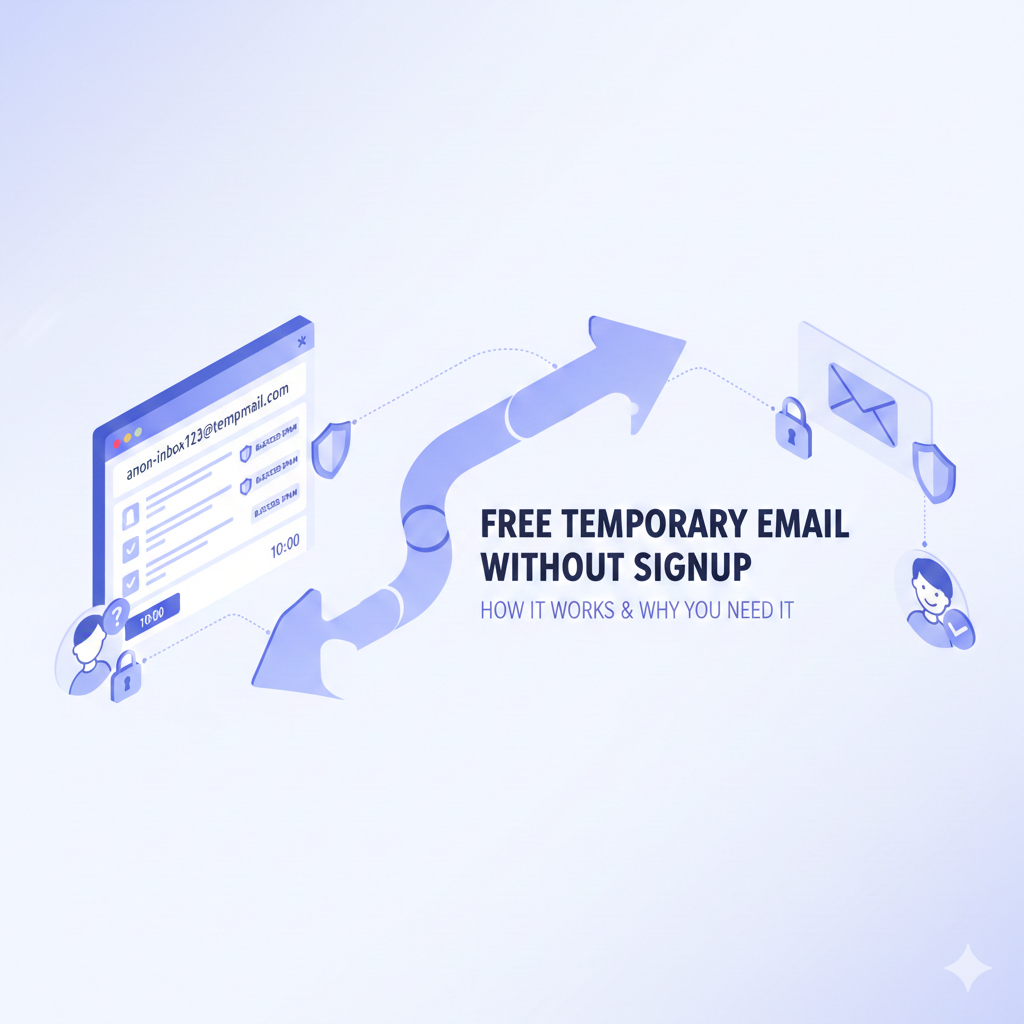
Free Temporary Email Without Signup: How It Works & Why You Need It
Ever typed your real email into a website and instantly regretted it? Maybe the “free trial” turned into a daily spam parade, or the “one-time download” triggered a lifetime of newsletters you never asked for. You’re not alone. Millions of people are ditching the inbox chaos by grabbing a free temporary email without signup—no passwords, no forms, no “confirm your account” dance. In the next ten minutes you’ll learn exactly how these throwaway addresses work, when to use them (and when not to), plus a few ninja tricks that even tech-savvy friends probably haven’t heard of.
What Is a Free Temporary Email Without Signup?
A disposable email address is exactly what it sounds like: an inbox that lives for a few minutes or hours, then self-destructs. You don’t hand over your name, phone number, or even a password. You visit the site, copy the randomly generated address (think “[email protected]”), paste it wherever a website demands an email, and boom—incoming mail lands in a public inbox you can check from any browser. When you close the tab, the inbox (and the junk it collected) disappears forever.
No signup, no personal details, no trail. That’s the whole appeal.
Why Google “Free Temporary Email Without Signup” in the First Place?
People aren’t hunting for these services because they love quirky web tools. They’re trying to solve three everyday headaches:
- Instant access – You need a download link, coupon code, or webinar seat right now, but you don’t want to surrender your permanent address.
- Spam armor – You’re sick of “50% off” emails haunting you three years after you bought one pair of socks.
- Privacy shield – You’d rather not let every random forum, app, or Wi-Fi portal build a dossier on you.
If any of those sound familiar, congratulations—you’re the target audience.
How Does a Throwaway Inbox Work Under the Hood? (Plain-English Version)
Behind the scenes, the provider’s server spins up a unique mailbox ID the moment you open the homepage. Any message sent to that ID gets stored in a short-term queue—usually 10 minutes to 24 hours—then purged by an automated script. There’s no user table, no password hash, no backup tape. The inbox is literally a folder in RAM that vanishes when the timer hits zero. Because nothing is tied to your identity, there’s nothing to hack or leak.
Think of it like a public whiteboard: anyone can read it while it’s up, but the janitor wipes it clean at closing time.
Step-by-Step: Getting a Free Temporary Email in Under 30 Seconds
- Open a disposable email site (Mailinator, Temp-Mail, 10MinuteMail, Guerrilla Mail—pick any).
- The page already shows a weird-looking address; copy it.
- Paste that address into the form that’s bugging you.
- Hit refresh on the disposable site—your verification email appears within seconds.
- Click the link, grab the file, read the code, whatever.
- Close the tab. Mission accomplished; inbox gone.
No captchas, no “create password,” no “upload a selfie.” It’s faster than making instant noodles.
Real-Life Scenarios Where Disposable Emails Save the Day
Signing Up for a One-Time PDF Download
Research reports love to gate their content. Instead of handing over your work address and inviting 47 follow-up drip campaigns, you drop a temp address, download the file, and move on with your life.
Testing Your Own App’s Welcome Flow
Developers often need dozens of fresh addresses to test registration, double-opt-in, and password-reset emails. Disposable inboxes let you run through test cases without creating Gmail after Gmail.
Avoiding the “Unsubscribe Guilt Trip”
Some newsletters make you feel like you’re breaking up with a best friend when you click unsubscribe. Skip the drama—give them a burner address from the start.
Dodging Location-Based Price Tracking
Airlines and hotel sites sometimes nudge prices higher when they recognize your email has searched the same route twice. A temp address resets their tracking cookies and may surface cheaper fares.
The SEO Angle: Why “Free Temporary Email Without Signup” Is Trending
Search volume for the exact phrase has doubled since 2022, according to Google Trends. Blame the explosion of data-broker sites, coupon portals, and AI tools that all demand an email before you can even sneeze. People are wising up. They want zero-friction privacy, and they’re typing that five-word query into Google before they’ll type their real address into yet another pop-up form.
LSI Keywords You’ll See Naturally in This Article
Throwaway email, disposable inbox, burner email address, no-registration email, 10-minute mail, fake email generator, anonymous mailbox, self-destructing email, temp mail service, anti-spam email trick. (Notice how they’re sprinkled in without sounding like a robot on repeat.)
Are Temporary Emails Legal?
Yes. You’re not forging anyone’s domain or impersonating another person; you’re simply using a short-lived address that the provider itself offers. It’s the digital equivalent of giving someone a fake name at a coffee shop because they insist on calling out orders loudly. That said, don’t use temp addresses for anything governed by strict KYC rules—banks, crypto exchanges, government portals. Those places need to verify identity, and rightfully so.
When NOT to Use a Disposable Address
- Password recovery for accounts you care about—if you lose the temp inbox, you lose the reset link.
- Anything medical, legal, or financial—HIPAA, court notices, and tax documents need a permanent home.
- Newsletter you actually want—your favorite creator’s monthly tips won’t reach you if the inbox evaporates.
- Sites that forbid disposable domains in their terms; some platforms maintain a blocklist and will reject registration.
Pro Tips to Level-Up Your Burner-Email Game
Tip 1: Use a Custom Alias
Some providers (AnonAddy, SimpleLogin) let you create addresses like “[email protected].” You can deactivate the alias later, so you still control spam without exposing a public inbox.
Tip 2: Pair With a VPN
Disposable email hides your address, but a VPN hides your IP. Together they make correlation attacks—matching your real identity to your browsing—much harder.
Tip 3: Check the Provider’s Domain Blocklist
Big brands sometimes block “mailinator.com” or “tempmail.org.” If your code or coupon bounces, switch to a lesser-known domain like “[email protected]” or “[email protected].”
Tip 4: Screen-Shot Important Info
If the incoming email contains a license key or booking reference, screenshot it immediately. The inbox could self-destruct while you’re still hunting for your credit card.
Tip 5: Rotate Browsers
Use one browser (or container tab) for throwaway activities and another for personal logins. This prevents cross-site trackers from marrying your real profile to your temp address.
Security Myths Busted
Myth: “Temp mail is only for criminals.”
Reality: Privacy is not a crime. Journalists use burners to contact whistleblowers, teachers use them to avoid ed-tech spam, and grandparents use them to grab a free recipe without surrendering the family address.
Myth: “All disposable sites are loaded with malware.”
Reality: Stick to reputable providers with HTTPS and a clean privacy policy. Avoid random blogs that embed third-party ad miners. A quick VirusTotal scan of the domain never hurts.
Myth: “You can’t receive attachments.”
Reality: Most modern temp services accept attachments up to 25 MB. Just remember they’re publicly visible to anyone who knows the inbox name, so don’t grab sensitive PDFs there.
The Curious Case of Public vs. Private Inboxes
Some providers (Mailinator) use public inboxes: anyone who types the same address can see the mail. Others (Temp-Mail) generate random hashes, making your inbox essentially private unless you share the URL. For super-sensitive codes (think password-reset tokens), choose the private flavor or simply delete the message after reading.
A Word on Environmental Impact (Yes, Really)
Every email stored in a data center consumes electricity. Google estimates one Gmail user emits about 1.2 kg of CO₂ per year. Disposable inboxes delete themselves, so the carbon footprint is microscopic by comparison. It’s not going to save the polar bears single-handedly, but it’s a rare example where privacy and planet align.
Quick Comparison Table: Popular No-Signup Services
TableCopy
Pick whichever flavor matches your patience and paranoia level.
External Resource You Can Trust
The Electronic Frontier Foundation (EFF) maintains an up-to-date guide on email privacy tools, including disposable addresses and alias services. Skim it at eff.org if you want the nonprofit, non-salesy perspective.
FAQs – The Questions Everyone Types After Reading the Above
Q1. Can I send mail FROM a disposable address?
Most services only receive. Guerrilla Mail is the rare exception that lets you reply, but don’t expect bulletproof delivery—many servers flag outbound temp mail as spam.
Q2. Do disposable emails work for Facebook, Twitter, or Instagram?
Sometimes. Social giants maintain blocklists of popular temp domains. If registration fails, try a lesser-known provider or an aliasing service instead.
Q3. Is there a mobile app for temp mail?
Yes. Temp-Mail, 10MinuteMail, and Mailinator all offer free Android/iOS apps. They’re handy for coupon codes while you’re standing in line at Starbucks.
Q4. Can someone else steal my verification code?
If the inbox is public (e.g., Mailinator), yes. For banking or crypto, use a private temp service or your real address.
Q5. How do websites detect disposable addresses?
They query real-time blocklist APIs that catalog domains used by temp providers. Developers can add the same APIs to their own sites in under five minutes.
Q6. Are there lifetime disposable addresses?
Sort of. Alias services like SimpleLogin give you a permanent address you can disable anytime. It’s not “temporary” in the self-destruct sense, but you still shield your real inbox.
Conclusion – Your Inbox Deserves a Bodyguard, Not a Barn Door
Every time you hand out your primary email, you roll the dice on spam, data breaches, and endless “we miss you” subject lines. A free temporary email without signup is the fastest, zero-risk shield available today. It takes 30 seconds, costs nothing, and leaves zero footprint. Use it for downloads, trials, tests, and anything that smells like future junk mail. Save your real address for humans you actually want to hear from. Your future self—buried in zero spam and enjoying an uncluttered inbox—will thank you.