The Ultimate Guide to Protect Inbox From Spam 2026: Reclaim Your Digital Sanity
We have all been there. You wake up, grab your phone, and open your email app expecting an important message. Instead, you are greeted by an avalanche of "urgent" offers, weird newsletters you never signed up for, and blatant scams.
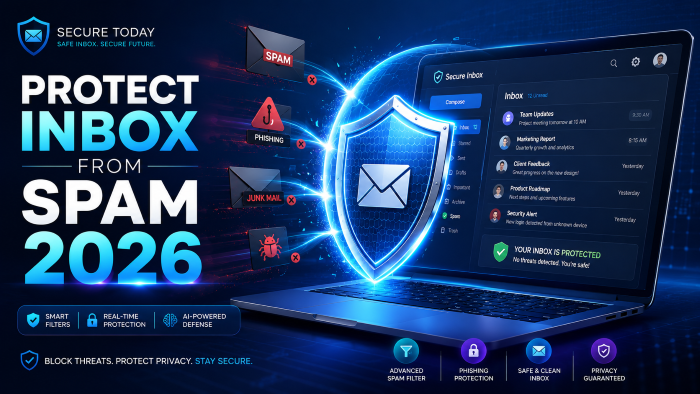
If your daily routine involves aggressively swiping left to delete dozens of useless messages, you are not alone. Figuring out how to completely protect inbox from spam 2026 has become one of the biggest digital survival skills of our time.
In my experience, most people just accept a cluttered inbox as a normal part of life on the internet. But what most people don’t realize is that an overflowing junk folder isn't just annoying—it is a massive security risk.
This guide is going to walk you through exactly how to stop spam emails dead in their tracks. We will cover the hidden features your email provider isn't telling you about, how to secure email inbox settings, and the exact steps to take back control of your digital life.
Why Is the Spam Problem Changing Right Now?
You might be wondering why, despite all our modern technology, junk mail seems more aggressive than ever. The truth is, the tactics used by spammers have evolved drastically.
They are no longer just sending poorly spelled messages from foreign princes. Today, your email address is a valuable commodity. Data brokers scrape it, bundle it, and sell it to hundreds of marketing lists in the blink of an eye.
When you look at email spam protection 2026, the focus has shifted. It is no longer just about filtering out the bad stuff; it is about preventing your address from getting into the wrong hands in the first place.
How to Stop Spam Emails: The Foundation of Inbox Security Tips
If you want to genuinely reduce junk emails, you need a solid foundation. You cannot just rely on hitting "delete" every morning. Here are the core strategies you need to implement right now.
Mastering the Built-In Spam Email Filter
Every major email provider has a built-in spam email filter, but very few people actually train it correctly.
When you see a piece of junk mail in your primary inbox, your first instinct is probably to just delete it. That is a huge mistake. Deleting a message tells your email provider absolutely nothing.
Instead, you must actively mark it as spam. This sends a signal back to the server, teaching the algorithm to recognize similar senders, subjects, and patterns in the future. Over time, this makes your email privacy protection incredibly robust.
The Right Way to Unsubscribe From Spam Emails
This is a controversial topic, but after working with countless clients on their digital security, I have a firm rule: be very careful what you unsubscribe from.
If the email is from a legitimate company (like a clothing brand or a software tool you actually used), clicking the unsubscribe link is perfectly safe and effective.
However, if you receive a shady email from a completely unknown source, clicking "unsubscribe" is a trap. It verifies to the scammer that your email address is active and monitored. Instead of taking you off their list, they will sell your "verified" address to a dozen other spammers. Just block spam emails from these senders entirely.
Gmail Spam Protection vs Outlook Spam Protection
The two biggest players in the email game handle things slightly differently. If you are trying to maximize your inbox defense, it helps to know the strengths of the platform you are using.
Both platforms offer excellent tools, but you have to actually dive into the settings and turn them on.
See here………How to use Instagram for growth
Advanced Tactics: Email Spam Protection 2026
Once you have the basics down, it is time to look at the advanced digital hacks that can make your inbox virtually bulletproof.
The "Plus Addressing" Hack
If you use Gmail, you have an infinite number of email addresses at your disposal. You can add a "+" sign and any word after your username, and the emails will still come to your main inbox.
For example, if you are forced to sign up for a webinar, use [email protected]. If you suddenly start getting spam sent to that specific address, you know exactly who sold your data. You can then create a rule to automatically block spam emails sent to that alias.
Use Dedicated Alias Services
If you want the best spam blocker 2026 has to offer, you should look into dedicated email forwarding services. Tools like SimpleLogin or AnonAddy allow you to generate unique, random email addresses for every single website you use.
These fake addresses forward the mail to your real inbox. If one starts getting spammed, you just click a button to deactivate that specific alias. Your real email address remains completely hidden and pristine.
How to Prevent Phishing Emails and Protect Email from Hackers
Spam is annoying, but phishing is dangerous. Phishing emails are designed to look exactly like messages from your bank, the government, or a trusted service, tricking you into handing over your passwords.
To protect email from hackers, you need to develop a healthy sense of digital paranoia. Never click a link in an unexpected email that asks you to log in or verify account details.
Instead, open your web browser, manually type in the website address of your bank or service, and log in directly. If there is a real issue with your account, there will be a notification waiting for you on the official dashboard.
Additionally, always use Two-Factor Authentication (2FA) on your email account. Even if a phishing attack manages to steal your password, they won't be able to log in without the physical code from your phone.
The Best Anti-Spam Tools (And A Quiet Monetization Secret)
Sometimes, the built-in tools just aren't enough, especially if your email address has been floating around the internet for a decade. This is where third-party anti-spam tools come into play.
Data Removal Services
One of the most effective ways to stop the flow of junk is to cut it off at the source. Data brokers legally scrape your contact info and sell it to marketers.
Using a premium data removal service like Incogni, DeleteMe, or Kanary is a game-changer. Yes, these are paid services, but they automate the exhausting legal process of forcing hundreds of brokers to delete your profile. If you value your time and want a truly secure email inbox, these tools pay for themselves in peace of mind.
Premium Filtering Software
If you run a business or have a heavily publicized email address, you might need a heavy-duty spam email filter. Services like Spambrella or Mailwasher intercept your emails before they even reach your inbox, filtering out the garbage with enterprise-level precision.
A Real-World Case Study: The Webinar Disaster
Let me share a quick story that highlights why all of this matters. A client of mine—let's call him David—was a typical internet user. He used one single email address for his banking, his family, and every random PDF download or newsletter on the web.
One day, David signed up for a free marketing webinar. Within 48 hours, his inbox was absolutely flooded. He was getting over 200 junk emails a day. He had fallen victim to a list-bombing attack because that one webinar host sold his data to a massive, shady syndicate.
David was ready to abandon an email address he had owned for 15 years. Instead, we implemented a strict recovery plan.
We set up aggressive filter rules to catch specific keywords. We ruthlessly marked items as spam rather than deleting them. Finally, we set him up with a password manager and email aliases for all future sign-ups. It took about three weeks of training the algorithm, but his inbox finally returned to a quiet, manageable state.
5 Common Mistakes That Invite More Junk Emails
Even if you are trying your best, you might be accidentally inviting more clutter into your life. Here are the biggest mistakes I see people make.
- Replying to Spam: Never, ever reply to a junk email. Even sending an angry "take me off your list" confirms your email is active and monitored.
- Leaving Images Turned On: Spammers embed invisible tracking pixels in their emails. If your email client automatically downloads images, the spammer gets a notification that you opened the message. Turn off automatic image loading in your settings.
- Publishing Your Email Online: If you put your raw email address on your public Twitter bio, your website, or a public forum, scraper bots will find it within minutes.
- Using Your Main Email for Wi-Fi: Those free airport and coffee shop Wi-Fi networks that ask for an email address? They are massive data collection traps. Use a burner email.
- Ignoring the Promotions Tab: If you use Gmail, don't let the Promotions tab become a graveyard. Occasionally clean it out and unsubscribe from the brands you no longer care about to keep your account healthy.
See here………Top TH18 War Base Link with Smasher Guardian (Anti-3 Star Copy Link)
Frequently Asked Questions (FAQs)
Can I completely stop spam emails permanently?
No system is 100% perfect, but by using aliases, marking spam correctly, and keeping your email off public databases, you can reduce junk emails by about 99%.
Should I just create a new email address?
Starting fresh is an option, but it is a massive headache to update all your accounts. It is usually better to clean up your current inbox using aggressive filtering and data removal tools.
Are third-party spam blockers safe?
Reputable ones are very safe. However, always research an anti-spam tool before giving it access to your inbox. Stick to well-known privacy brands with strong encryption and clear privacy policies.
How do spammers get my email address?
They get it through data breaches, scraping public websites, buying lists from data brokers, or when you sign up for "free" services that secretly sell your information.
Is it illegal to send spam?
In many countries, yes. Laws like the CAN-SPAM Act in the US regulate commercial email. However, many spammers operate overseas, outside the jurisdiction of these laws, which is why technical defense is so necessary.
Conclusion & Your Next Steps
Learning to protect inbox from spam 2026 is an ongoing process, not a one-time event. The digital landscape is always shifting, but the core principles of privacy and defense remain the same.
Stop handing out your primary email address like it is candy. Start utilizing aliases, be ruthless with your built-in spam filters, and consider investing in a data removal service to scrub your digital footprint.
Your inbox should be a tool that serves you, not a chaotic mess that stresses you out every morning. Take 15 minutes today to audit your settings, set up a burner address, and start reclaiming your digital sanity.