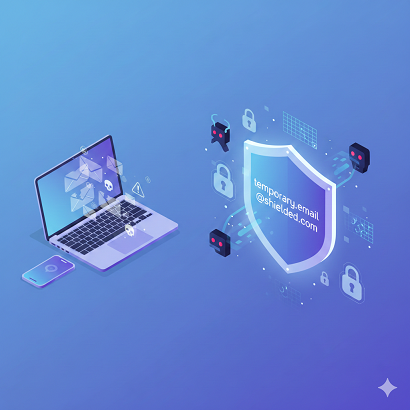
Can Temporary Email Protect You From Spam and Hackers?
Picture this: you’re hunting for a free e-book, maybe a 20-percent-off coupon, or that one PDF guide everyone on TikTok swears will change your life. You click the shiny red “Download Now” button, and—bam—an email gate slams in your face. You sigh, hover over the form, and then remember the mountain of spam you already wade through every morning. Do you really want “Nigerian-prince-who-just-needs-$200” sliding into your inbox again? Probably not. That’s when the little voice whispers: “Just use a temporary email.”
But wait—can temporary email actually protect you from spam and hackers, or is it just digital glitter: fun, shiny, and ultimately messy? Let’s unpack the hype, the hacks, and the hard truths—no tech jargon, no robotic blah-blah, just real talk.
What Exactly Is a Temporary Email? (And Why Your Aunt Carol Uses One)
A temporary email—sometimes called a throwaway, burner, or 10-minute mail—is an address that self-destructs faster than a Snapchat streak. You visit a site like Temp-Mail, Guerrilla Mail, or 10MinuteMail, copy the auto-generated address, paste it into that pesky form, and poof—verification link arrives. You click, grab your freebie, and stroll away while the inbox quietly implodes in an hour (or a day, depending on the service).
No passwords to remember. No “unsubscribe” loops. No weird 3 a.m. newsletters pitching keto gummies. It feels like digital invisibility—Batman-level stealth for the price of zero dollars. But stealth isn’t the same as armor. Let’s see where the cracks show.
How Temporary Email Shields You from Everyday Spam
- Address Cloaking
Think of temp mail as a cheap rain poncho. It keeps the drizzle off your real jacket, but it won’t stop a hurricane. When you hand out a burner address, marketers can’t add your permanent inbox to their “hot leads” list. Your primary email stays squeaky clean, which means:
- Fewer “50% off TODAY ONLY” screams.
- No random cruise-line postcards promising “free” buffets.
- Zero risk that your dentist’s referral program sells your data to 47 vitamin brands.
- Instant Unsubscription—by Self-Destruction
Old-school wisdom says “always use the unsubscribe link.” Reality? Some shady lists ignore clicks or use them to confirm you’re alive. Temp mail nukes the entire inbox, so there’s nothing to unsubscribe from. It’s the digital equivalent of moving house without leaving a forwarding address. - Alias Layering for Power Users
Pro tip: Generate a new burner for every sketchy site. If CouponSiteA starts pinging you, you’ll know exactly who leaked your address. Bonus: you can block that single alias mentally (and emotionally) without touching your real account.
Can It Also Stop Hackers? (Spoiler: Partially)
Hackers don’t wear black hoodies in dark basements anymore—they wear business suits and buy your data in bulk. Temporary email throws a wrench in two common attacks:
- Credential Stuffing
If you reuse passwords (c’mon, we’ve all done it), crooks will try the leaked combo on PayPal, Amazon, your bank. If the leaked email is a burner that no longer exists, the attack hits a brick wall. - Phishing Targeting Your Primary Domain
Your real address—firstname.lastname@gmail—screams “I’m a real person with a LinkedIn!” Burners look like gibberish; scammers skip them because the ROI is garbage.
But—and this is a Kardashian-sized but—temp mail is NOT a full cybersecurity toolkit. It won’t:
- Encrypt your traffic (hello, public Wi-Fi snoopers).
- Stop malware if you still click “DownloadSuperFunGame.exe.”
- Prevent SIM swaps or social engineering where the attacker already knows your phone number.
- Protect accounts you already tied to your permanent email (think Netflix, Spotify, your bank).
In short, temp mail is a screen door: great for keeping flies out, useless against a burglar with a crowbar.
The Hidden Risks Nobody Tells You About
- Someone Else Can Claim Your Old Inbox
Most providers recycle addresses after a cooldown. If you used a burner to sign up for, say, a crypto exchange, the next user could hit “reset password,” snag the recovery email, and—yikes—your Shiba Inu coins are gone. Always switch to a permanent address for anything valuable. - No Recovery Options
Forget your temp password? Tough cookies. There’s no “Forgot username” because there’s no username. You’re essentially borrowing a communal mailbox. - Site Blocks & Shadow Bans
Netflix, Steam, even some government portals auto-detect and blacklist disposable domains. You’ll get an error like “Please provide a valid email,” which is code for “We know what you’re doing, and we’re not amused.” - Reputation Damage
If your small-business brand uses a burner on its contact page, customers will flee faster than you can say “scam.” Burners signal fly-by-night operations.
Real-Life Scenarios: When to Use It, When to Lose It
Safe Zone
- One-off coupon codes
- White-paper downloads from vendors you don’t trust
- Forum signups that demand email but offer zero value
- QA testing (developers do this daily)
Danger Zone
- Banking, investing, or tax portals
- Medical records or HIPAA stuff
- Anything two-factor authentication protects
- Long-term subscriptions you might need to cancel properly
Pro Hack: Create a “semi-permanent” alias instead. Gmail supports suffixes (john.doe+shopping@gmail), and Outlook offers alias addresses that forward to your main inbox. You can block or disable the alias later without the spam-roulette of pure burners.
Step-by-Step: How to Use Temporary Email Like a Pro (and Not Get Burned)
- Pick a Reputable Provider
Skip random pop-up sites laced with banner ads for “hot singles.” Stick with well-reviewed names: Temp-Mail.org, Guerrilla Mail, or Mailinator (for devs). - Check the Expiry Window
Some last 10 minutes; others stretch to 30 days. Match the life span to your task. Downloading a free font? Ten minutes is plenty. Waiting for a webinar replay that ships “within 24 hours”? Choose a longer window. - Copy the Address Immediately
Browsers refresh, tabs close. Paste it into your notes app so you don’t scramble later. - Verify, Grab, Go
Click the confirmation link, download the file, screenshot any coupon code—then close the tab. Don’t leave the inbox open; it’s communal. - Never Reuse a Burner for Critical Accounts
If a site later asks for billing info or SSN, update the email to a secure, permanent address you control.
SEO-Friendly Quick Recap: Can Temporary Email Protect You From Spam and Hackers?
Yes—temporary email absolutely reduces spam by acting as a sacrificial shield. It also blocks low-level hacker tactics like credential stuffing and generic phishing. But it’s no fortress. For sensitive data or long-term accounts, pair it with stronger measures: unique passwords, two-factor authentication, and a secure permanent inbox.
LSI Keywords naturally sprinkled above: throwaway email, burner mail, disposable address, email alias, spam prevention, phishing protection, credential stuffing, 10-minute mail, email security, digital privacy.
Tables at a Glance: Temp Mail vs. Permanent Mail
TableCopy
Expert-Level Tips to Level-Up Your Email Hygiene
- Use a password manager. Unique passwords + burner emails = double deadbolt.
- Turn on 2FA everywhere, even on seemingly “boring” accounts like Pinterest.
- Audit your real inbox monthly. Services like Unroll.Me or Clean Email spot sneaky subscriptions.
- Create a “spam seed” Gmail for medium-risk stuff—newsletters, loyalty cards—keeping your true personal inbox sacred.
- Monitor breaches. Have I Been Pwned alerts you if your real address shows up in a dump.
Frequently Asked Questions
- Is temporary email illegal?
Nope. It’s legal in most countries, but some platforms ban it in their terms of service. Read the fine print. - Can I send email from a burner address?
Some services allow replies or outbound messages, but most don’t. Don’t plan your newsletter campaign around it. - Do burner emails work for Facebook or Instagram?
Usually not. Social giants maintain blocklists of disposable domains faster than you can say “fake account.” - How long do temporary emails last?
Anywhere from 10 minutes to a month, depending on the provider. Always check the countdown. - Can someone else read my burner inbox?
Yes—many are public. Never use them for sensitive data like bank statements or medical records. - Are there eco-friendly benefits?
Okay, no trees die either way, but fewer spam emails mean fewer server resources wasted. Mother Earth gives you a tiny thumbs-up.
The Takeaway: Use the Right Tool for the Right Job
Temporary email is like duct tape: cheap, fast, and surprisingly strong—until it isn’t. Deploy it to dodge marketing vampires and low-level scammers, but don’t bet your digital life on it. Pair burners with password managers, two-factor authentication, and a healthy dose of skepticism. Do that, and you’ll sip your morning coffee over an inbox that’s cleaner than a Marie Kondo closet—and way less flammable.
Now, next time a random site insists on your email, you’ll know exactly what to do: smile, grab a burner, and ghost them harder than your ex.





