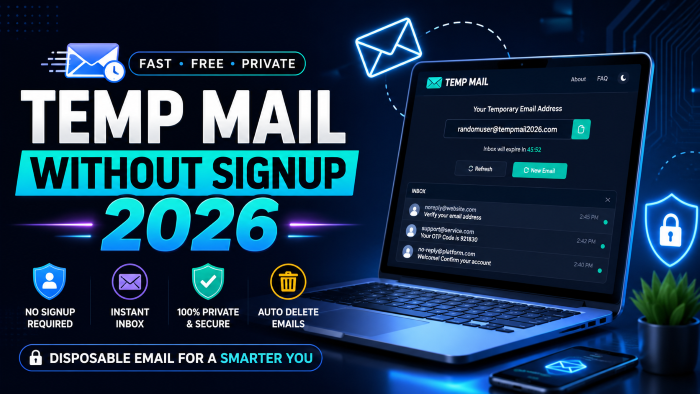
The Ultimate Guide to Temp Mail Without Signup in 2026: Protect Your Privacy Instantly
We have all been there. You are rushing through an airport, desperately needing to check an important message, and you try to connect to the free public Wi-Fi. But before you can get online, a massive pop-up blocks your screen, demanding your email address.
You know exactly what happens next. If you type in your real email, your inbox is going to be hammered with newsletters, promotional offers, and third-party spam for the next five years.
This is exactly why finding a reliable temp mail without signup 2026 has become a digital survival skill.
In my experience, dealing with thousands of spam emails and helping people clean up their digital footprint, the sheer volume of unsolicited mail has only gotten worse over the years. Companies are hungrier than ever for your data. What most people do not realize is that the moment you hand over your personal email, it often gets sold to data brokers, added to endless marketing lists, and exposed in inevitable data breaches.
You do not have to put up with it. In this guide, I am going to walk you through exactly how to use a temporary email without registration to reclaim your digital privacy, avoid the spam trap, and keep your primary inbox clean. No fluff, just practical steps you can use right now.
What Exactly is a Temp Mail Without Signup 2026?
Let us clear up the terminology first. A temp mail no signup is exactly what it sounds like: a fully functional, short-term email address that you can generate instantly without having to provide your name, phone number, or any other personal details.
Unlike creating a new Gmail or Outlook account—which requires you to jump through hoops, solve captchas, and verify a mobile number—a disposable email address is generated with a single click.
These inboxes are designed to be entirely ephemeral. They exist for a short window of time, usually anywhere from ten minutes to a few days, before they are permanently deleted along with all their contents. You use it, you get the confirmation link or OTP you need, and you abandon it. It is the digital equivalent of a burner phone.
By 2026, the technology behind these tools has evolved. Many websites have gotten aggressive about blocking known fake email generators. As a result, the best free temporary email services have had to adapt, constantly rotating their domain names so they look exactly like legitimate corporate or personal email addresses to bypass these filters.
Why You Absolutely Need a Temporary Email Without Registration Today
If you are wondering why you should bother with a no registration email instead of just creating a "junk" Gmail account, the answer comes down to time, efficiency, and ultimate privacy.
The Epidemic of Lead Generation and Spam
Every website today operates on a data-driven business model. Whether you are trying to download a free eBook, unlock a discount code, or test a new software platform, you are gated by an email capture form. While lead generation is a brilliant marketing strategy for businesses, it is a nightmare for consumers. A temporary inbox lets you access the value they are offering without paying the price of a cluttered inbox.
Protecting Your Real Identity
Data breaches happen daily. When a random forum or app gets hacked, the hackers steal databases full of email addresses and passwords. If you used your primary email, you are now on a target list for phishing attacks. By using an anonymous temp mail, you completely sever the link between that obscure website and your real digital identity.
Avoiding Cross-Site Tracking
Advertisers use your email address as a unique identifier to track your behavior across different platforms. When you use the same email everywhere, it is incredibly easy for data brokers to build a comprehensive profile of your habits. An instant temp email shatters this tracking mechanism because you are using a unique address for every single interaction.
Behind the Scenes: How an Instant Temp Email Actually Works
I always find that understanding how a tool works makes you better at using it. You do not need to be a network engineer, but the mechanics of a one-time email address are pretty fascinating.
When you land on a privacy email tool, the server instantly assigns you a randomized string of characters attached to a registered domain name.
Behind the curtain, the service operates a catch-all server. Unlike traditional email hosts that allocate specific storage space for individual users, a temp mail server accepts all incoming mail for its domains, displays the messages on the specific web session associated with your generated address, and then routinely purges the data.
Because there are no user accounts, there are no passwords to crack and no personal data to leak. It is a one-way street designed for immediate utility and rapid destruction.
See here………How to lose weight without dieting
Real-World Scenarios: When to Use a Free Temporary Email
After working with various privacy tools over the years, I have found a few specific situations where a disposable email for signups is an absolute lifesaver.
1. Testing New Software and Apps
If you want to try out a 7-day free trial for a new productivity app, do not use your real email. If the software turns out to be terrible, you will still end up on their mailing list. Generating an email for OTP (One-Time Password) verification allows you to test the waters risk-free.
2. Bypassing Public Wi-Fi Gates
We talked about the airport scenario earlier. This applies to coffee shops, hotels, and shopping malls. They offer "free" internet in exchange for your contact info. I always keep a tab open with a temporary email 2026 tool just for these moments.
3. Downloading Digital Assets and Lead Magnets
Marketers often use reports, templates, or cheat sheets to get your email. If you just want the PDF and do not want to be put into an aggressive 14-day automated email funnel, a temp mail is your best friend.
4. Participating in Untrusted Forums
Sometimes you need to ask a single question on a niche message board, or you want to read a thread that is hidden behind a mandatory registration wall. A fake email generator gets you inside without tethering your primary identity to a site you will never visit again.
My Top Picks: Best Temp Mail Without Signup (2026 Edition)
While I will not list every single tool out there, here are the types of services that consistently work best in 2026.
- The Classic 10-Minute Timers: These are the staples. You open the page, the clock starts ticking down from ten minutes, and you have exactly that long to receive your verification email. If you need more time, you simply click a button to refresh the timer.
- Browser Extension Integrations: The best temp mail without signup solutions now offer lightweight browser extensions. Instead of opening a new tab, you simply right-click an email field on any website and the extension automatically injects a newly generated disposable email address. This is a game-changer for speed.
- Custom Username Generators: Some advanced free disposable email no registration tools allow you to pick the prefix of the email. Instead of a random string of letters, you can create something like "[email protected]," which is sometimes necessary if a website's security filter blocks emails that look like keyboard smashes.
Quick Pro Tip: While a temporary email protects your inbox, your IP address is still visible to the website you are visiting. I always recommend pairing your privacy habits. Using a solid, no-logs VPN alongside your temp mail ensures that both your inbox and your physical location remain entirely private. There are plenty of affordable VPN services out there, and they are worth their weight in gold for general internet safety.
Step-by-Step: How to Generate an Anonymous Temp Mail in Seconds
If you have never used one before, you might be overthinking it. It is incredibly simple.
- Step 1: Open your web browser and navigate to a trusted temp mail provider.
- Step 2: Do absolutely nothing. The moment the page loads, your new email address will be displayed in large text at the top of the screen.
- Step 3: Click the "Copy" button next to the address.
- Step 4: Go to the website where you are trying to sign up and paste the address into the email field.
- Step 5: Switch back to your temp mail tab. Wait a few seconds for the website's confirmation email to appear in the temporary inbox right on that page.
- Step 6: Click the confirmation link or copy the OTP.
- Step 7: Close the tab. You are done. The email and its contents will soon vanish into the digital ether.
Pros and Cons of Using a No Registration Email
Like any tech tool, disposable emails have their specific use cases. They are brilliant for some things and terrible for others.
The Advantages:
- Zero Spam: Your primary inbox remains pristine and strictly for personal or professional use.
- Instant Setup: No passwords to remember, no forms to fill out, no phone verification required.
- Enhanced Privacy: Prevents cross-site tracking and shields you from the fallout of data breaches.
- Cost-Free: The vast majority of these tools are completely free to use, supported by basic display ads.
The Disadvantages:
- No Account Recovery: If you forget a password to a site you registered on with a temp mail, you can never reset it. The email is gone forever.
- Blocked by Some Sites: Major platforms like Netflix, banks, or large social media sites have strict filters and will often block known temporary domain names.
- Not for Sensitive Data: These are public servers. You should never use them to receive sensitive financial documents or personal communications.
5 Common Mistakes People Make with Fake Email Generators
Over the years, I have seen people make some critical errors when trying to use privacy tools. Here are the most common pitfalls you need to avoid.
1. Using Them for Banking or Financial Services
This is the biggest mistake you can make. Never use a temporary inbox for anything related to your money, medical records, or government portals. If the system logs you out and demands an email verification to get back in, you will be permanently locked out of your own assets.
2. Signing up for Long-Term Subscriptions
If you are buying a one-year software license or a premium subscription, use your real email. Invoices, updates, and customer support all require a persistent line of communication.
3. Refreshing the Page Unintentionally
On some simpler temp mail websites, hitting the refresh button on your browser will wipe the current session and generate a brand new email. If you were waiting on a slow verification link, you just lost it. Always use the built-in "refresh inbox" button on the webpage itself, not your browser's refresh tool.
4. Assuming Total Anonymity
A spam protection email keeps your inbox clean, but it does not make you a digital ghost. Your Internet Service Provider (ISP) and the website can still see your IP address and browser fingerprint unless you are actively taking other privacy measures.
5. Reusing the Same Temp Domain Too Often
If you are doing heavy testing and need to make multiple accounts, do not use the exact same temporary domain for all of them. Good services offer a dropdown menu to switch domains. Rotate them to avoid triggering the target website's anti-bot defenses.
Temp Mail vs. Standard Email (Gmail/Outlook): A Quick Comparison
To make it incredibly clear when to use which, let us do a quick comparison.
Standard Email (Gmail, Outlook, Apple Mail):
- Use for: Banking, primary social media, communicating with friends and family, software subscriptions you actually pay for, job applications, and official documentation.
- Longevity: Permanent.
- Setup Time: 5 to 10 minutes (requires personal data and verification).
Temp Mail Without Signup:
- Use for: Public Wi-Fi access, downloading free eBooks, unlocking one-time discount codes, testing software trials, and registering on low-trust forums.
- Longevity: 10 minutes to a few days.
- Setup Time: Instantaneous (zero personal data required).
See here…………Understanding the Importance of a TH9 Farming Base
The Future of Privacy: Disposable Email for Signups in 2026 and Beyond
Looking ahead, the digital landscape is clearly pushing toward a clash between user privacy and corporate data collection. Websites are becoming smarter, deploying advanced algorithms to detect and block disposable email addresses instantly.
However, the privacy email tool industry is innovating just as fast. We are seeing a massive shift toward dynamic domain generation, where temp mail services constantly buy and rotate thousands of obscure domains to stay one step ahead of the blacklists.
Furthermore, I expect we will see better integration natively within browsers and operating systems. Apple has already pioneered some of this with their "Hide My Email" feature, but independent, open-web temp mail without signup 2026 tools will remain crucial for users across Android, Windows, and Linux platforms who want universal, un-tethered privacy.
The reality is that your email address is your digital passport. You would not hand your real passport to a stranger on the street just because they offered you a free pamphlet, so you shouldn't hand over your primary email to every website that asks for it.
Frequently Asked Questions (FAQs)
Are temporary emails legal to use?
Yes, absolutely. There are no laws against using a disposable email address to protect your privacy and manage your inbox. They are simply tools for managing digital communication. However, using them to commit fraud or abuse a website's terms of service is, of course, a different matter.
Can someone else read my temporary emails?
It depends on the service. Some basic temp mail sites use public inboxes, meaning if someone happens to generate the exact same username, they could see your mail. This is why you should never use them for personal or sensitive information. Premium or more secure versions use isolated session-based inboxes.
Why did a website reject my temp mail address?
Many large websites maintain active blacklists of known disposable email domains to prevent bots and free-trial abuse. If this happens, simply switch to a different domain within your temp mail tool or try a different provider that has fresher, unrecognized domains.
Can I send an email from a disposable address?
Generally, no. The vast majority of these tools are receive-only. Allowing users to send emails anonymously usually leads to massive abuse, with spammers using the servers to send out malicious campaigns. The goal is to receive OTPs and links, not to write outgoing messages.
How long does a temporary inbox actually last?
It varies by provider. Some strict services delete the inbox exactly 10 minutes after generation. Others keep the session alive as long as you leave the browser tab open. A few will hold onto the emails for up to 24 or 48 hours before wiping the server clean.
Final Thoughts on Disposable Email for Signups
Taking control of your digital privacy does not have to be complicated, and it does not require a degree in cybersecurity. It starts with simple, everyday habits.
The next time a random website demands your contact information before letting you read an article or connect to their internet, take a deep breath. Open a new tab. Use a temp mail without signup. Grab the confirmation code, get what you need, and walk away knowing your real inbox is safe, clean, and entirely spam-free.
Once you get into the habit of using an instant temp email, you will honestly wonder how you ever navigated the internet without one. It is a small step, but it is one of the most effective ways to take your privacy back into your own hands.





