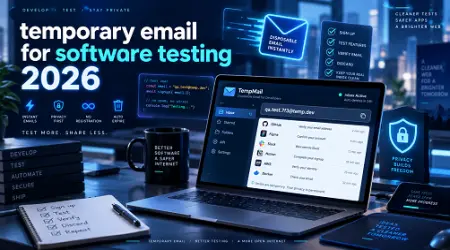
TEMPORARY EMAIL FOR SOFTWARE TESTING IN 2026: THE DEFINITIVE QA GUIDE
If you have ever found yourself manually creating "[email protected]" just to check if a password reset link works, you already know the frustration. You hit a phone verification wall, your IP gets flagged, and suddenly a simple QA check turns into an hour-long ordeal.
Let's be honest. Relying on personal inboxes or static dummy accounts for modern application testing is a massive bottleneck.
In my experience running automated test suites for large-scale SaaS platforms, the communication layer is almost always the first thing to break. That is exactly why integrating a reliable temporary email for software testing has shifted from a nice-to-have to an absolute necessity in 2026.
Whether you are building a complex fintech app or a simple e-commerce checkout, you need to verify that transactional emails, onboarding sequences, and OTPs are hitting the user's inbox perfectly. What most people don’t realize is that modern disposable email tools have evolved far beyond the sketchy, ad-filled public inboxes of the past. Today, they are sophisticated, developer-first platforms equipped with REST APIs, webhooks, and native testing framework integrations.
In this guide, we are going to look closely at how to effectively use a temporary email address for QA testing, the hidden features you should be leveraging this year, and exactly how to automate your entire email verification flow.
WHY DEVELOPERS NEED A TEMPORARY EMAIL FOR SOFTWARE TESTING
If you are still routing test emails to a company catch-all address or a shared developer inbox, you are likely dealing with a cluttered mess. It is inefficient, difficult to scale, and almost impossible to automate effectively. Here is why making the switch to a dedicated developer email testing tool is critical.
Bypassing Rate Limits and Spam Filters When you run end-to-end (E2E) tests that create dozens of accounts per minute, standard email providers like Gmail or Outlook will instantly shadowban your IP or block the incoming messages. A temporary mailbox for testing is specifically designed to absorb high-volume automated traffic without triggering spam protocols.
True End-to-End Automation You cannot confidently deploy an application if your automated tests stop at the UI layer. By using a temporary email API, your Cypress or Playwright scripts can programmatically fetch the inbox, extract the magic link or OTP, and paste it back into your application, simulating a real user perfectly.
Data Privacy and Security Sending staging data, which occasionally contains sensitive testing payloads, to public email servers is a massive compliance risk. A private temporary inbox for developers ensures that once the test is complete, the email and its contents are permanently destroyed.
THE EVOLUTION: DISPOSABLE EMAIL SERVICE 2026
If your idea of a fake email for testing is just generating a random string on a free website, the 2026 ecosystem will surprise you. The tools available today are built specifically for CI/CD pipelines.
Instant Webhook Notifications Instead of writing a script that constantly polls an inbox every five seconds to see if an email arrived, modern temp mail for developers uses webhooks. The moment your application fires off an email, the testing service pushes a payload directly to your test runner. This shaves crucial seconds off your test execution time.
DOM Parsing and OTP Extraction Older tools required you to write complex regular expressions to pull a 6-digit code out of a raw HTML email. The latest disposable email for software testing platforms natively parse the email body for you. You can literally ask the API to return "the first URL found in the email" or "the OTP code," making your test assertions incredibly clean.
Visual and Spam Score Testing It is no longer just about whether the email arrived. QA email testing now involves checking how the email renders across different devices (like dark mode on iOS) and scoring its spam potential based on SPF, DKIM, and DMARC records directly from the staging environment.
HOW TO AUTOMATE QA EMAIL TESTING: A STEP-BY-STEP WORKFLOW
After working with dozens of QA teams, I have noticed that the most successful setups follow a very specific, repeatable pattern. Here is how you can implement a test email account strategy directly into your pipeline.
Step 1: Provision a Unique Inbox Per Test Never use a static email address for your test runs. If two tests run concurrently, they will read each other's emails, causing flaky, unpredictable failures. Instead, use your email testing tool to generate a unique hash for every single test block. For example, use a dynamic format like "[email protected]".
Step 2: Trigger the Application Event Run your standard UI automation. Have your automated browser navigate to the signup page, fill in the dynamically generated email address, and hit submit.
Step 3: Await the Webhook or Query the API Instead of hardcoding a manual pause, instruct your test script to listen for the incoming email via the temporary email API. Set a reasonable timeout—usually around 10 seconds—to ensure the test fails gracefully if the backend email service is down.
Step 4: Extract and Assert Once the email payload is received, assert that the subject line is correct, the sender address matches your environment variables, and extract the necessary verification link.
Step 5: Complete the User Flow Have your test runner navigate to the extracted verification link to confirm the account, completing the loop.
See here………….Best side hustles to earn money from home
REAL-WORLD CASE STUDY: SCALING E-COMMERCE CHECKOUT TESTS
Let’s look at a practical example. A mid-sized e-commerce brand was struggling with their deployment pipeline. Every time they pushed an update to their payment gateway, QA engineers had to manually place an order, wait for the receipt email, and visually check that the tax calculation on the PDF invoice was correct.
This manual process took 15 minutes per release.
By integrating a premium software testing email address platform, they automated the entire flow. The test script placed the order using a temporary email. The testing API received the email, downloaded the attached PDF invoice, and used a basic text-extraction library to verify the tax line item.
The result? The test execution dropped from 15 minutes to 12 seconds. Not only did this speed up deployments, but it also completely eliminated human error from the verification process. For teams looking to optimize their workflow, investing in a paid tier of a robust email testing service (which often costs less than a few hours of a QA engineer's time) yields an incredibly high return on investment.
PROS AND CONS OF USING A TEMP EMAIL FOR APP TESTING
Like any architectural decision, relying on disposable emails comes with its own set of trade-offs.
The Pros: • Total Automation: Allows for completely hands-off E2E testing of user flows. • Pipeline Speed: Webhook-enabled inboxes process emails in milliseconds. • Cost-Effective: Significantly cheaper than maintaining actual server infrastructure for testing. • Isolated Environments: Every test run gets a clean slate, eliminating data crossover.
The Cons: • Third-Party Dependency: If the email testing API goes down, your CI/CD pipeline fails. • Blocked Domains: Some rigid application firewalls block known disposable domains. You often have to whitelist your testing domains in your own application’s staging environment. • Learning Curve: Junior testers may struggle initially with API integration and asynchronous testing concepts.
5 COMMON MISTAKES QA ENGINEERS MAKE WITH TEST EMAIL ACCOUNTS
Even with the best tools, implementation matters. Here are the most frequent pitfalls I see teams fall into when setting up a temporary inbox for developers.
- Using Public Disposable Email Domains Using free, public temp mail sites for proprietary software testing is a massive security flaw. Anyone who guesses the inbox name can see your application's internal data, password reset links, or staging environments. Always use private, authenticated testing services.
- Using Fixed Sleep Timers Adding a "sleep(10)" command to wait for an email is a terrible practice. Emails arrive asynchronously. Sometimes they take 1 second, sometimes they take 8. Use dynamic polling or webhooks so your tests move on exactly when the email arrives.
- Failing to Test Edge Cases Most developers only test the "happy path" where an email is successfully delivered. You should also be testing what happens when an email hard-bounces, or when a user inputs an invalidly formatted temporary email address.
- Not Cleaning Up While most disposable inboxes self-destruct, generating thousands of heavy attachments during load testing can sometimes hit API storage limits on your testing platform. Ensure your teardown scripts delete the fetched emails.
- Ignoring the Spam Folder If your application's email ends up in the spam folder, it is functionally useless to the end user. Ensure your email testing tool checks the spam score and fails the test if the deliverability metrics drop below a certain threshold.
See here………TH13 base copy link 2026
FREQUENTLY ASKED QUESTIONS (FAQS)
What is the best temporary email for software testing in 2026?
The best tools are those that offer dedicated APIs, private domains, and native integrations with frameworks like Cypress and Playwright. Popular choices specifically built for developers include Mailosaur, Mailtrap, and specialized QA API services.
Can I use a disposable email for load testing?
Yes, but you must ensure your testing provider supports high-volume API requests. Free services will rate-limit you immediately. You will need a commercial temporary email API plan designed to handle thousands of concurrent connections.
How do I get past my own app blocking disposable emails?
Many applications use security filters to block known temp mail domains to prevent spam accounts. For testing, you should either whitelist your specific QA testing domain in your staging environment or use a testing service that allows you to attach your own custom, private domain.
Is a temporary email safe for testing sensitive data?
Only if you use a secured, private testing platform where you authenticate via an API key. Never use open, public temporary email websites for testing proprietary software, as the inboxes are accessible to anyone.
How do I extract a 2FA code from a test email?
Modern developer email testing tools provide API endpoints that automatically parse the HTML and plain text of incoming messages. You simply make a GET request to the inbox, and the service returns a JSON payload containing the extracted OTP or links.
CONCLUSION AND ACTIONABLE TAKEAWAY
Testing the communication layer of your application is no longer optional. If your users cannot receive their onboarding emails, password resets, or purchase receipts, your application is functionally broken.
Moving away from manual inbox checking to a fully automated temporary email for software testing is one of the highest-leverage improvements you can make to your QA pipeline in 2026. By utilizing private domains, webhook notifications, and automated DOM parsing, you can build bulletproof test suites that catch deliverability issues long before they reach production.
Your immediate next step? Audit your current E2E test suite. Identify any test that relies on a manual pause or a static developer inbox. Replace just one of those flows with a temporary email API this week, and you will instantly see the difference in reliability and speed.
TEMPORARY EMAIL FOR SOFTWARE TESTING IN 2026: THE DEFINITIVE QA GUIDE
If you have ever found yourself manually creating "testuser999@gmail.com" just to check if a password reset link works, you already know the frustration. You hit a phone verification wall, your IP gets flagged, and suddenly a simple QA check turns into an hour-long ordeal.
Let's be honest. Relying on personal inboxes or static dummy accounts for modern application testing is a massive bottleneck.
In my experience running automated test suites for large-scale SaaS platforms, the communication layer is almost always the first thing to break. That is exactly why integrating a reliable temporary email for software testing has shifted from a nice-to-have to an absolute necessity in 2026.
Whether you are building a complex fintech app or a simple e-commerce checkout, you need to verify that transactional emails, onboarding sequences, and OTPs are hitting the user's inbox perfectly. What most people don’t realize is that modern disposable email tools have evolved far beyond the sketchy, ad-filled public inboxes of the past. Today, they are sophisticated, developer-first platforms equipped with REST APIs, webhooks, and native testing framework integrations.
In this guide, we are going to look closely at how to effectively use a temporary email address for QA testing, the hidden features you should be leveraging this year, and exactly how to automate your entire email verification flow.
WHY DEVELOPERS NEED A TEMPORARY EMAIL FOR SOFTWARE TESTING
If you are still routing test emails to a company catch-all address or a shared developer inbox, you are likely dealing with a cluttered mess. It is inefficient, difficult to scale, and almost impossible to automate effectively. Here is why making the switch to a dedicated developer email testing tool is critical.
Bypassing Rate Limits and Spam Filters When you run end-to-end (E2E) tests that create dozens of accounts per minute, standard email providers like Gmail or Outlook will instantly shadowban your IP or block the incoming messages. A temporary mailbox for testing is specifically designed to absorb high-volume automated traffic without triggering spam protocols.
True End-to-End Automation You cannot confidently deploy an application if your automated tests stop at the UI layer. By using a temporary email API, your Cypress or Playwright scripts can programmatically fetch the inbox, extract the magic link or OTP, and paste it back into your application, simulating a real user perfectly.
Data Privacy and Security Sending staging data, which occasionally contains sensitive testing payloads, to public email servers is a massive compliance risk. A private temporary inbox for developers ensures that once the test is complete, the email and its contents are permanently destroyed.
THE EVOLUTION: DISPOSABLE EMAIL SERVICE 2026
If your idea of a fake email for testing is just generating a random string on a free website, the 2026 ecosystem will surprise you. The tools available today are built specifically for CI/CD pipelines.
Instant Webhook Notifications Instead of writing a script that constantly polls an inbox every five seconds to see if an email arrived, modern temp mail for developers uses webhooks. The moment your application fires off an email, the testing service pushes a payload directly to your test runner. This shaves crucial seconds off your test execution time.
DOM Parsing and OTP Extraction Older tools required you to write complex regular expressions to pull a 6-digit code out of a raw HTML email. The latest disposable email for software testing platforms natively parse the email body for you. You can literally ask the API to return "the first URL found in the email" or "the OTP code," making your test assertions incredibly clean.
Visual and Spam Score Testing It is no longer just about whether the email arrived. QA email testing now involves checking how the email renders across different devices (like dark mode on iOS) and scoring its spam potential based on SPF, DKIM, and DMARC records directly from the staging environment.
HOW TO AUTOMATE QA EMAIL TESTING: A STEP-BY-STEP WORKFLOW
After working with dozens of QA teams, I have noticed that the most successful setups follow a very specific, repeatable pattern. Here is how you can implement a test email account strategy directly into your pipeline.
Step 1: Provision a Unique Inbox Per Test Never use a static email address for your test runs. If two tests run concurrently, they will read each other's emails, causing flaky, unpredictable failures. Instead, use your email testing tool to generate a unique hash for every single test block. For example, use a dynamic format like "test-signup-173849201@yourtestingdomain.com".
Step 2: Trigger the Application Event Run your standard UI automation. Have your automated browser navigate to the signup page, fill in the dynamically generated email address, and hit submit.
Step 3: Await the Webhook or Query the API Instead of hardcoding a manual pause, instruct your test script to listen for the incoming email via the temporary email API. Set a reasonable timeout—usually around 10 seconds—to ensure the test fails gracefully if the backend email service is down.
Step 4: Extract and Assert Once the email payload is received, assert that the subject line is correct, the sender address matches your environment variables, and extract the necessary verification link.
Step 5: Complete the User Flow Have your test runner navigate to the extracted verification link to confirm the account, completing the loop.
REAL-WORLD CASE STUDY: SCALING E-COMMERCE CHECKOUT TESTS
Let’s look at a practical example. A mid-sized e-commerce brand was struggling with their deployment pipeline. Every time they pushed an update to their payment gateway, QA engineers had to manually place an order, wait for the receipt email, and visually check that the tax calculation on the PDF invoice was correct.
This manual process took 15 minutes per release.
By integrating a premium software testing email address platform, they automated the entire flow. The test script placed the order using a temporary email. The testing API received the email, downloaded the attached PDF invoice, and used a basic text-extraction library to verify the tax line item.
The result? The test execution dropped from 15 minutes to 12 seconds. Not only did this speed up deployments, but it also completely eliminated human error from the verification process. For teams looking to optimize their workflow, investing in a paid tier of a robust email testing service (which often costs less than a few hours of a QA engineer's time) yields an incredibly high return on investment.
PROS AND CONS OF USING A TEMP EMAIL FOR APP TESTING
Like any architectural decision, relying on disposable emails comes with its own set of trade-offs.
The Pros: • Total Automation: Allows for completely hands-off E2E testing of user flows. • Pipeline Speed: Webhook-enabled inboxes process emails in milliseconds. • Cost-Effective: Significantly cheaper than maintaining actual server infrastructure for testing. • Isolated Environments: Every test run gets a clean slate, eliminating data crossover.
The Cons: • Third-Party Dependency: If the email testing API goes down, your CI/CD pipeline fails. • Blocked Domains: Some rigid application firewalls block known disposable domains. You often have to whitelist your testing domains in your own application’s staging environment. • Learning Curve: Junior testers may struggle initially with API integration and asynchronous testing concepts.
5 COMMON MISTAKES QA ENGINEERS MAKE WITH TEST EMAIL ACCOUNTS
Even with the best tools, implementation matters. Here are the most frequent pitfalls I see teams fall into when setting up a temporary inbox for developers.
Using Public Disposable Email Domains Using free, public temp mail sites for proprietary software testing is a massive security flaw. Anyone who guesses the inbox name can see your application's internal data, password reset links, or staging environments. Always use private, authenticated testing services.
Using Fixed Sleep Timers Adding a "sleep(10)" command to wait for an email is a terrible practice. Emails arrive asynchronously. Sometimes they take 1 second, sometimes they take 8. Use dynamic polling or webhooks so your tests move on exactly when the email arrives.
Failing to Test Edge Cases Most developers only test the "happy path" where an email is successfully delivered. You should also be testing what happens when an email hard-bounces, or when a user inputs an invalidly formatted temporary email address.
Not Cleaning Up While most disposable inboxes self-destruct, generating thousands of heavy attachments during load testing can sometimes hit API storage limits on your testing platform. Ensure your teardown scripts delete the fetched emails.
Ignoring the Spam Folder If your application's email ends up in the spam folder, it is functionally useless to the end user. Ensure your email testing tool checks the spam score and fails the test if the deliverability metrics drop below a certain threshold.
FREQUENTLY ASKED QUESTIONS (FAQS)
What is the best temporary email for software testing in 2026? The best tools are those that offer dedicated APIs, private domains, and native integrations with frameworks like Cypress and Playwright. Popular choices specifically built for developers include Mailosaur, Mailtrap, and specialized QA API services.
Can I use a disposable email for load testing? Yes, but you must ensure your testing provider supports high-volume API requests. Free services will rate-limit you immediately. You will need a commercial temporary email API plan designed to handle thousands of concurrent connections.
How do I get past my own app blocking disposable emails? Many applications use security filters to block known temp mail domains to prevent spam accounts. For testing, you should either whitelist your specific QA testing domain in your staging environment or use a testing service that allows you to attach your own custom, private domain.
Is a temporary email safe for testing sensitive data? Only if you use a secured, private testing platform where you authenticate via an API key. Never use open, public temporary email websites for testing proprietary software, as the inboxes are accessible to anyone.
How do I extract a 2FA code from a test email? Modern developer email testing tools provide API endpoints that automatically parse the HTML and plain text of incoming messages. You simply make a GET request to the inbox, and the service returns a JSON payload containing the extracted OTP or links.
CONCLUSION AND ACTIONABLE TAKEAWAY
Testing the communication layer of your application is no longer optional. If your users cannot receive their onboarding emails, password resets, or purchase receipts, your application is functionally broken.
Moving away from manual inbox checking to a fully automated temporary email for software testing is one of the highest-leverage improvements you can make to your QA pipeline in 2026. By utilizing private domains, webhook notifications, and automated DOM parsing, you can build bulletproof test suites that catch deliverability issues long before they reach production.
Your immediate next step? Audit your current E2E test suite. Identify any test that relies on a manual pause or a static developer inbox. Replace just one of those flows with a temporary email API this week, and you will instantly see the difference in reliability and speed.
Meta Description: Looking to automate your QA pipeline? Discover the ultimate guide to using a temporary email for software testing in 2026, featuring API integrations, OTP extraction, and top developer tips.
TEMPORARY EMAIL FOR SOFTWARE TESTING IN 2026: THE DEFINITIVE QA GUIDE
If you have ever found yourself manually creating "testuser999@gmail.com" just to check if a password reset link works, you already know the frustration. You hit a phone verification wall, your IP gets flagged, and suddenly a simple QA check turns into an hour-long ordeal.
Let's be honest. Relying on personal inboxes or static dummy accounts for modern application testing is a massive bottleneck.
In my experience running automated test suites for large-scale SaaS platforms, the communication layer is almost always the first thing to break. That is exactly why integrating a reliable temporary email for software testing has shifted from a nice-to-have to an absolute necessity in 2026.
Whether you are building a complex fintech app or a simple e-commerce checkout, you need to verify that transactional emails, onboarding sequences, and OTPs are hitting the user's inbox perfectly. What most people don’t realize is that modern disposable email tools have evolved far beyond the sketchy, ad-filled public inboxes of the past. Today, they are sophisticated, developer-first platforms equipped with REST APIs, webhooks, and native testing framework integrations.
In this guide, we are going to look closely at how to effectively use a temporary email address for QA testing, the hidden features you should be leveraging this year, and exactly how to automate your entire email verification flow.
WHY DEVELOPERS NEED A TEMPORARY EMAIL FOR SOFTWARE TESTING
If you are still routing test emails to a company catch-all address or a shared developer inbox, you are likely dealing with a cluttered mess. It is inefficient, difficult to scale, and almost impossible to automate effectively. Here is why making the switch to a dedicated developer email testing tool is critical.
Bypassing Rate Limits and Spam Filters When you run end-to-end (E2E) tests that create dozens of accounts per minute, standard email providers like Gmail or Outlook will instantly shadowban your IP or block the incoming messages. A temporary mailbox for testing is specifically designed to absorb high-volume automated traffic without triggering spam protocols.
True End-to-End Automation You cannot confidently deploy an application if your automated tests stop at the UI layer. By using a temporary email API, your Cypress or Playwright scripts can programmatically fetch the inbox, extract the magic link or OTP, and paste it back into your application, simulating a real user perfectly.
Data Privacy and Security Sending staging data, which occasionally contains sensitive testing payloads, to public email servers is a massive compliance risk. A private temporary inbox for developers ensures that once the test is complete, the email and its contents are permanently destroyed.
THE EVOLUTION: DISPOSABLE EMAIL SERVICE 2026
If your idea of a fake email for testing is just generating a random string on a free website, the 2026 ecosystem will surprise you. The tools available today are built specifically for CI/CD pipelines.
Instant Webhook Notifications Instead of writing a script that constantly polls an inbox every five seconds to see if an email arrived, modern temp mail for developers uses webhooks. The moment your application fires off an email, the testing service pushes a payload directly to your test runner. This shaves crucial seconds off your test execution time.
DOM Parsing and OTP Extraction Older tools required you to write complex regular expressions to pull a 6-digit code out of a raw HTML email. The latest disposable email for software testing platforms natively parse the email body for you. You can literally ask the API to return "the first URL found in the email" or "the OTP code," making your test assertions incredibly clean.
Visual and Spam Score Testing It is no longer just about whether the email arrived. QA email testing now involves checking how the email renders across different devices (like dark mode on iOS) and scoring its spam potential based on SPF, DKIM, and DMARC records directly from the staging environment.
HOW TO AUTOMATE QA EMAIL TESTING: A STEP-BY-STEP WORKFLOW
After working with dozens of QA teams, I have noticed that the most successful setups follow a very specific, repeatable pattern. Here is how you can implement a test email account strategy directly into your pipeline.
Step 1: Provision a Unique Inbox Per Test Never use a static email address for your test runs. If two tests run concurrently, they will read each other's emails, causing flaky, unpredictable failures. Instead, use your email testing tool to generate a unique hash for every single test block. For example, use a dynamic format like "test-signup-173849201@yourtestingdomain.com".
Step 2: Trigger the Application Event Run your standard UI automation. Have your automated browser navigate to the signup page, fill in the dynamically generated email address, and hit submit.
Step 3: Await the Webhook or Query the API Instead of hardcoding a manual pause, instruct your test script to listen for the incoming email via the temporary email API. Set a reasonable timeout—usually around 10 seconds—to ensure the test fails gracefully if the backend email service is down.
Step 4: Extract and Assert Once the email payload is received, assert that the subject line is correct, the sender address matches your environment variables, and extract the necessary verification link.
Step 5: Complete the User Flow Have your test runner navigate to the extracted verification link to confirm the account, completing the loop.
REAL-WORLD CASE STUDY: SCALING E-COMMERCE CHECKOUT TESTS
Let’s look at a practical example. A mid-sized e-commerce brand was struggling with their deployment pipeline. Every time they pushed an update to their payment gateway, QA engineers had to manually place an order, wait for the receipt email, and visually check that the tax calculation on the PDF invoice was correct.
This manual process took 15 minutes per release.
By integrating a premium software testing email address platform, they automated the entire flow. The test script placed the order using a temporary email. The testing API received the email, downloaded the attached PDF invoice, and used a basic text-extraction library to verify the tax line item.
The result? The test execution dropped from 15 minutes to 12 seconds. Not only did this speed up deployments, but it also completely eliminated human error from the verification process. For teams looking to optimize their workflow, investing in a paid tier of a robust email testing service (which often costs less than a few hours of a QA engineer's time) yields an incredibly high return on investment.
PROS AND CONS OF USING A TEMP EMAIL FOR APP TESTING
Like any architectural decision, relying on disposable emails comes with its own set of trade-offs.
The Pros: • Total Automation: Allows for completely hands-off E2E testing of user flows. • Pipeline Speed: Webhook-enabled inboxes process emails in milliseconds. • Cost-Effective: Significantly cheaper than maintaining actual server infrastructure for testing. • Isolated Environments: Every test run gets a clean slate, eliminating data crossover.
The Cons: • Third-Party Dependency: If the email testing API goes down, your CI/CD pipeline fails. • Blocked Domains: Some rigid application firewalls block known disposable domains. You often have to whitelist your testing domains in your own application’s staging environment. • Learning Curve: Junior testers may struggle initially with API integration and asynchronous testing concepts.
5 COMMON MISTAKES QA ENGINEERS MAKE WITH TEST EMAIL ACCOUNTS
Even with the best tools, implementation matters. Here are the most frequent pitfalls I see teams fall into when setting up a temporary inbox for developers.
Using Public Disposable Email Domains Using free, public temp mail sites for proprietary software testing is a massive security flaw. Anyone who guesses the inbox name can see your application's internal data, password reset links, or staging environments. Always use private, authenticated testing services.
Using Fixed Sleep Timers Adding a "sleep(10)" command to wait for an email is a terrible practice. Emails arrive asynchronously. Sometimes they take 1 second, sometimes they take 8. Use dynamic polling or webhooks so your tests move on exactly when the email arrives.
Failing to Test Edge Cases Most developers only test the "happy path" where an email is successfully delivered. You should also be testing what happens when an email hard-bounces, or when a user inputs an invalidly formatted temporary email address.
Not Cleaning Up While most disposable inboxes self-destruct, generating thousands of heavy attachments during load testing can sometimes hit API storage limits on your testing platform. Ensure your teardown scripts delete the fetched emails.
Ignoring the Spam Folder If your application's email ends up in the spam folder, it is functionally useless to the end user. Ensure your email testing tool checks the spam score and fails the test if the deliverability metrics drop below a certain threshold.
FREQUENTLY ASKED QUESTIONS (FAQS)
What is the best temporary email for software testing in 2026? The best tools are those that offer dedicated APIs, private domains, and native integrations with frameworks like Cypress and Playwright. Popular choices specifically built for developers include Mailosaur, Mailtrap, and specialized QA API services.
Can I use a disposable email for load testing? Yes, but you must ensure your testing provider supports high-volume API requests. Free services will rate-limit you immediately. You will need a commercial temporary email API plan designed to handle thousands of concurrent connections.
How do I get past my own app blocking disposable emails? Many applications use security filters to block known temp mail domains to prevent spam accounts. For testing, you should either whitelist your specific QA testing domain in your staging environment or use a testing service that allows you to attach your own custom, private domain.
Is a temporary email safe for testing sensitive data? Only if you use a secured, private testing platform where you authenticate via an API key. Never use open, public temporary email websites for testing proprietary software, as the inboxes are accessible to anyone.
How do I extract a 2FA code from a test email? Modern developer email testing tools provide API endpoints that automatically parse the HTML and plain text of incoming messages. You simply make a GET request to the inbox, and the service returns a JSON payload containing the extracted OTP or links.
CONCLUSION AND ACTIONABLE TAKEAWAY
Testing the communication layer of your application is no longer optional. If your users cannot receive their onboarding emails, password resets, or purchase receipts, your application is functionally broken.
Moving away from manual inbox checking to a fully automated temporary email for software testing is one of the highest-leverage improvements you can make to your QA pipeline in 2026. By utilizing private domains, webhook notifications, and automated DOM parsing, you can build bulletproof test suites that catch deliverability issues long before they reach production.
Your immediate next step? Audit your current E2E test suite. Identify any test that relies on a manual pause or a static developer inbox. Replace just one of those flows with a temporary email API this week, and you will instantly see the difference in reliability and speed.
Meta Description: Looking to automate your QA pipeline? Discover the ultimate guide to using a temporary email for software testing in 2026, featuring API integrations, OTP extraction, and top developer tips.