Temporary Email for Gmail, Facebook & Instagram Signups (Safe or Not?)
Picture this: you’re about to download a free e-book, but the site insists on an email address. You hesitate. You’ve already got three promo folders overflowing with “limited-time” offers, and the last thing you need is more spam. So you Google “temporary email,” copy whatever 10-minute address pops up, paste it in, and boom—access granted. No spam, no fuss, no problem, right?
Well… maybe. Two hours later you try to reset your new Instagram password, but the reset link vanishes into the void because the inbox self-destructed. Now you’re locked out, customer support won’t talk to you (“We need the original email”), and your carefully curated foodie account is basically gone. Was the quick shortcut worth it?
Below, we’ll unpack the real-world pros, cons, and work-arounds so you can decide when a temporary email for Gmail, Facebook & Instagram signups is safe—and when it can bite you back.
Quick Take: What Exactly Is a Temporary Email?
A temporary (or “disposable”) email is a short-lived address that usually lasts anywhere from 10 minutes to a few days. Services such as Temp-Mail, 10MinuteMail, or Guerrilla Mail create random inboxes on the spot—no password, no personal info, no commitment. Messages arrive instantly, then the whole thing disappears like a Snapchat for email.
People love them because:
- Zero setup time
- No link to your real identity
- Spam stays away from your primary inbox
But platforms such as Gmail, Facebook, TikTok, and Instagram hate them. In fact, they block thousands of throwaway domains every week. So before you celebrate a “fake it till you make it” victory, keep reading.
Why Big Tech Blocks Disposable Addresses
Facebook’s own transparency report shows over 5 million accounts disabled each quarter for “fake credentials.” A chunk of those used temp emails. Why the crackdown?
- Abuse magnet: Bots create armies of profiles to spread scams or political noise.
- No accountability: If something goes wrong (hate speech, fraud), there’s no traceable inbox.
- Skewed metrics: Advertisers pay for “real eyeballs.” Disposable sign-ups make ad targeting worthless.
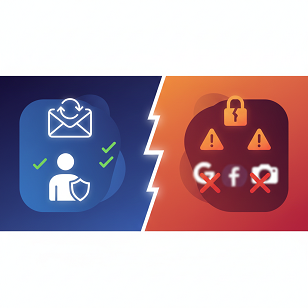
In short, temporary email for Gmail, Facebook & Instagram signups triggers red flags in fraud-scoring algorithms, so those platforms simply blacklist known providers.
The Hidden Risks Nobody Mentions in YouTube Tutorials
1. Account Loss & Recovery Hell
Imagine you enable two-factor authentication on Instagram, break your phone, and need a backup code. Instagram sends it to—oops—the expired burner address. Without that code, support agents won’t even discuss the account. AtomicMail calls this the “account loss vortex”: once your temp inbox vanishes, password resets, receipts, policy updates, and security alerts go nowhere. You’re locked out forever.
2. Public (Yes, Public) Inboxes
Many temporary services display ALL received mail on a single webpage. Anyone who knows the address can read it. Type “temp-mail.org/p” in Google and you’ll find Reddit threads where people brag about hijacking Netflix trials that arrived in a public inbox. Your “private” reset link? Copy, paste, pwned.
3. Data Harvesting & Malvertising
Free services aren’t charities. Some inject tracking pixels or sell your messages to marketers. Others serve ads that load malware. In 2024, a disposable email site was caught mining Monero in visitors’ browsers while they checked mail. You came for privacy; you left with cryptojacking.
4. Legal & Ethical Gray Zones
Creating a profile with a fake email may violate Terms of Service. Technically, Facebook can nuke your account without notice. If you run ads or monetize content, poof—there goes income streams and years of followers. Worse, impersonation using throwaway credentials can breach anti-fraud laws in some countries.
But… Are They Ever Useful?
Absolutely. Cyber-security pros keep a “burner” inbox handy for:
- Testing apps during development
- Signing up for one-off coupons
- Dodging newsletters on sketchy-looking sites
The trick is knowing when the stakes are low (a 5% discount code) versus high (your main social identity). Neil J. Rubenking at PCMag recommends pairing a disposable address with a password manager entry labeled “JUNK—don’t reuse” so you never forget it’s temporary.
Safer Middle Ground: Email Aliases
If you like the spam-blocking idea but need long-term control, consider aliases:
- Gmail plus addressing: [email protected] still reaches you, and filters can auto-label.
- Apple Hide My Email or Firefox Relay: generates unique forwarding addresses that die when you say so, yet you can still receive resets via your real inbox.
- SimpleLogin / AnonAddy: open-source services that let you create 50-plus aliases on your own domain, all forwarding to one mailbox you control.
These options keep the “no spam” benefit without the “no recovery” headache.
Best Practices Checklist
Before you hit “Create Account,” ask yourself:
✅ Will I ever need to reset the password?
If yes → skip disposable.
✅ Am I uploading personal photos or payment info?
If yes → use a permanent, secure email.
✅ Is this just a throwaway coupon site?
Go ahead—but use a unique password anyway.
✅ Do I care if the account disappears tomorrow?
No? Temp email is fine. Yes? Pick alias or real address.
Quick Comparison Table
TableCopy
FAQ – The Questions Everyone Still Types into Google at 2 a.m.
1. Will Instagram ban me for using a temporary email?
Not automatically, but if their system flags the domain, you’ll be asked to verify a different address or risk suspension.
2. Can I switch from a temp address to a real one later?
Yes—if you still have access to the temp inbox to click the confirmation link. That’s a big if.
3. How long do most temporary emails last?
Anywhere from 10 minutes to 24 hours by default. Some services let you extend up to 30 days, but you must manually renew.
4. Are temporary emails illegal?
Creating them is legal; using them to commit fraud or violate ToS is not.
5. Do burner addresses keep my data safer from breaches?
They keep spam away, but the provider might still log messages. For true privacy, use encrypted aliases or ProtonMail.
6. Why do some sites accept my temp address and others don’t?
Each company maintains its own blacklist. A domain that works on a tiny blog might be barred on Twitter.
The Bottom Line
Temporary email for Gmail, Facebook & Instagram signups is a bit like using duct tape to fix a leaky pipe—handy in a pinch, but don’t be shocked when everything floods later. If the account matters to you—memories, followers, business, or cash—play it safe with an alias or your real address. Reserve disposable inboxes for the quick, low-stuff situations where you truly don’t care what happens tomorrow.
Your digital identity is already hard enough to protect. Don’t let a 10-minute mailbox become the reason you lose years of photos, friends, or revenue. Choose the right tool for the job, enable two-factor authentication, and sleep easier knowing you can always hit “reset password” without praying to the inbox gods.
Stay smart, stay secure, and may your spam folder always be mercifully empty