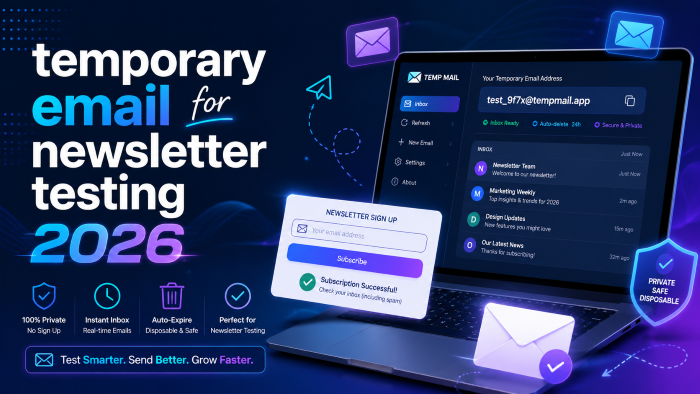
The Ultimate Guide to Finding the Best Temporary Email for Newsletter Testing 2026
I still remember the feeling of my stomach dropping into my shoes during a major product launch back in 2022. We had just pushed a massive email marketing campaign to 50,000 subscribers. The copy was crisp, the graphics were stunning, and our custom welcome sequence was locked in. Or so we thought.
Within ten minutes, customer support tickets started rolling in. The personalization tags had completely broken. Instead of “Hi Sarah,” our most valuable customers were receiving emails that started with “Hi {first_name_default}.”
It was a total nightmare, and it was entirely preventable.
If I had just taken five extra minutes to run a proper QA check using a fresh inbox, I would have caught the error before it went live. That’s why, today, finding a reliable temporary email for newsletter testing 2026 is an absolute non-negotiable step in my pre-launch checklist.
Whether you are setting up a simple welcome drip or mapping out a complex, behavior-triggered automation, you can't afford to test with your personal Gmail address.
In this guide, we are going to break down exactly how to use disposable inboxes, why your current testing methods might be ruining your data, and the absolute best tools available this year.
Why You Need a Temporary Email for Newsletter Testing 2026
What most people don’t realize is that testing email flows with your own personal email—or even your company address—is one of the fastest ways to sabotage your own campaign data.
When you use your standard inbox, you are introducing a massive blind spot into your marketing strategy. Here is exactly why you need a dedicated temporary inbox for marketers.
Escaping the "Already Subscribed" Loop
If you try to test a signup form with an email address that already exists in your CRM, the system will usually recognize it. Mailchimp, Klaviyo, ActiveCampaign—they all do this. They will either block the entry entirely or skip the welcome sequence because that contact has already triggered the automation in the past.
To actually see what a brand-new subscriber experiences, you need a completely blank slate. A temporary email for newsletter signup gives you that fresh start every single time you hit refresh.
Protecting Your Open Rates and Analytics
Every time you open your own test email, click a link to see if it works, or trigger an event, your CRM records that data. If you are doing this ten times a day while troubleshooting a broken link, you are artificially inflating your engagement metrics.
By using a disposable email for newsletter testing, you can keep your testing data isolated. Once the test is over, the email disappears, and you can easily filter out those bounced or deleted test contacts from your master list before looking at your monthly reports.
Avoiding CRM Clutter and Bloat
Depending on your email service provider, you are likely paying per subscriber. Filling up your database with variations of your own name (like [email protected]) not only clutters your list but can actually cost you money if you forget to purge them.
Using a temporary testing address means you can set up a segment in your CRM to automatically delete any subscriber from a known temporary domain at the end of every week.
Top Use Cases: Temp Mail for Email Marketing & QA
I’ve worked with hundreds of digital marketers over the years, and it always surprises me how underutilized disposable inboxes are. They aren't just for avoiding spam when you sign up for a random free ebook. They are powerful diagnostic tools.
Here is how you should be using temp mail for email marketing right now:
- Triggering Complex Automations: If you have an e-commerce store, you need to test what happens when a user abandons their cart, what happens when they buy a specific SKU, and what happens when they use a discount code. You need a unique fake email for newsletter test scenarios for each of these distinct buyer journeys.
- Checking Dynamic Content: If your newsletter shows different content blocks based on a user’s geographic location or gender, you need multiple temporary emails to verify that the conditional logic is actually working.
- Verifying Unsubscribe Links: The quickest way to land in the spam folder is to have a broken unsubscribe link. You need to sign up, wait for the email, and test the unsubscribe flow to ensure the address is actually removed from your active list.
- Deliverability and Spam Checks: While not a perfect science, sending your broadcast to a temporary inbox can give you a quick visual check on whether your subject line looks spammy or if your images are being blocked by default settings.
Step-by-Step: How to Use a Disposable Inbox for Signup Testing
If you have never used a temporary inbox for marketers before, the process is incredibly straightforward. Here is my exact workflow for QA testing a new opt-in funnel.
Step 1: Generate Your Temporary Address
Open up your preferred temp mail provider. The site will instantly generate a random, secure email address for you (e.g., [email protected]). Keep this browser tab open.
Step 2: Enter the Funnel
Open an incognito or private browsing window. Navigate to your landing page or website popup. Enter the temporary email address into your opt-in form, just like a real user would.
Step 3: Monitor the Temporary Inbox
Go back to the tab with your temporary email. You should see the confirmation or welcome email arrive within a few minutes.
Step 4: Audit the Experience
Don't just look at the email—audit it. Does the subject line render correctly? Are the personalization tags working? Is the formatting broken on mobile? Click the links. Do they go to the right landing pages?
Step 5: Purge the Data
Once you are satisfied that the flow works perfectly, log into your email marketing platform. Find the temporary email address you just used and permanently delete it so it doesn't mess with your long-term deliverability metrics.
See here…….Best side hustles to earn money from home
Best Email Testing Tools 2026
The landscape of testing tools has evolved significantly. While the old standby sites still work, there are some incredible dedicated tools available this year.
Dedicated QA Tools vs. Traditional Temp Mail
If you are running an agency or managing high-volume sends, you might want to look into premium deliverability platforms. Tools like Mailtrap or Email on Acid act as virtual sandboxes. They capture outgoing emails before they ever hit a real inbox, allowing you to preview HTML rendering across dozens of devices simultaneously.
If you are looking to optimize your workflow, investing in a premium testing suite is often worth the monthly fee, especially if you are managing client campaigns where a single mistake can cost thousands in lost revenue. (Pro tip: many of these premium platforms offer free audits or trial periods if you know where to look).
Fast and Free Temporary Email 2026
For quick, on-the-fly testing, standard temporary inboxes are still king. Sites like Temp-Mail, 10 Minute Mail, and Guerrilla Mail are perfect for this. They are instant, require no registration, and destroy the inbox after a set period.
If you just need a newsletter testing email address to do a quick sanity check on a new Mailchimp form, these free options are exactly what you need.
Real-World Example: Fixing a Broken Welcome Sequence
Let me give you a practical example of why this matters. Last year, an e-commerce client came to me complaining that their conversion rate on new subscribers had tanked. They were offering a 15% discount to new signups, but nobody was using the code.
They swore the automation was working because they had "tested it."
When I dug in, I found out they had tested it using their own company emails. Their company domain had automatically whitelisted their CRM's sending IP.
I generated a fresh temp email for QA testing and went through their popup form. The result? The welcome email offering the 15% discount went straight to the spam folder.
Because they had never tested the flow using a completely neutral, unaffiliated inbox, they had no idea their domain reputation was suffering. We tweaked their DMARC settings, cleaned up their list, and re-tested using disposable inboxes until the welcome email landed squarely in the primary tab. Conversions bounced back within a week.
Pros and Cons of Using a Fake Email for Newsletter Test
Like any digital strategy, using a temporary inbox comes with its own set of advantages and limitations.
Pros of Temporary Testing Inboxes:
- Total Anonymity: Keeps your personal and work inboxes completely free of promotional clutter.
- Speed: You can generate a new testing address in less than a second.
- Accurate Trigger Testing: Allows you to test onboarding flows repeatedly without CRM conflicts.
- Cost-Effective: Most standard temporary email services are completely free.
Cons of Temporary Testing Inboxes:
- Deliverability Skews: Some aggressive spam filters automatically block known temporary email domains, which can give you a false negative during testing.
- No Long-Term Tracking: Because the inbox is destroyed (usually within 10 to 60 minutes), you cannot use them to test long-term drip campaigns that span several days.
- Security Limits: You should never use a disposable email for testing sensitive account resets or password changes that you might need access to later.
Common Mistakes When Using a Newsletter Testing Email Address
Even experienced marketers make mistakes when running QA checks. If you are going to use a temporary email for newsletter testing 2026, avoid these common traps.
Mistake 1: Forgetting to Check the Spam Folder
Many temp mail services only show you the primary inbox. If your test email gets flagged as spam, it might just not show up at all, leading you to think the automation is broken when, in reality, your sender reputation is the issue. Always use a tool that allows you to view all incoming mail, including junk.
Mistake 2: Ignoring Mobile Rendering
You send the test to your disposable inbox, open it on your massive desktop monitor, and it looks beautiful. You hit send. You forgot that 60% of your audience reads their email on their phone. Always shrink your browser window or use mobile preview tools when viewing your test emails.
Mistake 3: Using the Same Temporary Domain Too Often
If you run twenty tests in a row using the exact same @tempmail.com domain, your email marketing software might flag your account for suspicious activity. Mix up the domains you use for testing.
Mistake 4: Not Testing the Reply-To Path
It’s great that the email looks good, but what happens if a subscriber hits "reply" to ask a question? I always recommend sending at least one test to an inbox you control to ensure the reply-to routing goes to your customer service team, not a dead "no-reply" abyss.
See here…….TH13 Best Home CoC Base
Frequently Asked Questions (FAQs)
What is a temporary email address?
A temporary email address is a disposable inbox that is generated instantly and self-destructs after a short period. It allows you to receive emails without exposing your personal or business address to spam or marketing databases.
Why shouldn't I just use Gmail aliases (like [email protected])?
While Gmail aliases are a great hack, many modern CRMs and email marketing platforms recognize the "+" trick and will still treat it as a duplicate contact, preventing your automation flows from triggering correctly.
Will my email platform ban me for sending to temporary domains?
If your entire list is made up of fake emails, yes. But sending a few test emails to disposable inboxes for QA purposes will not harm your account standing. Just be sure to delete the test contacts afterward.
Can I use a disposable inbox for signup testing on a multi-day drip campaign?
Generally, no. Most temporary inboxes expire within a few hours. If you need to test a 5-day welcome sequence, you are better off creating a dedicated, permanent free testing account (like a secondary Yahoo or ProtonMail address) specifically for QA.
Are email testing tools 2026 secure?
For receiving basic marketing newsletters, they are perfectly safe. However, temporary inboxes are often public or easily accessible, so you should never use them to transmit sensitive personal data, passwords, or financial information.
How do I test deliverability without using a fake email?
If you want deep insights into whether your emails are hitting the primary tab, the promotions tab, or spam, you should look into dedicated seed testing tools like GlockApps. They provide you with a list of real inboxes across different providers to test your exact placement.
Final Thoughts and Actionable Takeaways
Launching an email campaign without thorough QA is like driving blindfolded—you might hit your target, but you’re probably going to crash along the way.
Integrating a temporary email for newsletter testing 2026 into your workflow is one of the easiest, highest-impact habits you can build as a marketer. It protects your personal inbox, ensures your data remains perfectly clean, and most importantly, it guarantees that your subscribers get the flawless experience you actually designed for them.
Before your next broadcast goes out, pull up a disposable inbox for signup testing. Run through your form. Check your tags. Verify your links. Those extra five minutes of work will save you hours of customer support headaches down the line.





