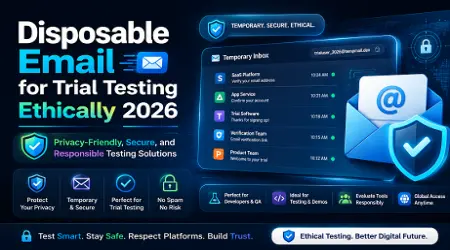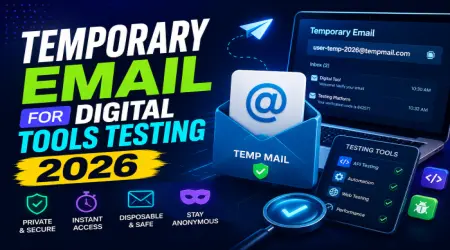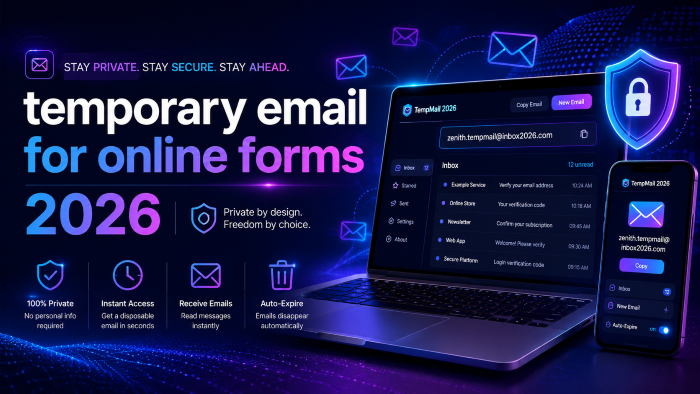
The Ultimate Guide to Using a Temporary Email for Online Forms in 2026 (Say Goodbye to Spam)
Look, we’ve all been there. You’re browsing the web, and you finally find that perfect local guide, a 20% off discount code, or an insightful industry report. But right before you can access it, a pop-up appears, blocking your way.
"Enter your email address to continue."
In that moment, you have a choice. You can hand over your primary email address and silently accept your fate, knowing full well your inbox is about to become a magnet for endless newsletters, promotional blasts, and worse, targeted spam. Or, you can take control of your online form privacy.
In my experience working extensively with digital privacy tools and lead generation systems, what most people don’t realize is that handing over your real email address is basically handing over your digital identity. By the time 2026 rolled around, data brokers had perfected the art of cross-referencing your email with your browsing habits, location, and purchase history.
That is exactly why using a temporary email for online forms isn't just a neat trick anymore. It’s a mandatory survival skill for navigating the modern internet.
If you want to protect your real email address, keep your personal inbox pristine, and still get access to the content you want, you need to master the art of the temporary inbox. Let’s break down exactly how to do that.
What Exactly is a Temporary Email? (And Why You Need One)
A temporary email—also known as a disposable email, throwaway email, or burner email—is exactly what it sounds like. It’s a fully functional, short-term email address that you generate on the fly. You use it once or twice, and then it vanishes into the digital ether, taking all the incoming spam with it.
Think of it like a burner phone for your digital life.
When you use a temp mail for signup processes, the service provides you with a randomly generated address (for example, [email protected]). Any emails sent to that address arrive in a temporary inbox hosted on the provider's website. You can read the emails, click the confirmation links, and grab your discount codes.
The catch? (And it’s a good catch). The inbox self-destructs after a set period. Some services offer a 10 minute mail window, while others might keep the inbox alive until you close your browser.
The primary difference between your permanent email and a free temporary email is persistence. Your Gmail or Outlook account is tied to your identity, secured with passwords, and designed to hold thousands of messages for years. A disposable email address requires no registration, no passwords, and holds zero ties to your real-world identity. It is a true no sign-up email solution.
The Hidden Costs of Sharing Your Real Email Address
You might be thinking, "Is it really that bad? I can just hit unsubscribe."
After working behind the scenes on various digital marketing campaigns, I can tell you that hitting "unsubscribe" doesn't always do what you think it does. While reputable companies will honor your request, less scrupulous operators use the unsubscribe click as a form of email verification. By clicking it, you've just confirmed to them that your email is active and monitored.
Here is what actually happens when you put your real email into an unverified online form:
- The Immediate Clutter: You get the free PDF you wanted, but you are instantly added to an automated drip campaign. You’ll receive an email tomorrow, the next day, and three times next week.
- The Data Broker Sale: Many sites make their real money not by selling you a product, but by selling your contact information. Your email gets bundled with thousands of others and sold to third-party marketers.
- Cross-Platform Tracking: Your email is often used as a unique identifier across the web. Advertisers use it to track your behavior from social media platforms to shopping sites, building a shockingly accurate profile of your habits.
Using a secure temp mail cuts this chain immediately. It creates a dead end for trackers and keeps your primary inbox reserved for actual humans—friends, family, and crucial business contacts.
How a Temporary Email for Online Forms Actually Works
It might sound highly technical, but using a temporary email generator is incredibly simple. You don't need any special software, and you don't need to be a tech wizard.
Here is a step-by-step breakdown of how you can start using a fake email for forms today:
- Step 1: Choose Your Provider – Open a new tab in your browser and navigate to a temporary email service. You'll instantly see a freshly generated email address waiting for you on the screen. No signup required.
- Step 2: Copy the Address – Click the "Copy" button next to your new burner email.
- Step 3: Fill Out the Form – Go back to the website demanding your email. Paste your disposable email address into the form and hit submit.
- Step 4: Retrieve the Goods – Switch back to the tab with your temporary inbox. Within seconds, you should see the confirmation email or delivery message appear.
- Step 5: Verify and Abandon – Open the email, click the necessary temp mail for OTP (One Time Password) or email verification link, and get what you need. Once you have your download or discount, close the tab. The email address and its contents will soon be permanently deleted.
See here……………How to learn English fast for beginners
Best Use Cases for a Disposable Email Address in 2026
When should you use a temporary email, and when should you stick to your real one? Here are the scenarios where a throwaway email shines:
Bypassing "Gated" Content
Whether it’s a local real estate market report, a recipe on a cooking blog, or a whitepaper on industry trends, use a burner email. You want the information, not a lifelong relationship with the author.
Snagging One-Time Discounts
E-commerce stores love offering "15% off your first order" in exchange for an email. Use a disposable email address, grab the promo code, make your purchase as a guest, and avoid the daily sales blasts.
Public Wi-Fi Sign-Ins
When you are traveling or sitting in a local cafe, public Wi-Fi networks almost always ask for an email address before letting you connect. Never give them your real one. An anonymous email is perfectly suited for this.
Testing Digital Funnels and Lead Generation
Here is a digital hack that most average users don't know, but is incredibly useful if you work online. If you are setting up affiliate marketing links, building landing pages, or testing out new lead generation software for your business, you need to test the user experience. Instead of using your own email ten times and muddying your analytics, use a temporary email generator. It allows you to view the sales funnel exactly as your prospects will, ensuring your subtle monetization angles are working perfectly without cluttering your own system.
Real-World Example: How a Burner Email Saved a Weekend
Let’s look at a practical example.
Imagine Sarah, a local business owner. She is researching new inventory management software and wants to try out three different platforms. Each platform requires an email to start a "free 14-day trial."
If Sarah uses her primary business email, she is going to be assigned a sales representative from all three companies. Her phone will ring, and her inbox will be flooded with "Just checking in!" emails for the next six months.
Instead, Sarah uses a temporary email for online forms. She generates three different temp mails, uses them to sign up for the three trials, and tests the software in peace.
When she finally decides on the platform she likes best, she simply updates her account details in that specific software to her real email address. The other two trial accounts eventually expire, and the aggressive sales emails are sent to temporary inboxes that no longer exist. Complete spam protection email strategy in action.
Pros and Cons of Using Burner Emails
To give you the full picture, let’s weigh the advantages and limitations of relying on one-time email services.
Hidden Features & Digital Hacks Most Users Miss
If you want to take your online form privacy to the next level, there are a few advanced strategies you should know about.
Hack 1: The Domain Rotation Bypass
Some websites have gotten smart. They use scripts to detect and block common 10 minute mail domains. If a form rejects your temporary email, don’t give up. Look for a temporary email generator that offers a "Change Domain" feature. Many premium (but still free) temp services constantly rotate their domains to stay ahead of these blocklists. Simply generate a new address with a different domain extension and try again.
Hack 2: Custom Inboxes
While most people use a completely random string of letters, some services allow you to choose your inbox prefix (e.g., [email protected]). This is incredibly useful if you are doing quality assurance for your own website's contact forms and want to keep your tests organized.
Hack 3: The Forwarding Alias Alternative
If you need a temporary email but suspect you might actually need to receive an email from the company a week from now, a standard burner email won't work. In these cases, look into email alias services. These act as a middleman, forwarding emails to your real inbox. If the sender starts spamming you, you just delete the alias. It’s the perfect hybrid of a secure temp mail and a permanent address.
See here……………TH13 Best CWL Base: Unbeatable Layouts for Clan War Leagues
5 Common Mistakes When Using a Temporary Inbox
While disposable emails are fantastic tools, misusing them can lead to serious headaches. Avoid these critical errors:
- Using them for Important Accounts: Never, ever use a temporary email for your banking, social media, government portals, or primary shopping accounts (like Amazon). If you forget your password and try to hit "reset," the reset link will be sent to an inbox that no longer exists. You will be permanently locked out.
- Expecting Complete Secrecy: A free temporary email does not ask for a password to view the inbox. That means if someone else accidentally generates the exact same email address, or guesses it, they can read the emails sitting in that inbox. Never use them to receive sensitive, personal, or financial information.
- Forgetting the Time Limit: If you are using a strict 10 minute mail service, make sure you don't navigate away and forget about it. If the form you filled out takes 15 minutes to send the confirmation link, your inbox will be gone by the time it arrives. Opt for services that keep the inbox alive as long as your browser tab is open.
- Using them for Paid Subscriptions: If you use a burner email to sign up for a service you are actually paying for, you are asking for trouble. Receipts, critical account updates, and billing issues will vanish into the void.
- Assuming it Hides Your IP Address: A disposable email address protects your inbox, but it does not hide your physical location or IP address from the website you are visiting. If true anonymity is your goal, you need to combine your temp mail with a reliable VPN.
Frequently Asked Questions (FAQs)
Is using a temporary email illegal?
No, absolutely not. Using a temporary email for online forms is perfectly legal. It is simply a privacy tool used to manage your incoming communications and protect your personal data.
Can I send emails from a temporary email address?
Usually, no. Most free temporary email services are receive-only. This is done intentionally by the providers to prevent their platforms from being used by spammers to send out malicious content.
How long do temporary emails last?
It varies by provider. Some last exactly 10 minutes (hence the name 10 minute mail), while others last for 24 hours, or until you manually delete the address or close your browser session.
Why do some websites block disposable email addresses?
Websites block them because they want your real data for marketing purposes, or they want to prevent users from abusing free trial systems by creating endless fake accounts.
Can I recover a temporary email once it is deleted?
No. Once the time limit expires or you close the session, the email address and all its contents are permanently wiped from the provider's servers. This is a core feature of the service to ensure your privacy.
Are temporary emails safe from hackers?
They are safe in the sense that they protect your real identity. However, the temporary inbox itself is usually unencrypted and accessible to anyone who knows the specific address. Do not use them for receiving sensitive data.
Conclusion: Reclaim Your Inbox Today
The internet doesn't have to be a trade-off between getting the information you want and drowning in promotional spam. By making a temporary email for online forms your default move for casual sign-ups, gated content, and untrusted websites, you instantly take back control of your digital life.
What most people don't realize until it's too late is that your primary email should be treated with the same respect as your physical home address. You wouldn't hand your house keys to every store clerk who asked for them, so stop handing your real email to every pop-up form.
Start treating your personal inbox like the exclusive space it is. Bookmark a reliable temporary email generator today. The next time a website demands your contact info just to show you a simple recipe or a discount code, you'll be ready to protect your real email address and keep your digital life completely spam-free.