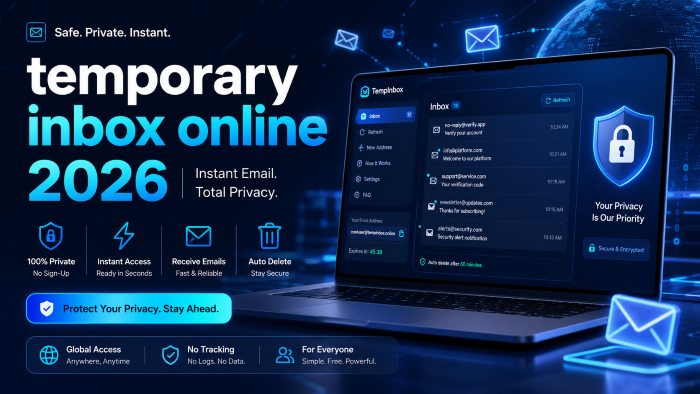
The Ultimate Guide to Using a Temporary Inbox Online in 2026: Stop Spam and Protect Your Privacy
For one moment let's be totally honest. Ever attempted to download a checklist in PDF format, snag a 10% off coupon code from a nearby online retailer, or subscribe to a public Wi-Fi network, to only end up with a barrage of e-mails in your own inbox for the following three years?
It’s exhausting. As data becomes the new gold in 2026, the golden dollar becomes the biggest reward for both digital marketers and data brokers.
The majority of people are not aware that it is similar to giving strangers on the street your actual address when you give over your actual email address. That's why creating a disposable inbox on the internet is no longer a piece of technology that's used by tech freaks but is a must have survival device for anyone who uses the internet.
When I first started using digital privacy tools, I've witnessed firsthand how fast a clean inbox can quickly become a cluttered mess of phishing and promotional spam. Today, I'm going to show you how a temporary email inbox does work, why you need one and how to use it effectively without yourself becoming locked out of the services that you want to use.
What Exactly is a Temporary Email Inbox?
Often referred to as a 'disposable email inbox' or a 'temp mail inbox', a temporary email inbox is one that is temporary and is usually set up without registration or any personal information or passwords.
Unlike your normal gmail,outlook or yahoo account that are meant to last your lifetime, an online temporary inbox is designed to self-destruct. You use it for a few minutes to hours, receive the confirmation link/download you require, and then the address disappears into the digital abyss, along with all of the other spam.
It's like a "burner" cell phone for the digital world.
Traditional Email vs. Temporary Email
To put things into perspective, here is a quick breakdown of how a standard email compares to a temporary mail service:
Why You Absolutely Need an Online Temporary Inbox Today
If you’re still using your personal email for random sign-ups, you are playing a risky game with your digital privacy. Let’s break down the core reasons why adopting an anonymous email inbox is a game-changer.
1. Stopping the Relentless Spam Machine
We’ve all been there. You sign up for a single webinar, and suddenly you’re on twelve different mailing lists. A one time email inbox acts as a digital shield. The company gets a working email to send their asset to, but they lose the ability to market to you ever again.
2. Protecting Against Massive Data Breaches
Data breaches happen almost weekly now. When a service you signed up for gets hacked, your email and password combination is leaked to the dark web. If you used a temp email generator for that random forum or app, the leaked email is completely useless to hackers. It doesn't connect back to your bank, your social media, or your identity.
3. Testing Apps and Services
After working with numerous web developers and QA testers, I can tell you that a fake email inbox is heavily used for software testing. But you don't need to be a developer to use this trick. If you want to test out a software's 7-day free trial without committing or risking an unexpected charge down the line, a disposable inbox online is your best friend.
How a Disposable Email Inbox Actually Works (Step-by-Step)
Using a secure temporary email is shockingly simple. You don't need technical skills, and you certainly don't need to configure server settings. Here is how the process usually unfolds:
- Visit a Service Provider: You navigate to a website that offers a temporary Gmail alternative.
- Auto-Generation: The moment the page loads, the system automatically assigns you a randomized email address (e.g., [email protected]).
- Copy and Paste: You click a button to copy this temporary email address to your clipboard.
- Use It Wildly: You paste this email into whatever form or checkout page is demanding your information.
- Receive Email Online: You go back to the temporary inbox tab. The email from the service (like a verification code or download link) will appear in the web browser automatically within seconds.
- Forget It: Once you click your link or get your code, you just close the tab. The inbox and its contents are permanently deleted from the provider's servers shortly after.
See here…………How to start a blog that earns money 2026
Real-World Scenarios: When to Use a Temp Mail Inbox
You might be wondering, "When should I actually pull this tool out?" Here are the most practical, everyday situations where a temporary email address shines.
The "Free Wi-Fi" Trap
You're sitting in an airport, a cafe, or a local shopping mall, and you need to get online. The captive portal demands an email address before it grants you access. If you give them your real one, expect targeted local ads. Using a temp mail inbox gets you online in seconds without the marketing baggage.
The E-book or Lead Magnet Download
You spot a great guide on optimizing your workflow or a recipe book, but it’s hidden behind an email opt-in form. You just want the PDF, not the daily newsletter. A temporary mail service lets you grab the value and run.
Avoiding the "Bait and Switch" E-commerce Discount
Many online stores offer a "Spin the wheel for 20% off!" popup. To get the code, you need to hand over an email. Generate a free temporary inbox, grab your 20% off code, apply it to your cart, and check out as a guest.
A quick insider tip: If you find yourself frequently shopping at specific online stores and want to manage these discounts while maintaining privacy, it might be worth looking into premium email aliasing services or comprehensive privacy-focused VPN suites. They offer a bit more permanence than a one-time inbox while still keeping your main address hidden.
Pros and Cons of Using a Free Temporary Inbox
Like any digital tool, there is a right time and a wrong time to use it. Let’s look at the reality of relying on an anonymous email inbox.
The Advantages
- Instant Gratification: No setup time. You get an address in literally one second.
- Zero Spam: Your primary inbox remains a sacred, clean space.
- Enhanced Security: Limits your exposure to phishing attacks and credential stuffing.
- Cost-Effective: The vast majority of these services are 100% free to use.
The Disadvantages
- No Password Recovery: If you forget the password to an account created with a temporary inbox online, you can never recover it. The email is gone.
- Blocked Domains: Some smarter websites recognize the domain names of popular temp email generators and will block you from registering.
- Zero Privacy for Content: Anyone with the exact temporary email address could technically view the inbox while it's active. Do not use them for sensitive, personal, or financial information.
Common Mistakes People Make with an Anonymous Email Inbox
Even though these tools are straightforward, I see people making the same critical errors all the time. Avoid these traps to ensure you don't lose access to important data.
Mistake 1: Using it for Important Accounts
Never, ever use a disposable inbox online for your bank, your primary social media accounts, medical portals, or anything that holds financial value. If you get logged out and need a password reset link, you will be permanently locked out.
Mistake 2: Buying Digital Assets
If you are purchasing software, a video game, or an online course, do not use a fake email inbox. Your receipt, license keys, and future updates are tied to that email. When the email vanishes, so does your proof of purchase.
Mistake 3: Assuming Total Anonymity
While a temp mail inbox hides your real email address from the website you are visiting, it does not hide your IP address from the temporary email provider. If you are doing something that requires strict anonymity, you need to pair the inbox with a trusted virtual private network.
See here…………TH13 Best CWL Base: Unbeatable Layouts for Clan War Leagues
Best Practices for Securing Your Temporary Gmail Alternative
There are some expert practices to have if you wish to use this tools in your everyday practice of surfing.
Always keep the tab of the browser open until you're done with your task. In addition, if you close the tab before the confirmation e-mail is received, you may not be able to retrieve the exact inbox you have.
Secondly, have a backup plan. Many websites have block lists to block known temporary mail services and so, it is better to bookmark two or three different providers. If you encounter a finicky sign-up form that doesn't accept one domain you can simply use your other domain.
Lastly, think about how your privacy strategy has developed. One-time email inboxes are good for single-use communications, but at some point you may find yourself wanting something more email alias service (such as Apple's Hide My Email or SimpleLogin). They serve as an intermediary, passing on e-mail to your own e-mail account, but rejecting all incoming messages to the particular alias address if it gets hijacked by the spam bots.
Frequently Asked Questions (FAQs)
Are temporary email inboxes illegal to use?
No, using an online temporary inbox is completely legal. It is simply a tool to manage your incoming communications and protect your privacy. However, using them to commit fraud or harassment is illegal.
Can I send emails from a disposable email inbox?
Most free temporary mail services only allow you to receive email online. Sending emails requires more server resources and is heavily restricted to prevent bad actors from using the platforms to send outbound spam or phishing campaigns.
How long does a temp mail inbox last?
It varies by provider. Some destroy the inbox as soon as you close your browser tab. Others hold the emails for 10 minutes, 24 hours, or until you manually click a "delete" button. Always check the specific provider’s policy.
Can websites detect that I am using a fake email inbox?
Yes, many can. Security systems maintain lists of known temporary email domains. If a website blocks your temporary email address, you will usually see an error message asking you to "Please provide a valid business or personal email."
Is it safe to click links inside a secure temporary email?
You should exercise the exact same caution you would with your normal inbox. Because anyone can send an email to a temporary address, do not click on suspicious links or download attachments unless you are specifically expecting them from the service you just signed up for.
Can I get a specific, customized temporary email address?
Usually, no. Most temp email generators assign a randomized string of characters to ensure the address hasn't been used recently. Some premium services allow custom prefixes, but the domain will remain tied to the provider.
Final Thoughts on Protecting Your Digital Identity
In the year 2026, navigating the internet demands a proactive stance when it involves personal data. It can no longer be accepted to carelessly share our personal data with any website, app or Wi-Fi network that requests it.
While it might seem sneaky to use a temporary inbox online, it’s really about setting up healthy digital boundaries. It enables you to surf, experiment with new services, and utilize valuable resources without jeopardizing your future e-mail sanity.
Start making it a habit. The next time you get a pop-up window asking for your email address to download something, think twice before entering your email. Open a new tab, create disposable email account and regain control of your digital footprint. Thank you to your future self and your inbox will thank you as well.