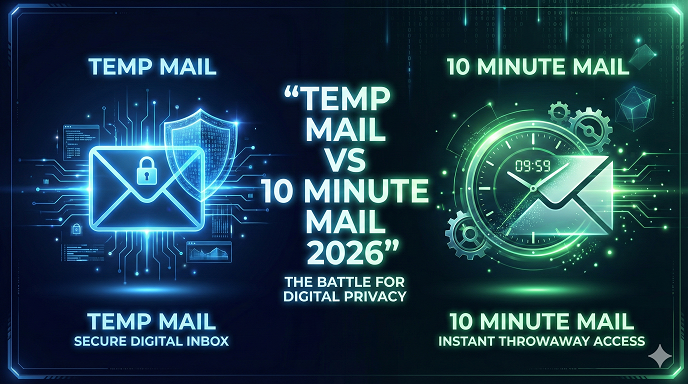
Temp Mail vs 10 Minute Mail 2026: Which Disposable Email Service Actually Keeps You Safe?
Let’s be honest for a second—your primary inbox is probably a mess.
If you are anything like me, you open your email in the morning and spend the first five minutes just swiping left to delete newsletters you don’t remember signing up for, "exclusive offers" from stores you bought socks from three years ago, and weird spam that somehow bypassed the filters.
It’s exhausting. And in 2026, where every single website, app, and Wi-Fi network demands your email address just to let you breathe their digital air, the problem is only getting worse.
This is exactly why you are here looking up Temp Mail vs 10 Minute Mail. You know you need a shield. You need a burner address to throw at those sketchy websites so your real inbox stays clean. But which one is actually better? Is there really a difference, or are they all just the same digital trash cans?
I’ve spent years navigating the murky waters of digital privacy and SEO, and I’ve used just about every temporary email service out there. I’ve used them to test sign-up flows, dodge spam bots, and grab free trials.
In this guide, I’m going to break down the battle of the burners. We aren't just looking at features; we’re looking at reliability, speed, and which one won't leave you hanging when you’re waiting for that crucial verification code.
The Basics: Why Do We Even Need These Tools?
Before we jump into the specific comparison, let's establish the ground rules. Why are we doing this?
A disposable email address acts like a digital stunt double. When a website asks for your email, you send in the stunt double. If the website starts firing spam or gets hacked, the stunt double takes the hit, and your real email address remains safe and pristine in its trailer.
Whether you are using a 10 minute email generator or a service that holds emails for a few days, the goal is the same:
- Privacy Protection: Keeping your personal identity linked to fewer databases.
- Spam Avoidance: Stopping marketing lists from cluttering your daily workflow.
- Security: Protecting your main credentials from phishing attacks that often target primary emails.
In 2026, this isn't just paranoia; it's basic digital hygiene.
Contender 1: Temp Mail (The Polished Professional)
Let’s start with Temp Mail. If you search for "temporary email" right now, this is likely the first or second result you’ll see. In my experience, Temp Mail has evolved from a simple utility into a surprisingly robust platform.
How It Works
When you land on the Temp Mail site (or open their app), you are immediately assigned an email address. There is no "click to generate" button; it’s just there, waiting for you.
The User Experience
What I appreciate about Temp Mail is the interface. It feels modern. It doesn't look like a hacking site from 1999. It usually has a clean copy button, a refresh button, and a clear inbox view.
One thing that beginners often overlook is the persistence of the inbox. Unlike some strict timers, Temp Mail sessions can sometimes last longer than you expect, provided you don't clear your browser cookies or the IP address doesn't rotate.
The "Premium" Factor
Temp Mail has leaned hard into the freemium model. They offer a free temp mail service, but they constantly nudge you toward premium features like:
- Custom domains (instead of random gibberish).
- Multiple inboxes at once.
- Ad-free experiences.
My Take: For 90% of users, the free version is fine. But be warned: the ads on the free web version can be aggressive. I’ve seen pop-ups that cover the whole "copy email" button, which is annoying when you are in a rush.
See here….Understanding the Importance of a TH9 Farming Base
Contender 2: 10 Minute Mail (The Classic Sprinter)
On the other side of the ring, we have the legendary 10 Minute Mail. This is the OG. It is the Kleenex of disposable emails—the brand name that became the generic term for the service.
The Ticking Clock
The defining feature here is in the name. You get 10 minutes. That’s it.
When you load the page, a countdown timer starts immediately. 10:00... 9:59... 9:58...
This adds a layer of psychological pressure, but it also adds a layer of security. The hard limit means this inbox will self-destruct. If you forget to delete the email or close the tab, the service does it for you. It is the ultimate throwaway email 2026 solution for quick tasks.
Extension Capabilities
Most versions of 10 Minute Mail allow you to "refill" the timer. If you are waiting for a verification email that is taking forever (we’ve all been there), you can usually click a button to reset the clock back to 10 minutes.
The "No Frills" Approach
In my experience, 10 Minute Mail services tend to be more bare-bones. They rarely offer an app (though some clones do) or premium subscriptions. It’s a utility tool, pure and simple. You get in, you get your code, and the email vanishes into the digital void.
Head-to-Head: Temp Mail vs 10 Minute Mail
Alright, let’s get down to the nitty-gritty. I’ve tested these side-by-side during heavy workflow days, and here is how they stack up in the areas that actually matter to you.
1. Lifespan and Persistence
Temp Mail: The address often stays valid until you delete it or change it manually. I’ve had Temp Mail tabs open for hours while multitasking, and the inbox was still active when I came back. 10 Minute Mail: Strict 10-minute window (unless extended).
- Winner: It depends. For quick sign-ups, 10 Minute Mail is safer because it forces deletion. For projects where you might need to reference the email again in an hour, Temp Mail wins.
2. Domain Quality (The "Block" Factor)
This is the most critical part that nobody talks about.
Websites like Netflix, Amazon, or even simple forums are getting smart. They have "blacklists" of known anonymous email service domains. If you try to sign up with a generic disposable address, you might get an error saying, "Please use a valid email address."
In my recent tests, Temp Mail seems to rotate its domains more frequently, but because it is so popular, its domains get burned (blacklisted) very quickly.
10 Minute Mail (and its various clones) often use very strange-looking domains. Sometimes this works better because they are flying under the radar; other times, the sheer weirdness of the domain (e.g., @xkls-22.com) triggers spam filters immediately.
- Winner: Temp Mail, but only slightly. Their domains tend to look a little more like "real" emails, which helps bypass lazy filters.
3. User Interface & Ads
Temp Mail: Clean, modern, but heavy on ads. 10 Minute Mail: Often cluttered, old-school text-heavy designs, sometimes confusing ad placement that looks like download buttons.
- Winner: Temp Mail. It’s just easier on the eyes and easier to navigate for a beginner.
4. Privacy
10 Minute Mail: The data is wiped. Gone. Hard deleted. Temp Mail: While they don't store your data permanently, the fact that the session persists longer means the window for someone else (theoretically) stumbling onto that session if they share your IP or device is slightly wider.
- Winner: 10 Minute Mail takes the crown for pure, paranoid security.
See here….How to start a blog that earns money 2026
Real-World Scenarios: When to Use Which?
To make this practical, let's look at some scenarios I’ve actually encountered.
Scenario A: The "Free Wi-Fi" at the Airport
You are stuck at the airport. You need Wi-Fi. The login page asks for your email address to "send you offers." You will never return to this airport.
- My Choice: 10 Minute Mail.
- Why: You need the internet now. You need to verify the email in the next 2 minutes, and then you never want to think about it again. The countdown timer ensures your data footprint is erased before your flight even takes off.
Scenario B: Testing a SaaS Tool Free Trial
You want to try out a new project management tool. You need to sign up, verify the email, set up a profile, and maybe invite a "team member" (yourself) to test the features. This might take 30-40 minutes.
- My Choice: Temp Mail.
- Why: A 10-minute timer is too stressful here. If I get distracted setting up the profile and the timer runs out, I lose access to the account I just created. Temp Mail keeps the inbox open as long as I keep the tab open, giving me breathing room.
Scenario C: Downloading a PDF or Whitepaper
You found a guide on "SEO Strategies for 2026" but the website demands an email to send you the download link.
- My Choice: Either works, but I lean toward Temp Mail here simply because the UI is faster to copy/paste.
The Hidden Risks: What Most Beginners Don’t Realize
I need to pause the comparison to give you a serious warning. I’ve seen people make catastrophic mistakes with temporary inbox online services.
1. The "Password Reset" Trap
Imagine you use a 10 minute email generator to sign up for a Facebook account or a crypto exchange. A month later, you forget your password. You click "Forgot Password."
Where does the reset link go? It goes to an email address that no longer exists.
You are locked out. Permanently.
Rule of Thumb: Never, ever use disposable email for accounts you plan to keep for more than 24 hours. If there is money, memories, or critical data involved, use your real email (or a dedicated permanent "spam" Gmail account).
2. The "Shared Domain" Issue
Since these services are public, the domains are shared. While it is highly unlikely, it is theoretically possible for two people to generate the same alias or for someone to access a "restore" function on a less secure site. Never use these services to receive sensitive information like banking OTPs or private documents.
Step-by-Step: How to Use These Tools Effectively
If you are new to this, here is a quick workflow to ensure you don’t get blocked or lose data.
Step 1: Open the Service in a Private Window Always use Incognito or Private mode. This prevents the temp mail service from tracking your own cookies and ensures a fresh session.
Step 2: Check the Domain First Before you copy the email, look at the domain (the part after the @). If it looks totally sketchy (e.g., @trash-mail-123.xyz), try hitting "Change" or "Refresh" to get a different one. A domain like @teleworm.us or similar often has a better success rate.
Step 3: Keep the Tab Open! Do not close the temp mail tab until you have fully verified your account on the target website. Sometimes the verification email takes 2-3 minutes to arrive. If you close the tab on 10 Minute Mail, that inbox is gone.
Step 4: The Copy-Paste Verification Once the email arrives, don't click the link inside the temp mail interface if you can avoid it. Sometimes that opens a new window and messes up the session. Instead, copy the verification code or right-click the link and copy the URL, then paste it into your original tab.
Pros and Cons Summary
To make this super skimmable, here is the breakdown.
Temp Mail
Pros:
- User-friendly, modern interface.
- No stressful countdown timer.
- Mobile app is usually very good.
- Great for slightly longer tasks.
Cons:
- Domains get blacklisted often by major sites.
- Ads can be intrusive on the free web version.
- Privacy is slightly less "absolute" than auto-destroy services.
10 Minute Mail
Pros:
- Forces better security hygiene (auto-deletion).
- Perfect for "one-and-done" verifications.
- Usually very lightweight (loads fast on slow connections).
Cons:
- The timer causes anxiety.
- If the tab closes, the email is lost forever.
- UI often feels dated and clunky.
Common Mistakes to Avoid in 2026
As we move further into the digital age, detection algorithms are getting smarter. Here is how to stay ahead when using throwaway email 2026 tools.
- Don't refresh the page unnecessarily: On some older 10 minute email generator sites, hitting F5 (refresh) on your browser generates a new email address, causing you to lose the one you were waiting on. Use the button on the page that says "Refresh Inbox."
- Ignoring the "View Source" option: Sometimes, a verification email is HTML-heavy and won't render in a simple temp mail viewer. If you can't see the code, look for a "View Source" or "Text View" button.
- Using it for shopping: I once knew someone who used a temp mail to buy sneakers. The order confirmation and the shipping updates went to the temp mail. When the package got lost, they had no way to prove the order details to customer support because the email was deleted. Don't be that person.
FAQs
Q: Is using a temporary email service illegal? A: No, absolutely not. It is perfectly legal to use a disposable email address for privacy. However, using them to commit fraud or harassment is, obviously, illegal.
Q: Can I recover a 10 Minute Mail address after time runs out? A: Generally, no. That is the point of the service. Some specific providers might offer a "recover expired" button for a very short window (like 5 minutes after expiration), but don't count on it.
Q: Why do some websites reject my temp mail address? A: Websites use APIs to detect disposable domains. If the domain (e.g., @tempmail.com) is on a blacklist, they block it. Try a different provider or a premium temp mail service that uses "cleaner" domains.
Q: Which is better for privacy, Temp Mail or 10 Minute Mail? A: 10 Minute Mail is technically superior for privacy because of the forced data destruction. It leaves no trace after the session expires.
Q: Are these services free? A: Yes, the core functionality of both Temp Mail vs 10 Minute Mail is free. They make money through display ads or premium upgrades.
Q: Can I send emails from these addresses? A: Usually, no. Most free temporary email services are "receive only" to prevent spammers from using their servers to send junk mail.
Conclusion: The Final Verdict
So, in the battle of Temp Mail vs 10 Minute Mail 2026, who takes the trophy?
It comes down to your personality and your specific need.
If you are an anxious person who hates the idea of a ticking clock and prefers a nice, clean interface where you can take your time, go with Temp Mail. It is the user-experience champion. It feels like a real inbox, just temporary.
If you are a privacy purist or you are doing a quick "hit-and-run" sign-up on sketchy airport Wi-Fi, go with 10 Minute Mail. It forces you to be secure. It ensures that once you close that tab, your digital footprint is wiped clean.
My final piece of advice? Bookmark both.
There will be days when one service’s domains are blocked by the site you are trying to access, and the other one works perfectly. In the game of online privacy, redundancy is your best friend. Keep your shield up, keep your primary inbox clean, and stop giving your real data to people who don't deserve it.
Now, go clear out that spam folder one last time, and start using a burner for the rest.





