Disposable Email for Privacy 2026: Stop Spam and Take Back Your Inbox
Let’s be brutally honest for a second. In 2026, your email address is no longer just a digital mailbox—it’s your digital passport, your tracking ID, and the primary key data brokers use to build a terrifyingly accurate profile of your life.
Every time you sign up for a "free" trial, download an ebook, or jump on public Wi-Fi at a coffee shop, you’re asked to surrender your email. And the moment you do, you trigger a chain reaction of cross-site tracking, targeted ads, and an endless barrage of promotional spam that clogs your inbox for years.
In my experience working in digital privacy and SEO strategy, I’ve seen firsthand how aggressively companies harvest this data. What most people don’t realize is that your inbox is the weak link in your online security. But there is a surprisingly simple fix: a disposable email for privacy 2026.
If you're tired of marketing newsletters you never opted into, or you’re worried about the constant wave of corporate data breaches, this guide is for you. We’re going to dive deep into how a temporary email address works, why you absolutely need one today, and the best tools to keep your identity completely locked down.
Why You Absolutely Need a Disposable Email Address Right Now
The internet of 2026 is hyper-connected and obsessed with data. Companies don't just want your email to send you a 10% discount code; they want it so they can feed it into AI-driven marketing algorithms.
When you use your real email address everywhere, you expose yourself to three major threats:
- The Spam Snowball Effect: You give your email to one innocent-looking lifestyle blog. They sell their subscriber list to a third-party marketing agency. Suddenly, you're getting emails about real estate in Florida and discounted software.
- Data Breaches: Even massive, supposedly secure companies suffer breaches. When hackers leak a database, your email and associated password are out in the wild. If you use the same email everywhere, you’ve just handed hackers the master key to your digital life.
- Cross-Platform Tracking: Advertisers use your email address as a "unique identifier." They hash your email and use it to track what you buy on Amazon, what you search on Google, and what you scroll past on social media.
A privacy protection email stops this dead in its tracks. By using a burner address, you create an unbridgeable gap between your real identity and the companies trying to track you.
What Exactly is a Temporary Inbox? (And How It Works)
A temporary inbox is exactly what it sounds like: an email address that exists for a short period—sometimes just 10 minutes, sometimes a few days—and then vanishes into the digital ether.
When you use a temporary mail for signup, you don't need to provide your name, phone number, or backup email. You just click a button, get a random address like [email protected], and use it to receive the verification code or download link you need. Once you have what you want, you close the tab. The email address self-destructs, and any spam sent to it bounces harmlessly into the void.
But as the landscape has evolved in 2026, we’ve seen a split in the types of services available. They generally fall into two distinct categories:
1. The Short-Lived Burner Email Account
These are the classic "throwaway" addresses. Services like Temp Mail or Guerrilla Mail generate a random inbox that lives just long enough for you to click a verification link. They are the ultimate fake email for privacy when you are 100% sure you will never need to log into that specific website again.
2. The Persistent Email Masking Service
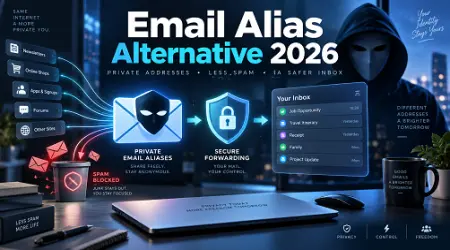
This is where the real magic happens in 2026. An email masking service (like SimpleLogin by Proton or Apple's Hide My Email) generates a unique, permanent alias for every site you visit.
- How it works: You sign up for Netflix with [email protected].
- Netflix sends an email to that alias.
- The service instantly forwards it to your real Gmail or Outlook inbox.
- If Netflix gets hacked or starts spamming you, you just toggle a switch and block that specific alias forever. Your real inbox remains pristine.
Top Use Cases: When to Use a Temporary Mail for Signup
After working with hundreds of privacy-conscious users, I’ve found that many people hesitate to use a secure disposable email because they aren't sure when it's appropriate. Here are the most practical, real-world scenarios:
- Dodging Paywalls and Reading Articles: Many news sites give you "3 free articles" before demanding an account. A one-time email address lets you bypass this friction instantly.
- Retail and Online Shopping: E-commerce sites are notorious for spam. Use an anonymous signup email to get that initial 20% off promo code, grab your item, and never hear from their marketing department again.
- Public Wi-Fi Portals: Airports and coffee shops often require an email to access their "free" internet. Never give them your real one. This is a prime spot for data harvesting.
- Software Testing: If you’re a developer or QA tester, a burner email account is invaluable for testing user registration flows without cluttering your company database with fake test accounts.
- Dating Apps and Forums: Don't want your dating profile linked back to your LinkedIn or professional persona? Use an anonymous email service.
See here………….Spectrum WiFi Connected But No Internet? Fix It in 5 Minutes
Best Disposable Email Service Options in 2026
The market is flooded with tools, but many of them are outdated or heavily blacklisted by modern websites. If you're looking for the best disposable email service this year, here are my top, battle-tested recommendations.
1. SimpleLogin (by Proton) - Best for Long-Term Privacy
If you want a permanent privacy email address, SimpleLogin is the gold standard in 2026. Acquired by the privacy giants at Proton, this service allows you to create limitless email aliases on the fly.
- Pros: Integrates directly into your browser; allows you to reply to emails from your alias; open-source and highly secure.
- Cons: The free tier limits the number of aliases you can create.
2. Temp-Mail.io - Best for Instant Throwaways
When you need a temporary email 2026 in exactly two seconds, Temp-Mail is the king. You visit the site, and the inbox is already waiting for you. No clicks required.
- Pros: Lightning fast; requires zero setup; auto-refreshes to show incoming mail instantly.
- Cons: The address expires quickly, meaning if you forget your password for the site you signed up for, you are locked out forever.
3. TempForward - Best Hybrid Solution
TempForward has emerged in 2026 as a brilliant middle ground. It offers lightning-fast WebSockets for instant receipt of verification codes, but also includes a feature to temporarily forward emails if you need the address to last a little longer.
- Pros: Extremely fast delivery (under 1 second); zero-knowledge architecture; clean UI.
- Cons: Still relatively new compared to the veterans, though highly reliable in my testing.
4. Guerrilla Mail - The Old Reliable
Guerrilla Mail looks like a website built in 2005, but it works flawlessly. It’s one of the few free short-term services that actually allows you to send an outgoing email with an attachment, making it incredibly versatile.
- Pros: Ability to send outgoing mail; deeply established infrastructure.
- Cons: The interface is very clunky; emails are hard-deleted after 60 minutes with no recovery.
5. DuckDuckGo Email Protection - Best for Tracking Removal
DuckDuckGo offers a slick, free alias service (@duck.com). Not only does it act as an email masking service, but it actively strips hidden tracking pixels out of the emails before forwarding them to your real inbox.
- Pros: Removes invisible trackers; incredibly easy to use; totally free.
- Cons: Only provides one main alias by default, rather than unique aliases for every single website.
Comparison Table: Finding Your Perfect Fit
How to Set Up an Anonymous Email Service (Step-by-Step)
If you've never used an email masking service before, the concept might sound overly technical. It’s actually incredibly straightforward. Let's walk through how to set up an alias system like SimpleLogin or Apple's Hide My Email.
Step 1: Choose Your Provider
Create an account with a service like SimpleLogin, addy.io, or activate Hide My Email if you are an Apple user.
Step 2: Install the Browser Extension
This is the secret sauce. Install the provider's extension on Chrome, Safari, or Firefox.
Step 3: Sign Up for a New Website
Navigate to a website where you want to create an account (let's say, a new recipe blog). When you click the "Email" field, your browser extension will pop up a small icon.
Step 4: Generate the Alias
Click the icon. The service will instantly generate a random address like [email protected] and autofill the field.
Step 5: Verify and Forget
The recipe blog sends the confirmation link to the alias. The alias forwards it silently to your real Gmail. You click verify. The recipe blog has no idea who you actually are, and your real inbox is protected.
See here………….Best TH12 Farming Base Layouts in Clash of Clans (Ultimate Guide 2025)
Real-World Case Study: The Hidden Cost of an Unprotected Inbox
Let me share a quick story to illustrate why this matters. A few years ago, before I got strict about my digital hygiene, I was working with a client who owned a local fitness center. He used his personal, primary email address to register his business domain, sign up for industry webinars, and download marketing PDFs.
Within six months, his primary inbox was receiving over 300 spam emails a day. He was missing vital client communications because they were buried under mountains of garbage. Worse, one of those random webinar platforms experienced a data breach. Because he reused passwords (another massive mistake), a bad actor accessed his actual email account and sent phishing links to his entire contact list.
It took weeks to undo the damage, secure his accounts, and rebuild trust with his clients. If he had used a temp mail for online accounts for those one-off webinar registrations, the hackers would have walked away with a dead, useless burner email. The breach would have been a non-issue.
Common Mistakes People Make with Fake Email for Privacy
While these tools are incredible, they can burn you if you use them incorrectly. Here are the biggest pitfalls I see beginners make:
- Using a Burner for Critical Accounts: Never, ever use a 10-minute short-lived email for your bank, your primary social media, or a cryptocurrency exchange. If you forget your password or the site triggers a security lock, they will send a reset link to the email on file. If that email evaporated 6 months ago, you are permanently locked out of your account. Use a persistent alias (like SimpleLogin) for these, not a temporary inbox.
- Ignoring Domain Blocks: In 2026, many websites (like Netflix or Coinbase) actively block known disposable domains. If you try to sign up with @mailinator.com, the site will reject it. To get around this, use premium services that offer custom domains, or stick to alias forwarding services which have higher trust ratings.
- Assuming Complete Anonymity: A temporary inbox protects your inbox, but it doesn't hide your IP address. If you are doing something highly sensitive and need total anonymity, you must pair your disposable email with a high-quality VPN or the Tor browser.
- Forgetting the Access Token: Some temporary email sites allow you to recover an inbox if you save a specific access token or URL. Most users close the tab without saving it, instantly losing access to any OTPs (One-Time Passwords) they might need later.
Pros and Cons of Using a Temporary Inbox
To keep things balanced, let's look at the objective advantages and disadvantages of integrating these tools into your daily web browsing.
The Pros:
- Zero Spam: Your primary inbox remains reserved strictly for family, friends, and actual work.
- Enhanced Security: Limits your exposure in third-party data breaches.
- Financial Safety: Prevents marketers from building a profile on your spending habits to hit you with manipulative targeted ads.
- Ease of Use: Browser extensions make generating a privacy protection email a one-click process.
The Cons:
- Blocked Domains: High-security websites frequently block known temporary email providers.
- Account Recovery Risks: Using a self-destructing email means you can never reset your password for that service.
- Public Inboxes: Some free services (like the free tier of Mailinator) have public inboxes. Anyone who guesses the email address can read the mail sent to it, which is terrible for privacy if the email contains personal info.
Frequently Asked Questions (FAQs)
1. Is it legal to use a disposable email address?
Absolutely. There are no laws against using an alias or a temporary email to protect your privacy online. It is entirely legal and highly recommended by cybersecurity professionals.
2. Can websites detect that I am using a fake email?
Yes. Many websites use API detection tools to scan signup emails against lists of known disposable domains. If they detect a temporary domain, they may block your registration. Using a custom domain via an alias service usually bypasses this.
3. Will a temporary email protect me from hackers?
It adds a massive layer of defense. Hackers cannot compromise your primary email account if they don't know it exists. However, you still need to use strong, unique passwords and Two-Factor Authentication (2FA) across your accounts.
4. Can I send emails from a temporary address?
It depends on the service. Short-lived inboxes like Temp-Mail are usually "receive-only" to prevent spammers from abusing their servers. However, alias services like SimpleLogin and veteran sites like Guerrilla Mail do allow you to send or reply anonymously.
5. How long does a temporary email address last?
A traditional disposable email address might last anywhere from 10 minutes to 24 hours. A masking alias lasts permanently until you manually delete or pause it.
6. What is the difference between a temporary email and an alias?
A temporary email gives you a random inbox that deletes itself after a short time. An alias forwards emails to your actual, real inbox, allowing you to maintain a long-term relationship with a website without revealing your true identity.
7. Should I pay for a premium disposable email service?
If you are just dodging a paywall to read an article, a free service is fine. If you want to use unique emails for all your online shopping, banking, and streaming, paying a few dollars a month for a premium alias service with a custom domain is one of the best investments you can make in your digital security.
Conclusion: Take Back Your Privacy in 2026
We’ve accepted for too long that a cluttered, spam-filled inbox is just the cost of doing business on the internet. But it doesn't have to be.
By utilizing a disposable email for privacy 2026, you are actively taking back control of your digital footprint. You get to decide who has access to you, when they can contact you, and—most importantly—when to cut them off entirely.
My final piece of advice? Start small. The next time a website you don't fully trust asks for your email address in exchange for a discount code or a PDF download, don't give them your real one. Open a new tab, generate a burner email account, and see how freeing it feels to walk away without a digital string attached to your identity.
Protect your inbox like you protect your front door. You wouldn't give the keys to your house to a random stranger on the street, so stop giving your primary email to every website that asks for it.