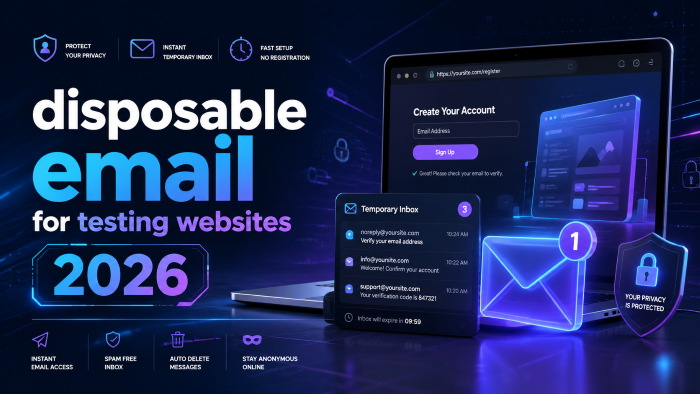
The Ultimate Guide to Using a Disposable Email for Testing Websites in 2026 (Say Goodbye to Inbox Clutter)
If you have ever built a website, set up an app, or configured a sales funnel, you already know the nightmare. You build a beautiful registration page, and now you have to test it.
You use your personal email. Then you test it again, so you use your work email. Then you test it a third time, and suddenly you are typing in variations like [email protected] or [email protected]. Fast forward a week, and your real inbox is completely trashed with onboarding sequences,and marketing newsletters you triggered yourself.
In my experience, relying on your personal inbox for Quality Assurance (QA) is the fastest way to miss an important client message because it got buried under 45 automated welcome emails.
What most people don’t realize is that there is a much cleaner, faster, and professional way to handle this workflow. Using a disposable email for testing websites is no longer just a neat trick; in 2026, with complex multi-step authentications and aggressive spam filters, it is an absolute necessity.
Whether you are a solo developer, an agency owner setting up lead generation funnels for clients, or a QA engineer, this guide will show you exactly how to leverage temporary inboxes to test faster and keep your real email pristine.
What Exactly is a Disposable Email for Testing Websites?
At its core, a temporary email for website testing is a short-lived, self-destructing email address. It acts as a burner inbox. You generate the address instantly, use it to receive a specific message—like an account verification link—and then the inbox vanishes after a set period, taking the spam with it.
For developers and testers, a dummy email for testing solves two massive problems:
- Inbox Protection: It keeps your primary email address free from automated testing junk.
- Scalability: It allows you to generate hundreds of unique email addresses on the fly, which is vital when you need to test a registration flow repeatedly.
Why You Shouldn't Just Use the "Gmail Plus" Trick
A lot of developers rely on the old Gmail hack (e.g., [email protected]). While this works for casual testing, it's a flawed strategy in 2026.
After working with hundreds of website deployments, I've seen firsthand how modern web applications, aggressive security plugins, and sophisticated CRM systems actively block emails containing the + symbol to prevent spam abuse. Furthermore, all those emails still end up in your primary Gmail server, eating up your storage space and cluttering your search history.
The Top Use Cases: When to Use a Dummy Email for Testing
A test email address isn't just for checking if a "Submit" button works. Modern web applications have incredibly complex user journeys. Here is where temporary inboxes become your best friend.
1. Registration Testing Email Flows
When building a new app, you need to ensure the user creation process works perfectly. This means creating a new account, receiving the welcome email, and clicking the confirmation link. You can't use the same email twice for this. Generating a quick fake email for testing websites lets you run this process 50 times in a row without hitting "email already exists" errors.
2. OTP Email Testing
One-Time Passwords (OTPs) are the standard for security in 2026. If you are building a secure login portal, you need to verify that the OTP is generated, sent, and received within seconds. Using a dedicated temporary inbox ensures you can monitor the exact delivery speed without refreshing your personal inbox and digging through promotions tabs.
3. Password Reset Email Testing
The "Forgot Password" flow is notoriously buggy. Testing this requires requesting a reset, receiving a unique token link, and ensuring the link actually connects back to the database. A disposable inbox lets you isolate this exact transaction to ensure your SMTP server is firing correctly.
4. Testing Affiliate and Lead Generation Funnels
If you build sales funnels or manage affiliate programs, testing tracking links is crucial. You need to simulate a fresh user clicking a link, opting into a lead magnet, and receiving the first email in a drip sequence. By using a free temporary email, you can verify that the affiliate tracking tags stick properly to a "new" user without messing up your actual CRM data. (This is a huge value-add service you can offer clients: guaranteeing their funnels track properly before launching paid ads).
See here……….How to use Instagram for growth
Best Email Testing Tools and Mailinator Alternatives for 2026
The landscape of email testing tools has shifted significantly. Old favorites have become heavily blacklisted by modern servers. If you are looking for a reliable Mailinator alternative or a 10 minute mail alternative that actually bypasses strict 2026 spam filters, here are the top approaches.
The Quick Web-Based Inboxes
For manual, ad-hoc testing, you want something fast and free.
- Classic Temp Mails: Websites that offer a one-click inbox generation are perfect for quick manual checks. They load instantly and give you a random string domain (like [email protected]).
- Privacy Email for Signups: Certain services now focus on providing domains that look incredibly realistic (e.g., @startup-server-mail.com instead of @junkmail.org). This is crucial because many modern websites will block registrations from known temporary domains to avoid spam email.
Disposable Email APIs for Automated QA
If you are running automated tests (like Selenium, Cypress, or Playwright), manual inboxes won't cut it. You need a disposable email API.
- How it works: Your automated script pings the API to generate a fresh email address. The script inputs that email into your website's registration form. The API then catches the inbound verification email, reads the HTML, extracts the OTP or confirmation link, and sends it back to your script to complete the test.
- Why it matters: This allows you to run end-to-end continuous integration testing without ever checking a physical inbox.
Step-by-Step: How to Test a Checkout Flow Using a Fake Email
Let’s walk through a practical, real-world example. Imagine you are launching a new e-commerce store and you need to test the guest checkout and post-purchase email sequence.
Step 1: Generate the Temporary Email Address for Signup Testing
Open your preferred temporary inbox tool. Keep the browser tab open. Copy the generated test email address to your clipboard.
Step 2: Initiate the Checkout
Navigate to your e-commerce store in an Incognito window (to avoid caching issues). Add a product to your cart and proceed to checkout.
Step 3: Enter the Dummy Data
Paste your temporary email into the contact information field. Fill out the rest of the form with dummy shipping data. Use a testing credit card number provided by your payment gateway (like Stripe's well-known 4242 test card).
Step 4: Monitor the Temporary Inbox
Switch back to your temp mail tab. Within seconds of completing the order, you should see the order confirmation email arrive.
Step 5: Verify the Payload
Don't just look at the subject line. Open the email and verify:
- Does the branding look correct on mobile and desktop?
- Are the dynamic variables (Customer Name, Order Number) populating correctly, or does it say Hi {First_Name}?
- Do the tracking links work?
Step 6: Discard and Repeat
Once verified, you can close the temp mail tab. The inbox and its contents will self-destruct, leaving zero footprint. If you need to test a failed payment scenario next, simply generate a new address and start over.
Pros and Cons of Using Temp Mail for Testing
To give you the full picture, let's break down the realities of using a temporary email address for signup testing.
Common Mistakes Developers Make with Test Email Addresses
Even seasoned developers slip up when managing QA email testing. Here are the hidden traps you need to avoid.
1. Using Public Inboxes for Sensitive Client Data
Many free 10 minute mail alternatives use public inboxes. If you generate an inbox named [email protected], anyone else who types in test12 can see the emails there. Never send real user data, actual API keys, or sensitive client information to a public disposable inbox. Always use private testing tools or dummy data.
2. Forgetting to Check the Spam Folder in the Temp Inbox
Yes, even disposable inboxes have spam filters. If your web application is sending emails from a newly configured server with poor reputation, the emails might drop into the temp mail’s spam folder. If you don't see your password reset email testing arrive, check the spam tab before you tear apart your server code.
3. Ignoring Mobile Responsiveness
A massive mistake is viewing the test email exclusively on a desktop monitor. Over 60% of emails are opened on mobile devices. When your temporary inbox receives the test email, always shrink your browser window to mobile width or use developer tools to ensure the email design doesn't break on smaller screens.
The Ultimate Hidden Hack: The Catch-All Domain Strategy
If you find that standard disposable email 2026 tools are constantly being blocked by the platforms you are trying to test, here is an insider digital hack.
Instead of relying on third-party services, buy a cheap, obscure domain name (e.g., mytestingserver.net). Set up a "Catch-All" email routing rule through your domain registrar.
A catch-all configuration means that any email sent to that domain (no matter what prefix is used) will be routed to one central inbox.
- Need to test a signup? Use [email protected].
- Need to test it again? Use [email protected].
- Testing an affiliate link? Use [email protected].
Because you own the domain, it has a high trust score and won't be flagged as a fake email for testing websites. All the emails funnel into one place, giving you the infinite scalability of a disposable service but the deliverability and privacy of a premium corporate inbox.
See here……….Top TH18 War Base Link with Smasher Guardian (Anti-3 Star Copy Link)
Frequently Asked Questions (FAQs)
Can websites detect if I am using a temporary email address?
Yes. Many websites maintain lists of known disposable email domains (like Mailinator or TempMail) and block them at registration. This is why using newer services or a private catch-all domain is often required for rigorous QA email testing.
Is it safe to use a disposable email for testing websites?
It is completely safe for testing, provided you are using dummy data. Do not use public temporary emails for real personal accounts, banking, or anything containing sensitive personal identifiable information (PII).
What is the best Mailinator alternative today?
While Mailinator is the grandfather of the space, alternatives like Mailtrap, Guerrilla Mail, and YOPmail offer varied features. Mailtrap is particularly excellent for developers because it captures outgoing emails from your staging server before they ever reach the real internet.
How do I handle OTP email testing automatically?
To automate OTP testing, you need a service that offers a disposable email API. You write a script that sends the email to the API-generated address, then queries the API via a webhook to extract the OTP code directly from the email body.
Will a fake email for testing websites affect my sender reputation?
If you are sending hundreds of test emails to invalid or rapidly expiring addresses, it can technically cause minor bounces on your SMTP server. However, dedicated email testing tools are designed to simulate successful deliveries, meaning your sender reputation remains intact.
Can I reply to emails from a temporary inbox?
Most free temporary email services are receive-only. They are designed as a one-way dump for inbound verification. If you need to test bi-directional email flows (like a customer support ticketing system), you will need a premium testing tool or your own catch-all setup.
Wrapping It Up: Smarter Testing in 2026
Testing your website's email functionality shouldn't be a frustrating chore that ruins your personal inbox. By integrating a disposable email for testing websites into your regular workflow, you are saving time, protecting your privacy, and ensuring your client projects run smoothly from day one.
Whether you opt for a quick web-based tool for manual checks, a robust API for automated OTP verifications, or the ultimate catch-all domain hack, making this shift will instantly level up your QA process.
Stop drowning in automated welcome emails. Protect your focus, streamline your testing, and keep your real inbox reserved for what actually matters—like landing your next big client.
What tool are you currently using to test your web forms, and how many automated spam messages are sitting in your primary inbox right now? Let me know your current setup below!