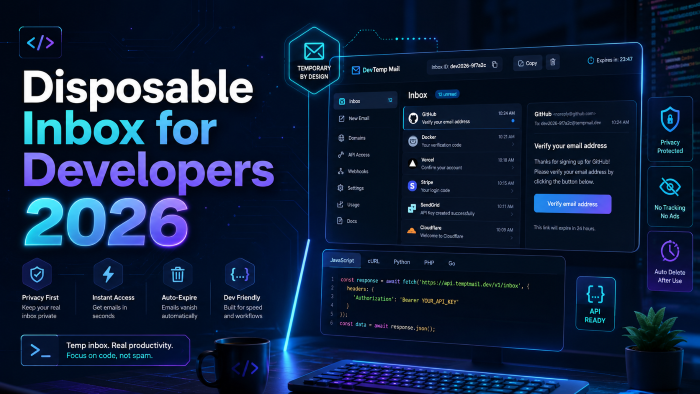
The Definitive Guide to Using a Disposable Inbox for Developers in 2026
You've encountered the special type of panic I'm referring to if you ever deployed a large feature set or bug fix to production only to discover three hours later that your welcome emails were not getting sent.
Testing of email workflows was the absolute black mark on the software engineer’s record for many years. We would use our own email addresses, have countless number of spreadsheet lists that kept track of our dummy addresses or the old trick of using Gmail “+alias”. What if you have 500 executions of your test suite every day, though? Your automated scripts don't work, your staging environment stops working, and Google displays your IP.
One of the highest returns on investment (ROI) decision that an engineering team can make in my experience is to stop using workarounds by moving to a dedicated disposable inbox for developers.
In 2026, legacy testing approaches are a significant burden as they are unable to handle the intricacies of modern web applications. Now, let's delve into the reasons why having a temporary email API isn't just a luxury, but a crucial component for software development, at least.
The Breaking Point: When Manual Email Testing Fails
What most people don't realise is that not all email is an Email anymore. It's part and parcel of the user's journey.
Consider where the flow can be used today. A user registers, gets sent a verification link, is sent a magic login link, or gets sent a two factor authentication code. Each of these touchpoints is a crucial conversion metric. When the e-mail doesn't work, the user falls off. It is that simple.
If you're the only developer on a side project, it's okay to manually go through a regular email box. But when you scale? This is where the rub begins.
A couple of years ago I remember that I consulted with a SaaS business. They manually tested password reset experiences prior to each significant release. It took them 3 hrs. With a proper email testing inbox, we are able to make that three hour bottleneck a two minute automated script in their CI/CD pipeline.
Without automated QA email testing, it's impossible to scale a modern application. You need something that can programmatically create a box with an e-mail address, receive emails, open them and delete the box, in just a few seconds.
Core Use Cases: Where a Temporary Email API Shines
If you are evaluating a disposable email service right now, you need to look beyond just catching messages. A robust developer email sandbox should seamlessly handle several critical workflows.
Signup Verification Testing at Scale
One of the most common database errors during automated testing is the dreaded "User already exists" flag. If your automated tests use the same static email address, your test will fail on the second run unless you have complex database teardown scripts in place.
By using a temporary inbox for testing, your automation framework can generate a brand new, unique email address for every single test run. Your script signs up, the temporary email API catches the verification email, clicks the unique link inside, and completes the onboarding flow. No database collisions, no manual resets.
OTP Testing Email and 2FA Workflows
Two-factor authentication is standard practice in 2026. But testing it programmatically is notoriously tricky.
When your application fires an OTP (One-Time Password) to an email address, your test script needs to intercept that specific message, open the payload, parse the text to extract the 6-digit code, and inject it back into your application’s UI. A high-quality test inbox API allows you to fetch the latest email via a simple GET request, making string extraction via Regex incredibly straightforward.
Password Reset Email Testing
Broken password reset links are a massive customer support headache. Usually, the issue isn't that the email didn't send; it’s that the token attached to the URL is malformed or expired.
Automating your password reset email testing ensures that not only does the email arrive, but the link itself resolves to the correct page with the correct session tokens intact.
CI/CD Email Testing Integrations
Continuous integration & continuous deployment is the lifeline of modern DevOps. Tests that don't run in your CI/CD pipelines are like they don't exist.
By adding API email testing to your GitHub Actions, GitLab CI or Jenkins, you can ensure that no code is pushed into your main branch if your important email workflows are not successful. These temporary inboxes can be created at the build time, end-to-end (E2E) tests can be used at that time with Cypress or Playwright, and everything can be cleaned up at the end of the pipeline.
Evaluating Your Options: SaaS vs. Self-Hosted Temporary Email
When it comes to choosing a temp mail for developers, you generally have two paths: paying for a managed SaaS provider or building a self-hosted temporary email solution.
After working with both approaches across various startups and enterprise environments, I can tell you that the right choice depends entirely on your budget, your compliance requirements, and your engineering bandwidth.
Managed Disposable Email Services (SaaS)
These are platforms built specifically for developers, offering comprehensive APIs right out of the box.
Pros:
- Instant setup with zero infrastructure management.
- SDKs available for NodeJS, Python, Java, and PHP.
- Built-in spam score testing and HTML validation.
- Highly reliable uptime and scalable infrastructure.
Cons:
- Can become expensive if you run tens of thousands of tests daily.
- Data privacy concerns if you are testing highly sensitive PII (Personally Identifiable Information).
Self-Hosted Temporary Email
For teams with strict data residency requirements, hosting your own mail server (using tools like Postfix, Dovecot, or specialized open-source testing tools) is often the only approved path.
Pros:
- Complete control over your data and testing environment.
- Cost-effective at a massive scale (you only pay for the server).
- Can be deployed securely within your own Virtual Private Cloud (VPC).
Cons:
- Significant maintenance overhead. Mail servers are notoriously finicky.
- You have to build and maintain the API wrappers yourself.
- Managing IP reputation can be a nightmare if your outgoing tests accidentally trigger spam filters.
Comparison Snapshot
How to Implement an API Email Testing Sandbox (Step-by-Step)
If you are ready to implement a disposable email API into your workflow, the process is surprisingly straightforward. I usually recommend starting with your end-to-end testing framework. For this example, let's conceptualize how this works with a modern framework like Playwright.
Step 1: Provision the Inbox via API
Before your test interacts with your application's UI, your script should make an API call to your disposable email service to create a fresh inbox.
The API will return a JSON payload containing the new email address and a unique Inbox ID. You will store these variables in your test runner's memory.
Step 2: Trigger the Application Workflow
Next, instruct your automated browser to navigate to your app's signup page.
Inject the newly generated email address into the form field and submit. At this point, your application’s backend is processing the request and firing off the transactional email via SendGrid, AWS SES, or whichever provider you use.
Step 3: Poll the API for the Message
Because email delivery isn't perfectly instantaneous, your script needs to wait.
You will write a function that polls the temporary email API every 2-3 seconds, looking for a new message in that specific Inbox ID. Most modern developer tools have built-in "wait for latest email" endpoints to handle this polling automatically, preventing timeout errors.
Step 4: Extract and Assert
Once the email payload is returned to your script, the real magic happens.
You can assert that the subject line matches your expectations. You can parse the HTML body to find the verification button. You extract the href attribute from that button, instruct your automated browser to navigate to that URL, and assert that the "Account Verified" success message appears on screen.
Step 5: Clean Up
Good testing hygiene dictates that you leave the environment exactly as you found it.
Send a final DELETE request to the test inbox API to destroy the temporary address, keeping your testing dashboard clean and manageable.
Real-World Case Study: Saving 40 Hours a Month on QA
Here's a short story to illustrate the real-world value of this configuration.
Several years ago I had to deal with managing the content and technical strategy of an e-commerce site. The vendor onboarding process was complex with 3 different email approvals. With each vendor update the dev team made, our QA engineers had to manually set up three different Gmail accounts to test the vendor pipeline.
A very depressing job. It was causing test fatigue and then finally the critical bug made the cut-over to production and the final approval e-mail was showing up as an empty HTML e-mail on mobile devices. In a weekend we lost an estimated $15,000 in vendor signups.
We immediately pivoted. We added a disposable inbox for developers to our GitHub actions workflow. We've developed a Cypress suite to run our three different API inboxes, initiate the workflows and test HTML rendering for varying viewport sizes.
The result? 40 hours per month was saved in manual QA time. But more important, we were able to get rid of the anxiety of deployment Fridays. Having the confidence that it's a fully automated and API driven testing suite is priceless.
5 Common Mistakes Developers Make with Temp Mail
Even with the best tools, it is easy to shoot yourself in the foot during implementation. Over the years, I’ve seen teams make the same recurring errors when setting up their temporary inbox for testing.
1. Hardcoding Email Addresses in Tests
This is the most common rookie mistake. If you hardcode [email protected] into your script, your tests will fail the second time they run concurrently. Always generate a unique hash or request a fresh address dynamically for every single test block.
2. Ignoring Rate Limits
If you are polling your disposable email API aggressively (e.g., every 100 milliseconds) while waiting for a password reset token, you will hit rate limits and your tests will crash. Implement sensible delays and use the provider's dedicated webhooks or "wait-for" endpoints instead of raw polling.
3. Failing to Test the Plain Text Alternative
We get so caught up in making sure the HTML emails look beautiful that we forget to test the plain text versions. A good QA email testing strategy involves asserting that both the HTML and plain-text payloads are delivered correctly, as many enterprise firewalls strip HTML by default.
4. Using Public Inboxes for Proprietary Data
Never use a free, public disposable email generator for testing staging environments that contain sensitive company data or proprietary links. Anyone who guesses the inbox name can view your application's internal testing data. Always use a secured developer email sandbox with authenticated API keys.
5. Forgetting to Clean Up
If you generate 1,000 inboxes a day during your CI/CD pipeline and never delete them, your testing dashboard will become unusable, and you might hit account limits. Always include a tear-down step in your test framework to delete the inbox after the assertions pass.
The Future of the Disposable Email Service Landscape
As we look toward the remainder of 2026 and beyond, the requirements for email testing are only getting more complex.
We are seeing a massive shift towards testing dynamic email content. It is no longer enough to just verify that an email arrived; QA teams now need to validate that dynamic variables (like localized currency symbols or personalized recommendation grids) are rendering correctly based on the user's geolocation data.
Furthermore, email deliverability testing is merging with functional testing. Modern developer email sandboxes are starting to include built-in spam score analysis. This allows developers to catch deliverability issues in staging—identifying if a new layout change accidentally triggers a spam filter before the marketing team blasts it out to a million users.
The line between a simple temp mail for developers and a full-suite email observability platform is blurring rapidly. Teams that adopt these API-driven methodologies today are setting themselves up for significantly smoother development cycles tomorrow.
Frequently Asked Questions (FAQs)
What is a disposable inbox for developers?
It is a programmable email address created via an API specifically for software testing. It allows developers to automate the process of receiving, reading, and validating transactional emails without relying on manual inboxes.
How does a temporary email API differ from standard temp mail?
Standard temp mail sites are built for consumers wanting to avoid spam. A temporary email API is built for software engineers, offering programmatic access via code (JSON/REST), webhooks, and integration with testing frameworks like Cypress and Selenium.
Is it safe to use a disposable email service for CI/CD email testing?
Yes, provided you use a secure, authenticated provider rather than a public, free-tier service. Managed developer sandboxes ensure your test emails are kept private and isolated to your specific API key.
Can I use a test inbox API to test SMS as well?
Some advanced QA platforms offer both email and SMS testing capabilities within the same dashboard, allowing you to validate omnichannel workflows like multi-factor authentication seamlessly.
What is the best way to handle OTP testing email automation?
The most efficient method is to use a dedicated API endpoint that waits for the latest email, returns the body as a string, and utilizes a Regular Expression (Regex) to extract the specific 4 or 6-digit numeric code before passing it back into your automated browser test.
Should we build a self-hosted temporary email server?
Only if your organization has strict compliance or data-residency mandates that prohibit the use of third-party SaaS vendors. For 95% of engineering teams, a managed API is infinitely more cost-effective when you factor in the cost of engineering time required to maintain a custom mail server.
Conclusion and Actionable Takeaways
Testing email workflows manually is an outdated practice that stunts development speed and introduces unnecessary risk into your release cycle.
By integrating a disposable inbox for developers into your workflow, you unlock true automation. You bridge the gap between frontend UI testing and backend transactional logic, ensuring that your users actually receive the messages they need to interact with your platform.
If you are looking to upgrade your testing infrastructure this week, here are your immediate next steps:
- Audit your current workflows: Identify exactly how many manual hours your team spends verifying signups, password resets, and OTPs.
- Choose an API approach: Decide whether a managed SaaS temporary email API fits your budget or if you need to scope out a self-hosted solution.
- Start small: Don't try to automate everything at once. Begin by writing a single automated test for your most critical flow—usually the user registration verification email.
- Integrate into CI/CD: Once that single test is stable, add it to your deployment pipeline to prevent future regressions.
The tools available in 2026 make it easier than ever to achieve 100% test coverage on your email workflows. Stop relying on manual workarounds, implement a dedicated test inbox API, and give your engineering team the confidence to ship code faster.