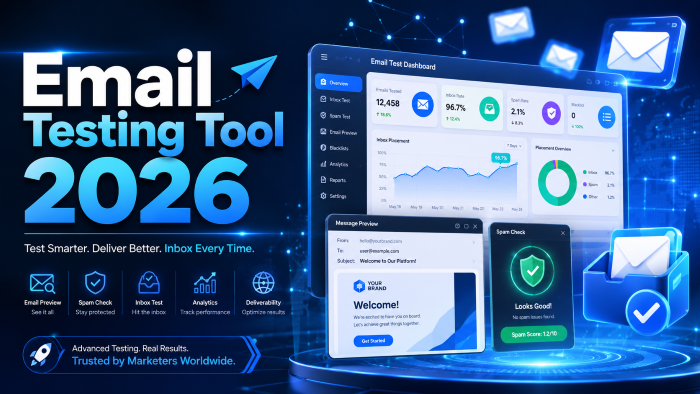
The Ultimate Guide to Choosing the Best Email Testing Tool in 2026
We've all been there. You're hovering your mouse over the "Send" button for a massive campaign. Your heart rate spikes. Did you remember to check the mobile view? Is the main call-to-action link actually working, or does it point to a 404 page? What if this entire batch goes straight to the spam folder?
Hitting send on an untested campaign is basically playing Russian roulette with your brand's reputation.
In my experience, the difference between an amateur marketer and a seasoned pro usually comes down to their QA process. A solid email testing tool is no longer a luxury; it’s an absolute requirement. Email providers like Google and Yahoo have drastically tightened their sender requirements over the last couple of years, meaning it takes very little to get your domain blacklisted in 2026.
If you want your emails to actually reach human eyeballs, you need a bulletproof testing workflow. Let’s break down everything you need to know about testing your campaigns, the features that actually matter, and the specific tools I recommend based on years of trial and error.
Why You Absolutely Need an Email Testing Tool
What most people don’t realize is that an email doesn't just look the same everywhere. You can code a beautiful, pixel-perfect template in your marketing platform, but the moment it hits Outlook on a Windows machine, it turns into a broken, jumbled mess of overlapping text.
But design is just the tip of the iceberg. The real nightmare is deliverability.
When you send an email, mailbox providers (like Gmail, Yahoo, and Outlook) run a background check on you. They look at your IP reputation, your authentication records (SPF, DKIM, DMARC), and the content of the email itself. If anything looks suspicious, they quietly route your message to the spam folder. They don't send you a notification. You just sit there wondering why your open rates are stuck at 12%.
A dedicated email QA platform solves these issues before they happen. It allows you to:
- Catch embarrassing typos and broken links.
- Ensure responsive email testing across hundreds of devices and apps.
- Verify your sender reputation before your broadcast goes out.
- Stop wasting thousands of dollars sending emails to people who will never see them.
The Core Features Every Modern Email QA Platform Must Have
Not all tools are created equal. Some focus entirely on design, while others are strictly for backend developers. If you are shopping around for a solution, here are the non-negotiable features you need to look out for.
1. Real-World Inbox Placement
There is a massive difference between "delivery rate" and "inbox placement."
Your email marketing software might boast a 99% delivery rate. That simply means the email didn't bounce. But "delivered" includes the spam folder. Inbox placement testing tells you exactly where your email landed: the primary inbox, the promotions tab, or the junk folder.
A good spam check feature will use a "seed list"—a group of real email addresses across different providers that you send your test email to. The tool then logs into those accounts and reports back on exactly where the message ended up.
2. Comprehensive HTML Validation and Previews
Every email client uses its own rendering engine. Apple Mail uses WebKit, which is great. Outlook, notoriously, uses Microsoft Word's rendering engine, which is a nightmare for developers.
You need a tool that physically takes screenshots of your email across dozens of environments. This includes testing dark mode, which flips your background colors and can completely hide your logo if it doesn't have a transparent background. HTML validation will flag deprecated tags, missing attributes, and code that is known to break in specific clients.
3. Deep Spam Score Analysis
Basic tools just run your email through an outdated filter and give you a pass/fail. You want a tool that analyzes the actual content of your message against modern spam filters like Barracuda and SpamAssassin.
It should flag:
- "Spammy" trigger words in your subject line.
- Improper text-to-image ratios.
- Blacklisted URLs hidden in your copy.
- Missing or misconfigured domain records.
4. SMTP Testing and Sandbox Environments
For email developers and technical teams setting up transactional emails (like password resets or order confirmations), you can't just blast tests to real users.
You need a fake SMTP server—a sandbox environment. This acts as a dummy inbox that captures outgoing emails from your application without actually delivering them. It allows you to safely inspect the headers, the routing, and the payload. SMTP testing ensures your backend systems are firing correctly without accidentally spamming your actual customer base.
Mastering A/B Testing for Email Campaigns
Testing isn't just about making sure things aren't broken; it's about making them perform better. A/B testing (or split testing) is how you stop guessing and start knowing what your audience actually wants.
I always tell my team to test one variable at a time. If you change the subject line, the preview text, and the button color all in the same test, you won't know which change actually caused the spike in clicks.
Common things you should be split testing:
- Subject lines: Short vs. long, emojis vs. text, question vs. statement.
- Sender name: "Company Name" vs. "John from Company Name".
- Send times: Tuesday morning vs. Thursday afternoon.
- Call to action: "Buy Now" vs. "Learn More".
The hardest part of A/B testing is knowing if your results actually mean anything, or if it was just random chance. To figure that out, you need to calculate statistical significance.
If your test doesn't reach at least 90-95% statistical significance, don't roll out the changes permanently. You just need more data.
See here…………..How to use Instagram for growth
Top Email Testing Tools I Actually Recommend in 2026
I've tested dozens of platforms over the years. Some are overpriced dinosaurs, while others are incredibly powerful hidden gems. Depending on your budget and whether you lean more toward design or deliverability, here is what you should be looking at right now.
1. Litmus
Litmus is the undisputed heavyweight champion of email design testing. If you work at an agency or a large brand where brand guidelines are strict, Litmus is worth the investment.
- Best for: Email developers and design-heavy marketing teams.
- Pros: Incredible device previews (90+ clients), seamless integrations with major ESPs like Mailchimp and Salesforce, and a great built-in code editor.
- Cons: It is expensive. If you just need basic deliverability checks, it's overkill.
2. GlockApps
If Litmus is for designers, GlockApps is for deliverability nerds. After working with several clients who couldn't figure out why their open rates tanked, running their campaigns through GlockApps usually gave me the answer in five minutes.
- Best for: Fixing spam issues and monitoring sender reputation.
- Pros: Unmatched inbox placement testing. It tells you exactly how Gmail, Outlook, and Yahoo are treating your emails. Excellent DMARC monitoring.
- Cons: The interface is highly technical and can be intimidating for beginners.
3. Mailtrap
For software developers building apps, Mailtrap is the industry standard for sandbox testing. You point your app's SMTP settings to Mailtrap, and it catches everything.
- Best for: Developers and QA teams testing transactional emails.
- Pros: Beautifully isolates staging environments from production. Zero risk of accidentally emailing real customers. Deep HTML and tech specs inspection.
- Cons: Not designed for marketers testing mass newsletter campaigns.
4. TrulyInbox
Cold email outreach is a different beast entirely. If you are sending B2B cold emails, your domains will burn out fast if you aren't careful. TrulyInbox is fantastic for warming up your sender reputation.
- Best for: Sales teams and B2B lead generation.
- Pros: Flat pricing for unlimited mailboxes, human-like engagement patterns (the tool replies to and opens your emails automatically to build trust with Google).
- Cons: Focused almost entirely on warmup and cold outreach, lacks heavy design preview features.
5. Folderly
Folderly uses AI to fix deliverability issues proactively. It’s an interesting platform because it goes beyond diagnostics and actually tries to solve the problem for you.
- Best for: Businesses experiencing sudden, severe drops in deliverability.
- Pros: Deep spam trigger analysis and real-time alerts. Great for maintaining IP health over the long term.
- Cons: Premium price point geared toward enterprise and high-volume senders.
Step-by-Step: My Personal Email Campaign Testing Workflow
If you want to stop dreading the "Send" button, you need a repeatable process. Here is the exact workflow my team uses before any major broadcast goes out the door.
- The Local Preview: I build the email and check the mobile/desktop toggle inside our marketing platform. This catches 80% of obvious layout errors.
- The Litmus Run: We send a test to Litmus to generate screenshots across Apple Mail, Gmail (App and Web), and Outlook (2016, 2019, and Office 365). We specifically look for broken tables and dark mode inversions.
- The Link Check: I manually click every single link in the test email. Yes, every single one. Automated link checkers are great, but nothing beats human verification, especially for UTM parameters.
- The Seed List Test (GlockApps): We send the final HTML to a seed list to check inbox placement. If Gmail routes it to the Promotions tab, we tweak the subject line or reduce the number of images and test again.
- The Micro-Batch (A/B Test): We send Variation A to 5% of the list and Variation B to another 5%. We wait 4 hours, check our significance calculator, and send the winning version to the remaining 90%.
The Most Common Email QA Mistakes I See (And How to Avoid Them)
Even smart marketers make dumb mistakes. Over the years, I’ve noticed a few recurring themes that absolutely destroy campaign performance.
Ignoring Dark Mode
Over 30% of users have dark mode enabled on their phones. If you use a dark logo on a white background, and you don't use a transparent PNG with a white stroke or a light-colored alternative, your brand literally disappears when the screen goes dark. Always test for color inversions.
Forgetting the Plain Text Version
Every HTML email should have a plain text alternative bundled with it (known as a MIME multipart message). Many spam filters check to see if the plain text version exists. If it’s missing, or if the text doesn't match the HTML content, you look like a spammer.
Using a "No-Reply" Address
Sending from [email protected] is terrible for deliverability. Mailbox providers want to see engagement. If people reply to your emails, it sends a massive positive signal to Google that your content is wanted. A no-reply address kills that engagement channel instantly and frustrates your customers.
Letting the List Decay
You can have the best content in the world, but if 20% of your list is full of abandoned or fake email addresses, your bounce rate will skyrocket. High bounce rates ruin your sender reputation. Run your list through an email validation tool (like ZeroBounce) at least twice a year to scrub dead weight.
See here………Best TH12 Farming Base Layouts in Clash of Clans (Ultimate Guide 2025)
FAQs About Email Testing
What is a good spam score?
Most tools use SpamAssassin's scoring system, where a lower score is better. You want your score to be as close to 0 as possible. Anything above a 5.0 will almost certainly be blocked or sent to the junk folder by most major providers.
How do I test my email deliverability for free?
Tools like Mail-Tester.com offer a free, quick check. You send your email to a unique, temporary address they provide, and they give you a score out of 10 based on your authentication, HTML formatting, and blacklist status. It’s great for a quick health check.
Does image-to-text ratio still matter in 2026?
Yes, but the algorithms are smarter now. The old rule was 60% text to 40% images. Today, it’s more about the overall file size and ensuring your email isn't just one giant, sliced-up image. Always include actual HTML text so filters can read what the email is about.
What is the difference between an email testing tool and an email validation tool?
An email testing tool checks your outgoing message (design, spam score, inbox placement). An email validation tool checks your contact list (removing fake, misspelled, or abandoned email addresses before you send). You need both for a healthy program.
Why does my email look broken only in Outlook?
Because desktop versions of Outlook (2013, 2016, 2019) use Microsoft Word to render HTML. It doesn't support modern web standards like flexbox, rounded corners, or certain background images. You have to use older, table-based HTML coding techniques to make things look right in Outlook.
Final Thoughts
Building a high-performing email program isn't about finding a magic growth hack. It's about consistency, protecting your domain reputation, and refusing to cut corners on quality assurance.
An email testing tool pays for itself the very first time it stops you from sending a broken link to 50,000 people, or alerts you that your domain’s SPF records broke over the weekend. Stop relying on hope as a strategy. Invest in a solid testing workflow, utilize a seed list to verify your inbox placement, and treat your sender reputation like the valuable asset it is.





