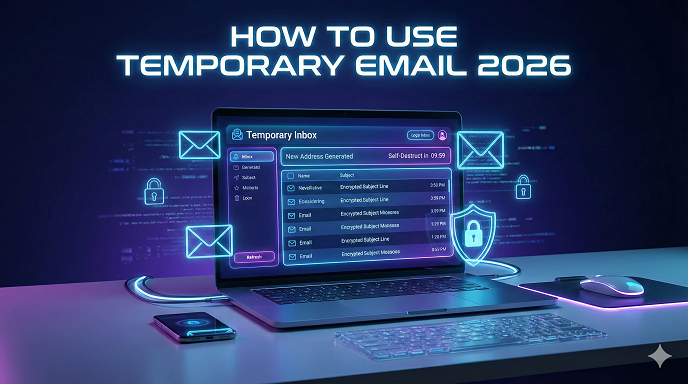
How to Use Temporary Email 2026: The Ultimate Beginner’s Guide to stopping Spam
Let’s be honest for a second. How many unread emails are sitting in your inbox right now? Two thousand? Ten thousand?
If you’re like most people I talk to, your primary email address has become a digital dumping ground. You signed up for a 10% discount code three years ago, and that brand is still emailing you twice a week. It’s exhausting. And in 2026, with data privacy becoming more of a headache than ever, handing over your real email address feels a bit like handing over the keys to your front door.
This is where a disposable email address comes in.
In my years working in digital strategy, I’ve realized that the single best way to keep your digital life clean isn't an expensive spam filter—it’s preventing the spam in the first place. Today, I’m going to walk you through exactly how to use temporary email, why it’s a non-negotiable tool for browsing the web in 2026, and how to avoid the rookie mistakes that can actually put your data at risk.
What Exactly Is Temporary Email?
Before we dive into the "how-to," let’s clear up what we’re actually talking about.
Think of a temporary email (often called free temp mail or a burner email) like a prepaid burner phone. It’s a fully functional email address that receives messages for a short period—sometimes just 10 minutes, sometimes a few days—and then self-destructs.
There is no registration. There are no passwords to remember. You don't have to give them your name, your phone number, or your mother's maiden name. You just open a website, grab an address, use it, and let it vanish into the digital void.
Why You Need One in 2026
You might be thinking, "Can't I just create a secondary Gmail account?"
You could. I used to do that. But here’s the problem: eventually, that secondary account gets filled with junk too. Plus, creating a permanent account usually requires phone verification now. It’s a hassle.
In my experience, a temporary inbox is superior because:
- It stops the tracking: Marketers build profiles based on your email. If you use a new email for every junk signup, they can't link your activity.
- It’s instant: No forms to fill out.
- It protects your real identity: If a random forum gets hacked (which happens daily), your real email isn’t in their database.
Step-by-Step: How to Use Temporary Email
If you are a total beginner, don't worry. This is legitimately one of the easiest tech tricks to master. Here is the exact workflow I use when I’m browsing a new site.
Step 1: Choose Your Provider
There are dozens of services out there. You don't need to download software. These are web-based tools. You want a service that is fast, loads quickly on mobile, and refreshes the inbox automatically.
Author’s Note: I generally advise against using services that require you to log in. The whole point is anonymity. If they ask for your email to give you a fake email, run away.
Step 2: Generate the Address
Navigate to the temp mail website. usually, the moment the page loads, you will see a random string of characters (something like [email protected]) in a big box at the top of the screen.
That is your new anonymous email.
Most services will give you a "Copy" button. Click it. You now have an email address on your clipboard.
Step 3: Use It for the Sign-Up
Keep the temp mail tab open. Open a new tab and go to the website that’s demanding your email address.
Let’s say you want to download a free PDF whitepaper, but the site requires an email to send the download link. Paste your disposable email address into the sign-up box.
Step 4: Check the Temporary Inbox
Flip back to the tab with your temp mail. Wait about 10 to 30 seconds. You should see the incoming email appear just like it would in Outlook or Gmail.
Click the email to open it. It will usually render just fine (images, links, and all).
Step 5: Verification (The Crucial Step)
Most of the time, you’re looking for a verification link or a code. Click the link to verify the account. Once you’re verified and you have access to the content you wanted, you are done.
Step 6: Walk Away
This is the best part. You don’t need to delete the account. You don’t need to unsubscribe. You just close the tab. The email address will expire on its own, and any future spam sent to it will bounce. Your real inbox remains pristine.
See here….How to start a blog that earns money 2026
Real-World Scenarios: When Should You Use This?
Knowing how to use temporary email is one thing, but knowing when to use it is where the strategy comes in. I use these tools almost daily. Here are the most common scenarios where a burner email is your best friend.
1. The "Gated Content" Trap
We’ve all been there. You find an article that looks amazing, but after the first paragraph, a popup blocks the screen: "Enter your email to keep reading." Or maybe you need to download a simple template.
Do not give them your real work or personal email. These lists are often sold to third-party advertisers. Use a temp mail, get the info, and get out.
2. Testing Apps and Software
If you are a developer or just someone who likes trying new apps, you know the pain of the "14-day free trial." They always want an account. If you just want to see the interface of a new project management tool, use a temporary email 2026 solution. It saves you from the "We miss you!" emails that will inevitably follow if you decide not to buy.
3. Public Wi-Fi Sign-ins
This is a big one. You’re at the airport or a coffee shop. To access the free Wi-Fi, the portal asks for your email address.
I feel strongly about this: Never give airport Wi-Fi your real email. You have no idea how secure that database is. A disposable address works perfectly here to get you online without the privacy risk.
4. Buying One-Off Items
Sometimes you buy a gift from a random online store you will never visit again. While you need a real email for the receipt (more on that in the "Common Mistakes" section), if you are just creating an account to browse their "members only" sale prices, use a temp mail.
The Different Types of Temporary Email
Not all disposable addresses are created equal. As you get more comfortable, you’ll realize there are different "flavors" of anonymity.
The "10-Minute" Mail
These are the strictest form. The email literally self-destructs after a countdown timer hits zero.
- Best for: Quick verifications where you need a code right now.
- Pros: Maximum privacy. It’s gone forever.
- Cons: If you accidentally close the tab too early, you can’t get it back.
The "Alias" Approach
This is a bit more advanced. Some services allow you to create an alias that forwards to your real email.
- How it works: You create [email protected]. It sends mail to your real Gmail. If john-shopping starts getting spam, you just delete that specific alias.
- Best for: Things you might need to access later, like a newsletter you actually want to read but want the option to kill instantly if it gets annoying.
The "Custom Domain" Temp Mail
Some premium temp services allow you to pick a custom domain. Instead of @randomgibberish.com, it might look like @consulting-firm.com.
- Why use this? Some websites are smart. They block known temp mail domains. If you try to sign up and get an error saying "Please use a valid email address," you usually need a higher-quality, custom domain temp mail.
Critical Warnings: When NOT to Use Temporary Email
I cannot stress this section enough. While learning how to use temporary email is a superpower, using it incorrectly can be a disaster.
I have seen people lose access to important accounts because they didn't think this through.
1. Medical and Banking
Never, ever use a disposable email for:
- Online banking
- Credit card portals
- Medical records
- Government services (like tax portals)
If you forget your password for these sites, they will send a reset link to your email. If that email expired three days ago, you are locked out. Recovering a bank account without access to the registered email is a nightmare that involves hours of phone calls and identity verification.
2. Important Purchases
If you are buying something expensive—like a laptop or a plane ticket—use your real email. You need that receipt for warranty claims or flight changes. If the airline cancels your flight and emails the notification to a temp inbox you closed last week, you’re going to be stranded at the airport.
3. Social Media Profiles You Care About
You might think it’s clever to make an anonymous Facebook or Twitter account. However, social platforms frequently trigger "security checks" where they ask you to re-verify your email a month later. If you can’t verify, the account is banned instantly. Only use temp mail for throwaway social accounts you don't mind losing.
Troubleshooting Common Issues
Even the best tools have hiccups. Here is what usually goes wrong and how I fix it.
"The Website Rejected My Email"
You type in the temp address, hit submit, and the site says: "We do not accept disposable email addresses."
- The Fix: This happens because the website administrator has blacklisted the domain name of the temp mail service. Just hit "Change" or "Delete" on your temp mail provider to generate a new one with a different domain extension. If that fails, try a different service entirely.
"I Didn't Receive the Verification Email"
You are staring at the inbox, but it’s empty.
- The Fix: First, hit the manual "Refresh" button on the temp mail site. Second, check if the sender has a delay. But honestly? If it takes more than 2 minutes, the IP address of the temp mail server might be blocked by the sender. Just generate a new email and try again. It’s faster than waiting.
Privacy Myths vs. Reality
Let's talk about what happens "under the hood."
Myth: Temp mail services are encrypted and private vaults. Reality: Most free temp mail services are not private. The administrators of the site could technically read the emails coming in. Furthermore, since there are no passwords, if someone else guesses the random string of your email ID (unlikely, but possible), they could see your inbox.
The takeaway: Never have sensitive information sent to a temporary inbox. Don't have your password resets or private documents sent there. Use it for junk, not for secrets.
See here….Top TH18 War Base Link with Smasher Guardian (Anti-3 Star Copy Link)
Pros and Cons: A Quick Summary
To make this easy to digest, here is the breakdown of why you should (and shouldn't) adopt this habit.
Pros
- Zero Spam: Keeps your primary inbox focused on work and family.
- Anonymity: Websites can't cross-reference your data.
- Speed: No registration required.
- Security: Reduces the surface area for phishing attacks on your main email.
Cons
- Short Lifespan: Once it's gone, it's gone.
- No Recovery: You can't reset passwords for accounts linked to these emails.
- Trust Issues: Some "premium" websites block them automatically.
Frequently Asked Questions (FAQs)
Q: Is using a temporary email illegal? A: Absolutely not. It is perfectly legal to use a disposable email address for signing up for newsletters, forums, or services. You are simply choosing how you want to receive communication.
Q: Can I send emails from a temp mail address? A: Usually, no. Most free services are "receive only." This is to prevent spammers from using the service to send junk mail to others. Some premium versions allow sending, but for the average user, it’s just for receiving.
Q: How long does the email address last? A: It depends on the provider. Some last 10 minutes, others last 24 hours, and some last until you manually delete them. Always check the timer on the screen.
Q: Can I get the same address back if I close the tab? A: Generally, no. With most free services, once the session is closed, that address is recycled or destroyed. If you think you might need it again later, keep the tab open or use an email alias service instead.
Q: Will this work for Netflix or Amazon Prime trials? A: It’s hit or miss. Major companies like Netflix have sophisticated filters to detect free temp mail. You might need to try a few different providers to find one that slips through, but it is becoming harder in 2026.
Conclusion: Take Back Control of Your Inbox
The internet in 2026 is designed to capture your data. Every popup, every "free" offer, and every checkout process is a data collection point. Learning how to use temporary email isn't just a tech tip—it’s a necessary hygiene habit for the modern web.
By using a disposable address, you are drawing a line in the sand. You are saying, "You can share the information I asked for, but you cannot have permanent access to my attention."
Here is your actionable next step: Right now, go to your bookmarks bar. Find a reputable temporary email service and bookmark it. Label it "Spam Shield." The next time a website asks for your email and you feel that hesitation in your gut—click that bookmark instead. Your future self (and your clutter-free inbox) will thank you.





