The Ultimate Guide to Temp Mail for QA Testing in 2026: Stop Cluttering Your Inbox
If you’ve spent more than a week in software testing, you already know the headache. You’re testing a new user registration flow, a password reset feature, or a complex email notification sequence. To do it right, you need unique email addresses.
Before you know it, your personal inbox is flooded with verification links, your company domain is flagged for spammy behavior, and you’re managing a ridiculous spreadsheet of fake Gmail accounts just to keep track of everything.
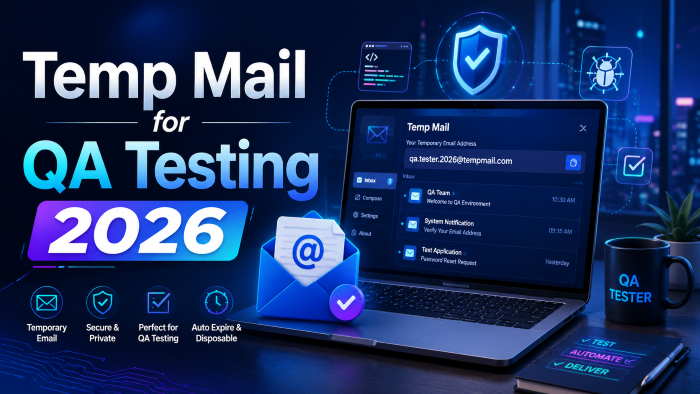
In my experience, managing test data is one of the biggest bottlenecks in modern software development. That’s exactly why finding the right temp mail for QA testing 2026 is no longer just a nice-to-have; it’s a critical part of your testing infrastructure.
Whether you are running manual exploratory tests or building out a massive suite of automated end-to-end tests, using a temporary email for QA testing can save you hours of frustration. Let’s dive into why you need these tools, how to choose the right one, and the common traps you need to avoid.
Why You Can’t Rely on Standard Inboxes for Testing Anymore
What most people don’t realize is that testing email functionality is rarely just about checking if an email arrived. It’s about verifying the content, clicking the links, and ensuring the timing is right.
When you use traditional email providers (like Gmail, Outlook, or Yahoo) for this, you run into several massive roadblocks:
- Rate Limiting: Try creating 50 Gmail accounts in an hour for a load test. You’ll be IP-banned before you finish your coffee. Standard providers are built for humans, not for automated QA testing email accounts.
- Security Blocks: Modern email providers use aggressive spam filters. Your staging environment's unauthenticated emails will almost certainly end up in the junk folder, or worse, get blocked entirely, giving you false negatives in your tests.
- Context Switching: Forcing testers to log in and out of different webmail interfaces breaks focus and slows down the manual testing process significantly.
- Automation Nightmares: Trying to write a Selenium or Playwright script that logs into a standard webmail client, navigates the DOM, and extracts a verification code is notoriously brittle. The UI of these clients changes constantly, breaking your tests.
This is where a dedicated test email address generator changes the game.
Understanding the Landscape: Types of Email Testing Tools 2026
Not all temporary email services are created equal. Depending on whether you are a solo developer checking a side project or part of an enterprise QA team, your needs will vary wildly.
Here is how the market breaks down right now:
1. The Quick and Dirty: Disposable Web Inboxes
These are the free temp mail for testing services you probably already know. You go to a website, it generates a random address, and you can see the inbox right there in your browser.
- Best for: Quick manual checks, testing one-off signup flows, verifying a newsletter subscription format.
- Pros: Instant setup, no registration required, completely free.
- Cons: Highly public (anyone with the address can see the mail), domains are frequently blacklisted by major platforms, zero automation support.
2. The Developer's Choice: Temporary Email APIs
If you are doing QA automation email testing, you need an API. These services allow your test scripts to provision a new, secure temporary email address on the fly, wait for an inbound message, and parse the content programmatically.
- Best for: CI/CD pipelines, automated end-to-end testing (Cypress, Playwright, Selenium).
- Pros: Highly reliable, programmatic access to emails and attachments, private inboxes, bypasses standard spam filters.
- Cons: Usually requires a paid subscription for serious volume, requires coding knowledge to set up.
3. The Enterprise Solution: Dedicated Testing SMTP Servers
For complex environments, some teams set up their own testing SMTP servers that capture all outgoing mail from a staging environment, regardless of the "To" address, and route it to a central dashboard.
- Best for: Large enterprise teams, testing complex microservices architectures.
- Pros: Total control, catches everything, no need to change email addresses in the test database.
- Cons: High maintenance overhead, requires DevOps support to configure and manage.
(Note: If your team is struggling to manage these setups, investing in a robust temporary email API service is often the most cost-effective route—it’s a small price to pay for reliable test runs.)
Step-by-Step: Integrating a Temporary Email API into Your Automation
Let’s get practical. If you are setting up software testing email verification in 2026, you should be automating it. Here is a general workflow of how you integrate a temporary email service into a
Step 1: Provision the Inbox via API
Before your test interacts with your application’s UI, make an HTTP request to your chosen temporary email service 2026.
Action: Request a new inbox.
Response: The API returns a unique email address (e.g., [email protected]) and an inbox ID.
Step 2: Execute the Application Action
Instruct your automation tool (like Cypress) to fill out your application’s registration form using the newly generated email address and submit it.
Step 3: Poll for the Email
This is the crucial part. Emails are asynchronous. You cannot expect the email to be there the millisecond you submit the form.
Action: Write a polling function that queries the temporary email API every few seconds, asking if a new message has arrived in the specific inbox ID. Set a reasonable timeout (e.g., 30 seconds).
Step 4: Parse and Assert
Once the API returns the email payload, extract the information you need.
Action: If you need a verification code, use a regular expression to find the 6-digit number in the email body. If you need to click a link, extract the URL from the HTML body.
Assertion: Verify the subject line is correct, the sender is accurate, and use the extracted link or code to complete the test flow in your application.
Step 5: Clean Up
Always be a good citizen of your testing environment. Make a final API call to delete the temporary inbox so you aren’t storing unnecessary data.
Real-World Case Study: Fixing the Password Reset Flaky Test
After working with a mid-sized SaaS company last year, I saw firsthand how crippling bad email testing can be. Their CI pipeline was failing almost daily. The culprit? A flaky test covering the "Forgot Password" flow.
They were using a shared, standard company email address for the test.
The Problem:
- Concurrent test runs were requesting password resets at the same time.
- The automation script would log into the shared webmail.
- It would grab the latest email, which often belonged to a different test run.
- The test would fail because the token didn't match the expected session.
The Solution:
We ripped out the shared inbox and implemented a temporary email API. We updated the test script so that every single test run generated a brand-new, isolated disposable email for testers.
The script then requested the password reset for that specific address, polled the API, extracted the unique reset link, and completed the flow.
The Result:
The test went from a 60% pass rate to 99.9% reliability. It ran faster because API calls are significantly quicker than UI interactions in a webmail client, and it completely eliminated the concurrency issue.
Pros and Cons of Using Dedicated QA Tester Tools for Email
Before you overhaul your testing strategy, it’s worth weighing the benefits against the potential drawbacks.
The Pros:
- Unblocked Staging Environments: You can test freely without worrying about trashing real user data or getting your domain blacklisted.
- Automation Reliability: APIs provide structured JSON responses, making it infinitely easier to parse emails than scraping HTML from a web client.
- Privacy and Security: A secure temporary email ensures that sensitive staging data (like reset tokens or internal test invoices) isn't floating around on public disposable mail sites.
- Scalability: Need to test 10,000 user signups for a load test? A good API handles that effortlessly.
The Cons:
- Cost: While there is free temp mail for testing, reliable APIs that support high concurrency and automation will cost money.
- Implementation Time: It takes time to rewrite existing flaky tests to use a new API structure.
- Third-Party Dependency: Your test suite is now dependent on the uptime of the temporary email provider. If they go down, your tests fail.
Common Mistakes When Testing Email Functionality
Even with the best temporary inbox for developers, things can go wrong if you aren't careful. Here are the most common pitfalls I see teams fall into:
1. Ignoring Deliverability Testing
Just because an email arrived in your temporary test inbox doesn't mean it will reach a real user's Gmail inbox. Temp mail tools bypass real-world spam filters. You still need separate tests (perhaps using tools like Mailtrap or Litmus) to verify your SPF, DKIM, and DMARC records and ensure your content doesn't look spammy.
2. Hardcoding Email Addresses
Never hardcode a test email address into your application code or your test scripts if you expect to run tests concurrently. Always generate them dynamically.
3. Failing to Test the Plain Text Version
Most developers focus entirely on how the HTML email renders. But many users (and spam filters) rely on the plain-text fallback. Ensure your test scripts verify that the plain-text version exists and contains the necessary links and information.
4. Not Using Unique Assertions
Don't just check that an email arrived. Check that the email arrived with the correct subject, to the correct address, containing the specific dynamic data expected for that exact user session.
See here……Top digital marketing strategies that work
Frequently Asked Questions (FAQs)
Can I use temporary email for performance testing?
Yes, but you need a robust, paid API service. Free public temporary email sites will throttle your requests or block your IP if you try to hit them with hundreds of requests per minute. Look for services that offer dedicated volume plans for QA automation.
How do I prevent my application from blocking temporary email domains?
Many applications block known disposable email domains (like Mailinator) to prevent spam signups. In your staging or QA environment, you should configure your application to explicitly whitelist the specific domains used by your temporary email service, or use a tool that allows you to configure custom private domains.
Is it safe to send sensitive data to a disposable email for app testing?
If you are using a public, free service, absolutely not. Anyone can access those inboxes. If you are handling sensitive staging data, you must use a secure temporary email service that provides private, authenticated inboxes via API.
How do I test emails containing attachments?
Most professional email verification testing tools provide API endpoints that allow you to download attachments associated with a message. Your test script can download the file and then verify its size, type, or even parse its contents if necessary.
Do I still need a tool like Mailtrap if I use a temporary email API?
They serve different purposes. Mailtrap is a "fake SMTP server" that captures outgoing mail before it hits the real internet—great for local development. A temporary email API provides actual endpoints that receive mail over the real internet—essential for end-to-end testing where you need to verify the entire delivery pipeline.
Conclusion and Next Steps
Relying on personal inboxes or hacky workarounds for email verification is a surefire way to slow down your development cycle and introduce flaky tests. As applications become more complex and reliant on email for authentication, notifications, and marketing flows, your testing strategy needs to evolve.
Finding a reliable temp mail for QA testing 2026 is about choosing a tool that fits into your automated workflows, respects your privacy, and handles the asynchronous nature of email delivery gracefully.
Take a hard look at your current test suite. If you have tests that fail intermittently because of email delivery issues, or if your QA team is spending hours manually checking inboxes, it’s time to integrate a dedicated temporary email API. It’s a relatively small change that pays massive dividends in test reliability and team velocity.
What’s your current strategy for handling email verification in your test suite? Let me know what challenges you're facing!