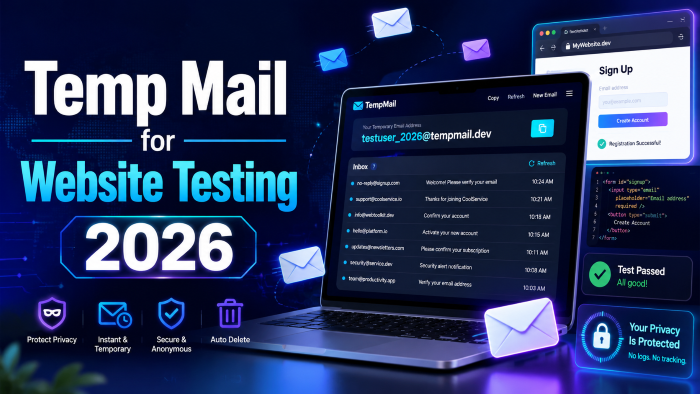
2026’s QA Secret Weapon: Using Temp Mail for Website Testing
You've no doubt encountered the pain of sitting at your desk typing [email protected], [email protected] and [email protected] and then waiting to see if you received the password reset link. It's been a big pain in the neck, manually testing email flows.
In 2026, though, this is the truth: If you are continuing to use aliases like personal or company names for your staging environment, you are wasting hours of productive time - and possibly facing an enormous data compliance nightmare.
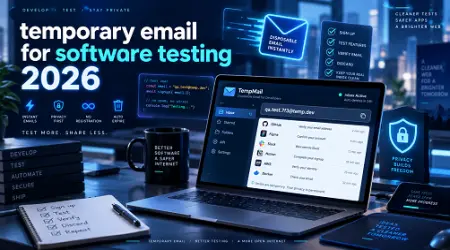
The use of a temp mail for website testing 2026 is not only to eliminate a crowded mailbox any more. It's about automating your QA pipelines, ensuring your Staging database is free from real-world personally identifiable information (PII), and ensuring your transactional emails DO reach where they should!
Firstly, from my practical experience in doing QA sprints, using a dedicated temp-mail for testing, changes the whole development attitude. Say goodbye to waiting for a group email account to update. No more unintentional spam blocklists! Simple, demonstratable testing.
Below is how to make the best of these tools, what features most developers overlook and how to not be wasting time manually checking things off.
Why Your QA Process Is Probably Breaking Right Now
Little do most people know that modern email providers (such as Gmail, Outlook and Yahoo) have very aggressive anti-spam algorithms.
These filters are likely being triggered by a normal e-mail being used for your app's registration flow. You sign in, use that verification link and delete the account and sign in again. Your staging environment looks exactly like it does to Google's servers, you're running a botnet attempting to spam a single user.
At some point your IP is quietly blocked. Then comes a day when the QA team reports that "emails aren't sending", and the developers spend two days debugging an otherwise perfect node.js mailer script because goddamn Gmail decided to ghost your staging server.
The Danger of Real Data in Staging
Then there's the security factor. I have actually seen teams using actual customer e-mails in a staging database, as part of "realistic testing. Then a developer accidentally activates a cron job and all of a sudden this is sent to 5,000 real users: "TEST PLEASE IGNORE". It is shameful, and makes people distrust the brand.
This risk is completely removed with a disposable email for website testing. It separates the test world from the outside world.
What Exactly is a Temp Mail for Developers?
First of all, let's dispel a myth. If you're talking about a temporary inbox for QA testing, you're not only talking about the shady inboxes you use as a means to evade a necessary newsletter sign-up.
Consumer free email services are excellent for avoiding marketing mail but a developer free temp mail is very different.
A 2026 professional mail test software is a local or virtual SMTP server. Intercepts outgoing emails from your application even before reaching the public internet.
Here is the difference between the two main types of test email generators:
Top Tools: Finding the Best Temporary Mail for App Testing
The market has evolved rapidly, and relying on outdated tools will only slow you down. If you want a reliable fake email for signup testing, you need a service that plays nicely with automation frameworks like Cypress, Playwright, or Selenium.
Here are the heavy hitters I consistently recommend to teams.
1. Mailtrap
If you are doing serious development, Mailtrap is practically an industry standard. It acts as a fake SMTP server. You plug their credentials into your staging environment, and every single email your app sends gets trapped in their virtual inbox.
- Best for: Catching emails before they reach real users.
- Hidden Feature: It gives you a detailed spam score and tells you exactly why your HTML template might get flagged by Gmail.
- Monetization tip: If you are a digital marketing agency building client sites, getting a premium Mailtrap tier allows you to prove to clients that their transactional emails are perfectly formatted before launch. It's an easy upsell for "deliverability QA."
2. Mailinator
Mailinator is the king of the public disposable email service. Any email sent to @mailinator.com is instantly created on the fly. You don’t even need to set up an account beforehand.
- Best for: Quick, manual QA testing where you need to check a password reset link right now.
- The Catch: Public inboxes are visible to everyone. If you send a test email with a sensitive API key or a secure link, anyone checking that inbox name can see it. Always use their paid private domains for enterprise testing.
3. Temp-Mail.org (and similar clones)
These are your classic "temp mail without signup" generators. You visit the site, it hands you a random string like [email protected], and you use it to test a website registration.
- Best for: Black-box testing. When you are a QA tester making sure a live production environment handles new user signups correctly without polluting your own CRM with fake leads.
Step-by-Step: Automating Fake Email for Signup Testing
Doing things manually is fine for a quick check, but to really level up, you need to automate your website registration testing email flow. Here is how my teams typically handle this using Cypress and an API-enabled temp email address.
Step 1: Set up the API-enabled Inbox
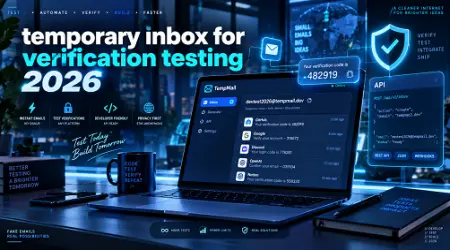
Sign up for a service that offers an API (like MailSlurp or Mailtrap). Generate a new, unique email address programmatically at the start of your test script.
Step 2: Inject the Address
Have your automated browser (Playwright/Cypress) fill out the registration form using this newly generated temporary email for verification.
Step 3: Wait for the Webhook
Instead of manually opening a tab to check for the email, your script should ping the testing tool's API. Set a timeout for 30 seconds. The API will return the raw HTML and text of the received email.
Step 4: Extract the Payload
Use a simple Regex command in your script to extract the verification link or the 6-digit OTP code directly from the API response.
Step 5: Complete the Flow
Pass that link or code back into your automated browser to complete the signup.
Once you set this up, what used to take a human three minutes of clicking now takes a machine four seconds.
See here…………How to use Instagram for growth
The Catch-All Domain Hack (A QA Hidden Feature)
If you don't have the budget for premium tools, here is a digital hack that most developers don't utilize enough: The Catch-All Subdomain.
If you own a domain like myagency.com, go into your DNS and email hosting settings and set up a wildcard catch-all for a subdomain, like *@qa.myagency.com.
Now, you have an infinite test email generator. You can type [email protected] into any signup form, and it will all route to one single master inbox you control.
This is brilliant for manual testing because you get the benefits of unique email addresses without having to constantly generate new temporary mailings. Plus, since it uses your own domain, restrictive forms that block known "throwaway" domains won't flag you.
The Dark Side: Common Mistakes with Disposable Email Services
Even with the best tools, things can go wrong. Avoid these common pitfalls:
1. Testing Production Deliverability with a Sandbox
Tools that trap your email (like Mailtrap) are great for checking formatting and logic, but they do NOT test actual deliverability. Because the email never crosses the open web, you have no idea if your SendGrid or AWS SES IP is warmed up properly. Always do a final live test with a real inbox.
2. Ignoring the Text-Only Version
When you use a temporary inbox for QA testing, it's tempting to just look at the pretty HTML render. Don't forget to check the plain-text fallback. Many spam filters will penalize you heavily if your HTML and plain-text versions don't match, or if the plain-text is missing entirely.
3. Using Blocked Domains for Live Testing
If you are doing black-box testing on a live app, be aware that many modern SaaS platforms use APIs to actively block known disposable email service domains (like 10MinuteMail). If your test fails, it might not be a bug in the code; the app's security might just be rejecting the temp domain.
See here…………Th13 most powerful war base Proven Layouts + Deep Defense Guide (2025)
Frequently Asked Questions (FAQ)
Is it legal to use a fake email for signup testing?
Yes, absolutely. As long as you are authorized to test the application or are using it for your own privacy on public sites, it is completely legal. It’s actually encouraged in staging environments to protect real user data.
How long do temporary email addresses last?
It depends on the tool. Free consumer tools usually expire in 10 to 60 minutes. Developer-focused QA tools can hold emails for days or weeks depending on your retention settings and plan limits.
Can I reply to an email from a temp mail account?
Most free temporary email services are receive-only. However, premium developer tools and virtual inboxes often allow you to send simulated replies to test your app's inbound email parsing.
Will a temporary email bypass phone verification?
No. An anonymous email testing tool only handles the email portion of a signup. If an app requires SMS verification, you will need a separate virtual phone number service.
Why did my verification email never arrive in the temp inbox?
There are three common reasons: your app's SMTP settings are misconfigured, the temp mail domain is blacklisted by your sending provider (like Mailgun), or the temp inbox expired before the email was dispatched.
Conclusion and Next Steps
One of the simplest, highest-value-added modifications a development or QA crew can make is transferring from particular inboxes to using a separate temp mail for web site testing 2026.
It helps to keep your data clean, preserve your sending reputation, and pave the way towards complete end-to-end testing automation. The end goal is to avoid manually refreshing inboxes, and whether it's using a trap service to harvest staging email or an "action experiment" of sorts utilizing a catch-all domain for infinite matrix testing…
Your Action Step for Today:
Take 15 minutes right now to audit how your team tests emails. If you find people using +alias Gmail hacks or shared company inboxes, it’s time to implement a virtual SMTP trap in your staging environment. The time you save on the very next sprint will pay for the effort tenfold.