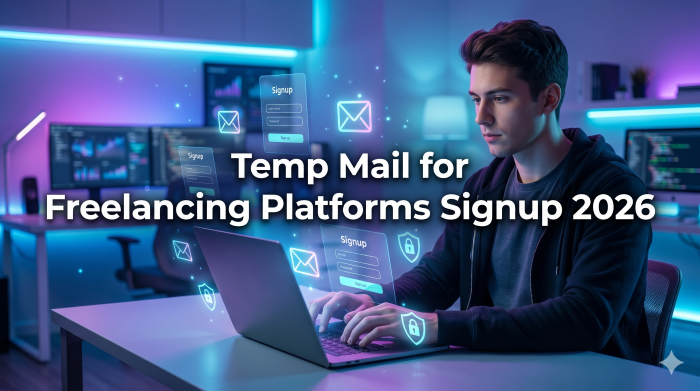
The Truth About Using Temp Mail for Freelancing Platforms Signup 2026: A Risky Shortcut?
Getting started in the freelance world can feel incredibly overwhelming. You are navigating new websites, trying to figure out how to build a portfolio, and the last thing you want is your personal inbox flooded with promotional spam or endless notification emails. I completely understand that hesitation.
When you are just testing the waters, the temptation to grab a quick, disposable email address is huge. In my experience mentoring new online workers, the first instinct is often to use a temporary email for freelancing just to bypass that initial registration wall. You just want to see how the platform works, right?
But if you are searching for a way to use temp mail for freelancing platforms signup 2026, we need to have a serious, honest conversation. What most people don’t realize is that this seemingly harmless shortcut is basically setting a ticking time bomb on your new career.
In this guide, we are going to dive deep into why these burner emails are a trap, how modern platforms detect them, and the clever, hidden tech hacks you can use instead to keep your inbox clean while securing your freelancing account.
Why Beginners Lean Toward a Temporary Email for Freelancing
Let’s be real for a second. It is entirely logical why someone creating an account for the first time would look for a disposable email for signup. You don't know if you are going to stick with this platform.
Maybe you are a student exploring side hustles, or a local worker trying to take your skills global. You might be thinking:
- "I don't want my primary inbox cluttered with marketing newsletters."
- "I'm just browsing to see what kind of jobs are posted."
- "I want to protect my privacy until I know this site is legitimate."
These are valid concerns. Nobody likes an unmanageable inbox. A few years ago, you could easily grab a 10-minute mail address, verify your account, and start browsing.
However, the landscape has fundamentally shifted. In 2026, freelancing platforms are essentially financial institutions. They process billions of dollars, and as a result, their security measures have evolved drastically. Using a temp mail isn't a clever hack anymore; it's a massive red flag.
The Hidden Mechanics: How Platforms Detect and Punish Temp Mails
You might think that an email address is just an email address. But behind the scenes, complex algorithms are working the moment you hit the "Register" button.
To understand the temp mail risks, you need to understand how the system views your application. When you submit an email, the platform instantly checks the domain's MX (Mail Exchange) records. They maintain dynamically updated blacklists of known temporary email providers.
If the system detects a burner domain, one of three things happens:
- Instant Rejection: The system simply won't let you create the account.
- Shadowbanning: Your account is created, but your profile is secretly pushed to the bottom of client search results. The algorithm flags you as a low-trust user from day one.
- The Time Bomb: They let you in, let you do the work, and then strike when it hurts the most.
The Fiverr and Upwork Signup Email Security Check
Let's look at the industry giants. The Upwork signup email process is notoriously strict. Upwork’s trust and safety algorithms are designed to weed out bots and unverified users immediately. If you attempt to use a burner, you will likely face an immediate identity verification lock.
Similarly, the Fiverr email verification system doesn't just check your email once. They periodically require re-verification, especially when you log in from a new IP address or attempt to withdraw funds. If you used an email address that self-destructed 10 minutes after you created it, you are entirely locked out of your own account.
A Real-World Nightmare: Losing Your First Big Payout
Let me share a story that perfectly illustrates why you must avoid temp mail for freelance accounts. After working with a talented graphic design student last year, I witnessed this exact disaster unfold.
He wanted to try his hand at logo design. To avoid spam, he used a popular disposable email site to register on a major platform. To his surprise, he actually landed a gig within his first week. He worked hard, delivered a brilliant design, and earned $300.
Then came payday.
When he clicked "Withdraw," the platform flagged his account for a routine security check and sent a 6-digit confirmation code to his registered email. The problem? That temporary inbox had vanished weeks ago. He couldn't access the code. He couldn't change the email address without the code. He couldn't verify his identity.
His $300 was permanently frozen. His account was suspended for suspected fraud, and because he used a fake email, the platform's support team refused to help him. That is the true cost of compromising your freelancing account security.
See here…………Th13 most powerful war base Proven Layouts + Deep Defense Guide (2025)
Smart Tech Hacks: The Professional Alternative
You still want to protect your personal inbox, and that is a smart move. But instead of relying on a temporary email for freelancing, there are brilliant, hidden tech features you can use right now that provide the same protection with zero risk.
Hack 1: The Gmail "Plus" Alias Trick
Most users don't know this, but Gmail has a built-in alias feature. You do not need to create a brand-new account to filter your mail.
If your email is [email protected], you can add a + and any word before the @ symbol.
For example: [email protected] or [email protected].
To the freelancing platform, this looks like a completely valid, standard Gmail address. It passes every single security check. But on your end, all emails sent to that address arrive in your standard [email protected] inbox.
You can easily set up a filter in your Gmail settings: "If an email is sent to [email protected], skip the inbox and move it to a specific folder."
- Result: Zero spam in your main feed. 100% account security. You never lose access to verification codes.
Hack 2: Creating a Dedicated Free Email Workspace
If you want to keep things entirely separate, simply create a dedicated standard email (like a new Gmail or ProtonMail account) strictly for your online work.
A professional email for freelancers usually looks something like [email protected] or [email protected]. This is a safe email for freelancing platforms, it's free, and it shows clients you take your business seriously.
Hack 3: The Ultimate Flex - A Custom Domain
If you really want to stand out, investing in a custom domain (e.g., [email protected]) is a game-changer. You can buy a basic domain for a few dollars a year from registrars like Namecheap or Hostinger.
Not only does this guarantee you will breeze through any freelance account email verification, but it also opens up subtle monetization and lead generation opportunities down the line. When clients see a custom domain, they subconsciously view you as a premium professional, not a fly-by-night amateur. It builds instant trust, and eventually, you can attach that domain to a portfolio website to attract clients directly, bypassing platform fees entirely.
Pros and Cons: Choosing Your Email Strategy
Step-by-Step: Setting Up a Safe Email for Freelancing Platforms
If you are ready to do this the right way, follow this quick blueprint to set up your digital workspace securely.
Step 1: Choose Your Route
Decide if you want to use the Gmail Alias trick (fastest), create a dedicated free account (better separation), or buy a custom domain (most professional).
Step 2: Create the Account
If creating a new free account, avoid numbers or unprofessional nicknames. [email protected] is infinitely better than [email protected].
Step 3: Secure the Email Itself
This is crucial. Turn on Two-Factor Authentication (2FA) for this email account. If someone hacks your email, they hack your freelance earnings.
Step 4: Register on the Platforms
Use this new, secure email for your Upwork signup email, Fiverr, or any other platform.
Step 5: Centralize Your Notifications
If you have a separate email app on your phone, log into your new professional email there. Set it to only notify you for direct messages, not promotional newsletters.
5 Common Mistakes When Creating Freelancing Accounts for the First Time
Even when bypassing the temp mail trap, beginners still make critical errors during registration. Avoid these at all costs:
- Using a University/School Email: Student emails are great until you graduate. Often, universities deactivate these accounts six months after graduation. If your freelance profile is tied to it, you will lose access forever.
- Mismatched Names: Ensure the name on your email address somewhat matches the legal name you use on the platform. If your email is [email protected] but your platform ID is "David Smith," the trust algorithms will flag you for identity fraud.
- Ignoring the Verification Link: Platforms usually give you 24 to 48 hours to click the confirmation link sent to your inbox. Failing to do this often results in a permanent shadowban on that email address.
- Signing up via Apple ID with "Hide My Email": While secure for standard apps, Apple’s relay emails can sometimes delay crucial, time-sensitive client notifications or trigger manual review flags on stricter gig platforms.
- Forgetting to Whitelist Platform Domains: Sometimes, crucial password reset emails go to spam. Always add the platform's support email to your contacts so you never miss an urgent security alert.
See here…………How to learn English fast for beginners
What to Do If You Already Used a Temp Mail
Did you read this article a little too late? Don't panic, but you need to act immediately.
If you have already created an account using a disposable email, log in right now. Do not wait until you land a client or try to withdraw funds.
Navigate to your account settings and locate the "Security" or "Contact Info" tab. Request an email change immediately.
Most platforms will allow you to update your email as long as your account is still fresh and hasn't been flagged for suspicious financial activity yet. If the platform requires you to receive a code at the old (now deleted) temp mail to authorize the change, you will need to contact customer support. Be honest. Tell them you used a temporary service for privacy but now want to update to your permanent professional address.
Frequently Asked Questions (FAQs)
Can Upwork detect if I use a temporary email?
Yes. Upwork uses advanced domain tracking and MX record lookups during registration. They actively block known disposable email domains, and even if you slip through, your account will likely be flagged during the identity verification phase.
What is the best free email for freelancers?
Gmail and Outlook remain the industry standards. They are highly trusted by platform algorithms, offer excellent spam filtering, and integrate seamlessly with productivity tools like Google Drive or Microsoft Office.
Does using a professional email help me get clients?
Absolutely. While clients on platforms like Fiverr rarely see your direct email, establishing a professional email (especially a custom domain) is crucial for off-platform communication, invoicing, and building long-term trust for lead generation.
Will I lose my money if I can't access my registration email?
In most cases, yes. To withdraw funds to a new bank account or PayPal, platforms require email verification. If your email was temporary and no longer exists, your funds will be frozen until you can prove your identity through a lengthy manual support process.
Is it safe to use my personal email for freelance signups?
It is safe from a security standpoint, but terrible for productivity. Your client messages will get buried under grocery store coupons and social media notifications. It is always better to keep your personal and professional digital lives separated.
How do I bypass email verification on freelance sites?
You don't. Any tutorial claiming to show you how to bypass freelance account email verification in 2026 is either outdated or trying to sell you a scam. Verification is a mandatory legal requirement for these platforms to prevent money laundering.
The Final Takeaway
When you are starting your digital career, it is easy to view registration hurdles as annoyances. But the truth is, the foundation of a successful freelance business is security and professionalism.
Using temp mail for freelancing platforms signup 2026 might save you two minutes of inbox management today, but it will cost you your earnings, your reputation, and your account tomorrow. Stop looking for risky shortcuts. Spend five minutes setting up a dedicated, safe email workspace, and start your journey with peace of mind.
Have you already set up your freelancing profiles, or are you just getting ready to launch your first gig? Let me know in the comments below, and if you have any questions about optimizing your profile for those first crucial clients, drop them down there as well!